Happy new year! Please enjoy these new features and enhancements in the latest version of Mona:
- Notifications, Messages, and Trending tabs are now fully functional;
- Favorites, reblogs, new follower notifications are automatically grouped;
- Mastodon List features are now fully supported: you can view/create/edit/delete lists, pin lists to tab bar, add people to lists, and remove people from lists.
Push notifications will be supported in the next Mona Beta update.
Mona push notification is now available. Enjoy~
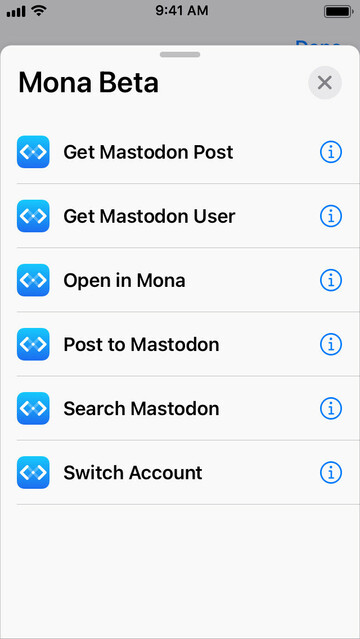
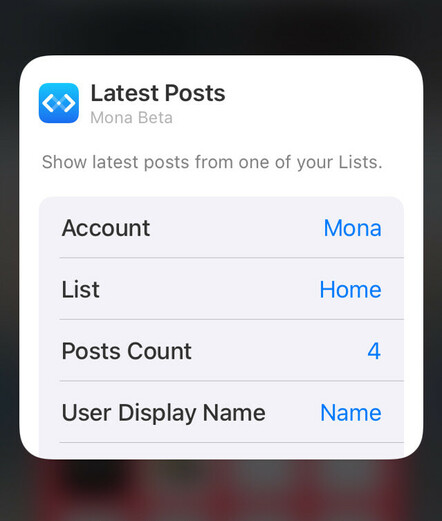
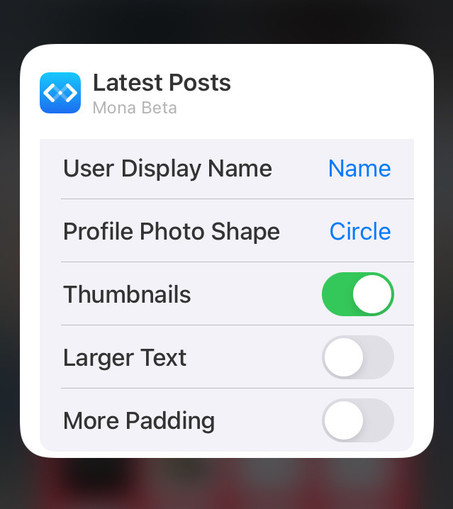
Upcoming new features of Mona Beta: Home Screen widgets and Siri Shortcuts.
Home Screen widgets and Siri Shortcuts are now available.
Today’s Mona Beta update includes new features, improvements, and bug fixes.
• Adds share extension to the system share sheet
• Supports rich notification previewing (requires iOS/iPadOS 13+, macOS 11+)
• Supports showing profile metadata
• Improves compatibility with Pixelfed instances
• Optimizes sign in process
Today’s Mona Beta update includes new features, improvements, and bug fixes.
• Adds an alternative sign in method
• Speeds up user profile loading
• Adds preliminary supports for displaying Mastodon emojis on usernames and posts
• Adds keyboard shortcuts for scrolling one page up/down. You can optionally enable Space Bar Scroll in Advanced Settings
• Supports push notification customizations: badges, sounds, deliver methods
• Supports customizing text color of “verified links“
Today’s Mona Beta update includes improvements and bug fixes.
• Supports viewing edited posts and their edit histories
• Duplicated content warnings on post detail view are now auto expanded
• “Find on Page” is now supported on Notifications and Messages tabs
• Mastodon emojis are now animatable (you can also opt to disable emoji animations in Accessibility Settings)
Upcoming new feature: Edit Post.
Today’s Mona Beta update includes improvements to the post composer:
• Supports “Edit Post”
• Supports manually marking your post as sensitive (or not sensitive)
• Supports poll customization (allow multiple choices, or hide vote number)
• Supports attaching audio file to your post
• Mona’s Share extension now accepts audio files
• Optimizes username autocomplete on post composer
Latest update of Mona Beta:
• Speeds up user profile loading
• Downloads more posts per request
• Adds color customization options in app theme editor, for reading progress, threads, and focus ring
• Adds display settings for hiding number of posts on the reading progress indicator
• Adds a new keyboard shortcut: View > Accounts > Show All Accounts
• Fixes an issue where some posts may be displayed on the wrong position on timeline
• Fixes an issue where earlier notifications may not show up
Latest update of Mona Beta:
• Redesigns link preview card, with faster load time
• Supports follow/unfollow hashtags
• Optimizes the Column View on iPad and Mac
• You can now follow people using a non-current account
• You can now remove user posts from Home timeline, while keeping them on your lists
• Turning on/off notifications for certain users
• Adds a display settings for auto expanding all content warnings
• Adds in-app localization/translation editor
Coming soon in the next update: cross-instance public timeline browsing.
A new version of Mona Beta is now available:
• Introduces Communities tab: browse and interact with posts on public timelines of other Mastodon instances. You can also pin timelines to your Tab Bar
• Supports editing name, bio, and profile metadata (more “Edit Profile” functions will be available later)
• User action “Remove from Home” is now available on all user action menus
• Follow confirmation menu will no longer be displayed if you added just one account in Mona
Today’s Mona Beta update:
• Supports updating profile photo and banner in the app
• Adds more options on the Edit Profile page
• The post composer now respects your account’s preset of post privacy level
• Adds indicators for bot accounts (you could also opt to hide those indicators in Settings > General > User Badges)
• On the user action menu, adds a button for adding people back to Home timeline, if you previously removed them from Home
Upcoming feature: accepting follower requests. Also, public beta will be opened later today.

Public Beta of Mona is available now!

TestFlight link for iPhone and iPad: https://testflight.apple.com/join/xNdgUbh6
Download link for Mac: https://github.com/JunyuKuang/Spring-for-Twitter/releases/download/MonaBeta/MonaBeta.zip

System requirements: iOS/iPadOS 13 or newer, macOS 10.15 or newer

TestFlight - Apple

Using TestFlight is a great way to help developers test beta versions of their apps.

Today’s Mona Beta update:
• Supports Mastodon servers that come with special characters in their domain names, such as https://loðfíll.is
• Always shows sidebar instead of bottom tab bar on Mac, if the Divide View feature is disabled
• Resolves a “crash on launch” issue
Loðfíll.is

loðfíll.is, íslenski mastodon vefþjónninn. Öll velkomin!

Mastodon hosted on loðfíll.is
Today’s Mona Beta update:
• Applies filters that you configured on your Mastodon server
• Theme editor: customize color for post action buttons
• Adds an Advanced setting: Invert Scroll Direction (for Space Bar Scroll)
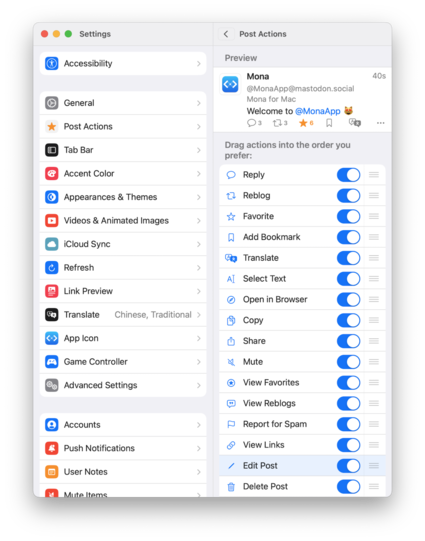
• Adds an Accessibility setting: Hide “Quote Post” Action (turn on “Separate reblog and quote post actions” first)
• Fixes an issue where turning on Compact Layout on Mac has no effect
• Fixes an issue where sending reply or quote post from system Notification Center may not work

Today’s Mona Beta update:
• Supports iCloud sync for custom themes and accent colors
• Shorten sharing links for app themes, allowing you to share your themes more easily by posting links instead of QR codes
• Supports showing trending posts on your server, and other servers you added on the Communities tab
• You can pin trending pages to your tab bar
• Adds new actions on post and user profile pages: Load from Remote Server: allowing you to browse the complete reply list and user profile posts
Today’s Mona Beta update:
• Adds new customization options in app theme editor for iPhone and iPad: top bar background, sidebar background, unselected tab on sidebar, and status bar text color
• The post action “open in new window“ now opens post from remote server
• Adds user relationship indicator on post view
• Adds an Accessibility option on iPhone and iPad, that moves Send button to the top bar. Enabled by default for VoiceOver users
Available now in Mona Beta:
• De-duplicates reblogs on timeline
• Truncates long posts on timeline
• Shows indicator for media description (alt text)
• Improves follower request handling
• Adds “open in browser“ action to user action menu
• Supports setting alternate lists for multiple accounts on your pinned lists on tab bar
• Makes timeline filters (a bit) smarter
• Adds timeline filter options for mentions, sensitive content, and long posts
@MonaApp “De-duplicates reblogs on timeline” -> this is an awesome feature!! Can’t wait.
@randolph34 @MonaApp Agreed. That and truncating longer posts will be real nice improvements to have. Looks to be another superb update on the way.
@MonaApp Really pleased to see the addition of an alt text indicator.
@MonaApp @MonaApp doesn’t feel like a beta at all. When will it be available in the App Store?
@Krit @MonaApp I can’t wait to give my money to @MonaApp !!!!
@Krit @MonaApp Have to agree... 👏. I've tested and tried all of the available apps / betas; and - to date - #Mona is winning in terms of UI / theme options ...and is pretty much there with functionality too!
Love the fact that I can actually connect my pixelfed.social account!
@MonaApp The button is in the top bar! Best news of the day! Thanks for being so responsive to user feedback. I'm honestly looking forward to buying this app so I can pay for all you're putting into this.
@alexhall @devinprater @MonaApp yes! you've done an amazing job with Mona, hence why it's my top masto app. :) although the 3 finger swipe up to send posts doesn't work, unless it's for dirrect messages only.
@MonaApp @onlinegoddess A goodly update. No news on the notifications problem being resolved? I see more and more people mention it…
@MonaApp On the Mac app, the tabs outlines always take on the highlight color. It would be great if there were an unselected tab color that applied to them. Even greater still would also be to be able to set the tab bar color on the Mac via theming. Loving themes.
@BudGibson Currently you can adjust that color with Accent Color.
@MonaApp Right, but accent color impacts things you are trying to accent, behaving rather differently between macOS and iOS.
@MonaApp 就差底栏和上面栏的背景颜色和透明度了,希望能自己调整为全黑,太喜欢,作者赶紧上架收费
@MonaApp tried for first time iOS testflight. Enter mastodon.social on first screen and after click just get swirling circle. This is iOS 16.4 beta though.
@MonaApp Getting better and better! I noticed something for the iOS version and I’m not sure if it’s a regression or not: when I click a link and open the in-app browser, it seems to only way to close it is by clicking the “close” button. It feels like the “swipe right to go back” behavior should also close the browser window when you’re at the original page.
@MonaApp Fixed in today’s update! Thank you!
@MonaApp Thank you for this wonderful and highly customizable app! I have a quick question, is „including a profile pic“ in the classic reposted post possible? It’s the way ivory does it and it makes reading and getting to know who exactly reposted stuff much easier. Thank you again!
@MonaApp Would it be possible for our own posts/replies to not trigger the new posts icon on the Home tab? As in: I believe Mona should not treat my posts as “new”. Often I’m replying from the communities tab and think there are new posts in Home but it’s just my reply. Thanks!
@MonaApp mona-cat://b574
mona-cat://ca49
Awesome! Are they uploaded first?
@zhhz Yes they are uploaded to iCloud first.
@zhhz @MonaApp That Dark OLED is gorgeous - even on the desktop!
@MonaApp I especially love the remote feature in actions! Since Mastodon and forks will be adding hashtag management displays natively, I think you should look into letting the API handle that so you can do, well, other things! This update is very welcome, and I can't wait until this is released for a wider population!
@MonaApp Load from remote is fabulous! Also just a general thank you! I’ve been finding every other client option I was dealing with something that made it visually difficult and being able to fully customize colors and font (even the little vertical thread post connection line!) is a massive usability improvement for me. Plus I can setup the main & post screen with just the buttons I use regularly. So great.
@MonaApp loading from remote server is a killer feature, wow! any chance for the ability to boost from any of our accounts like we can already do with likes/follows/etc.?
@luka You can already do that: select Quote Post, select the account to reblog/boost, and tap Send.
@MonaApp am I missing something with the keyboard? I use Braille screen input but still can't post with the 3-finger gesture, and flicking to post or reply is always far from the input area. It feels further down the screen than a typical send in other apps, and is obviously not near one of the top corners as you see on some clients
@cachondo @MonaApp In Mona setting accessibility if you have send post with return key tturned on, you can also send with a 3 finger swipe up using Braille Screen Input!
@Terry @MonaApp it's on, but it just hides the keyboard on my phone. Which means then the regular send button is hidden. too...
@cachondo @MonaApp ah there you go they've just responded, fabulous when you get that kind of fast response from a developer!
@cachondo I have submit a technical support request regarding this issue to Apple, but haven’t receive a reply yet. Please let me know if you know a method to detect that gesture from the app.
@MonaApp :) I wish i could help!
it's not quite universal, it fails in Mail, but does work in many other apps.
None of the other mastadon ones I'Ve tried, it must be said.
@MonaApp while we're on feature request's ...
@cachondo @MonaApp agreed. When you open a new post or reply window quick nav is off by default it seems. when you've done your message, the three finger swipe definitely doesn't work, and send / reply are in the very bottom right corner. HTH.
@ladymunch @MonaApp ah, now, on my phone, reply/send's above the keyboard.
it just feels a bit ... unusual to have to reach there, when other apps that do similar whatsapp, messages etc support the braille thing.
The dev's looking though, very responsive!
@cachondo @MonaApp ah yes forgot to say, my phone seems to think it's permanently connected to a Braille display. not sure why.
@MonaApp This is all sweet. Do you have plans for haptics? I think that’s the only thing I miss
@aerotom @MonaApp oh shame. Ivory now has me addicted and I’d like not to have to do without ¯\_(ツ)_/¯
@aerotom @MonaApp indeed that last sentence sums it up. Don’t think I was consciously aware of it before, but I miss it now it’s not there

@MonaApp Two questions about filters

1. Can I see the filters in Mona’s settings somewhere?
2. Can I see them in the timeline as filtered but open them if I want?

@Ronnie 1. Currently not. Supports will be added later;
2. Yes, if your filter action is “hide with a warning”
@MonaApp Perfect. Thanks. I will look into that.
@MonaApp Loving this more and more. A couple of questions:
- Do mutes applied in Mona live just in Mona? Or, are they on the server?
- Is there a Mona theme repository somewhere? I’m looking to either create or find a solarized theme with light and dark variants.
@BudGibson Thank you!
1. Mutes you created in Mona currently only applies in Mona;
2. Please check the pinned post on my profile: https://mastodon.social/@MonaApp/109859984571889210
@MonaApp Thank you for implementing the filters! 🙏🏻
@MonaApp I assumed that filters i set on the server are processed before Mona even fetches the latest toots. Is that not the case?
@MonaApp I noticed that server/instance emoji appear to display at a slightly smaller size than standard emoji.
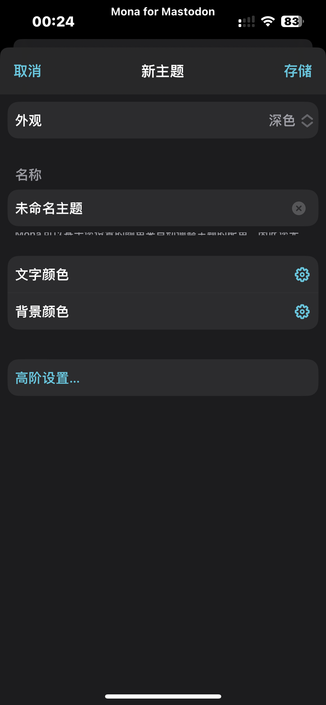
@MonaApp Feedback a bug, theme editor, build a new theme, click advanced settings, there may be problems in the picture!
@xiuhuitu Not sure. Is this always the case for you?
@MonaApp I tried it again today, it seems that it will not appear, I just updated it yesterday, I can ignore this small bug now😂😂
@MonaApp Would you consider an option to turn off auto-capitalising replies?
@dmc Why would you need that?
@MonaApp yeah, I know it’s stupid and niche, but I prefer it. I wouldn’t blame you for totally ignoring it though
@dmc @MonaApp I appreciate that it starts out capitalized. Saves me a step. 👍