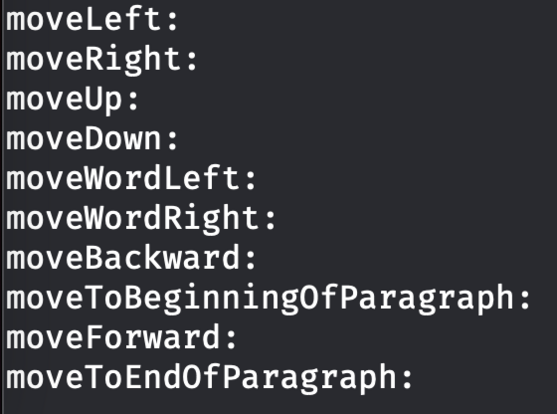
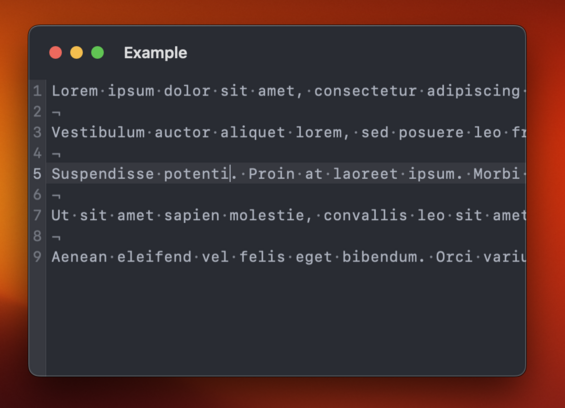
Me porting Runestone from UIKit to AppKit.

Yay! Runestone now works with... *Checks notes*... UIKit?? 🤨

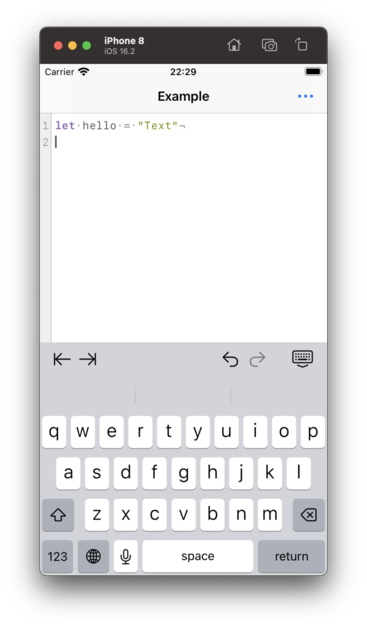
In order to prepare for AppKit support, I had to rip the internals of Runestone apart and put it together again. For the first time in 36 hours, Runestone now works with UIKit again.
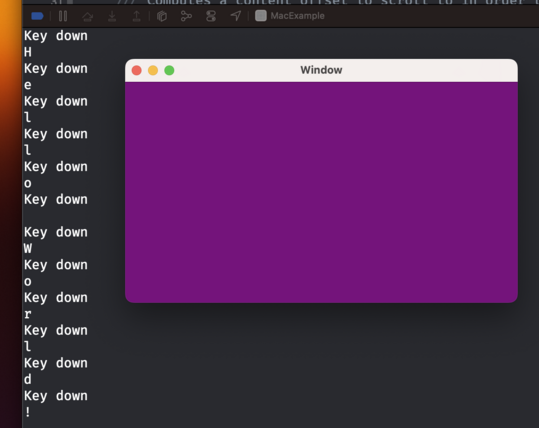
So I now have an NSWindow with an NSView that receives keystrokes. That's like step 0 in building a text editor, right?

There's such a long way to go still before Runestone is rewritten in AppKit. I hope I'll eventually turn a corner where all my work from UIKit can be reused and I ✨magically✨ have an AppKit implementation.

Runestone just rendered its first text using AppKit. Baby steps, y'all.

The AppKit version of Runestone now supports scrolling the content.

This involves a bit more than just wrapping everything in an NSScrollView because Runestone only renders the lines within the viewport.

Baby steps, y'all.

Time to add a caret that shows where characters will be inserted. I'm a little bummed that I have to implement this myself. We get that for free in UIKit.
Runestone for AppKit now has a caret. Baby steps, y'all.

I need to implement all moving within lines myself 😑

In the screenshot I'm logging the selectors that I don't handle but that AppKit expects me to handle. This is something we get (almost) for free in UIKit. Honestly, I really don't want to write this logic.

Got navigation with the arrow keys working in Runestone for AppKit.

I figured out how to reuse some of the code from the UIKit implementation so this turned out to be much easier than anticipated.

Next up is adding support for jumping between words with Option+Left/Right arrow keys.

Baby steps, y'all.

In order to move from word to word, UIKit relies on an implementation of UITextInputStringTokenizer. I managed to replicate UIKit's calls to my string tokenizer and reuse a lot of logic for moving between words. Baby steps, y'all.

While working on moving between words in Runestone for AppKit I found that the UIKit version had an incorrect behavior when moving between words followed by an emoji. The caret would always jump all the way to the end of the document which isn't correct, obviously. Fortunately, that was easy to fix and the fix works in both UIKit and AppKit.

And yes, it is supposed to jump all the way from the word "emoji" to the word "cool". That's how TextEdit does it too. Baby steps, y'all.

And now Runestone for AppKit supports moving to the line and document boundaries as well as clicking with the mouse to move to the closest location.

Maybe the next step is to support text selection. Or something more fun like line numbers.

Baby steps, y'all.

Fortunately, invisible characters, line height, kerning and theming works with no changes needed 😃

Line numbers and highlighting the selected line now works in Runestone for AppKit.

This one was a bit tricky because the view hierarchy is different between AppKit and UIKit and there's some important layering going on here to make it look the way I want it to.

On the other hand, disabling line wrapping worked without any changes 😃

Baby steps, y'all.

I quite like this look where the title bar is big and transparent ✨

Taking a break from this thread tonight*. I did a few minor things that aren’t worth showing off but I’ll prioritize playing with the Quest 2 and watching Slow Horses for the rest of the evening. I need a short break 🤗

* Since I’m posting this I guess I’m not really taking a break.

As I'm working more and more on Runestone for AppKit, the codebase feels increasingly off-putting. It's growing large and complex and some duplicated code between UIKit and AppKit seems inevitable. If I am to continue working on this (and I hope I am!) I need three things:

1. Find peace in the codebase becoming a bit more complex.
2. Figure out which parts I can clean up.
3. Set time aside to add more unit tests.

@simonbs Maybe the more you work on it, the more commonalities appear between the two, and it can be extracted to some utility code which is shared between them.
@pasi That's what I'm hoping too 😊

@simonbs are there pieces you can break apart into their own packages? Smaller isolated things are more fun to work on.

And yes. Tests. Can’t recommend them enough. Tests and watching the coverage in Xcode gives such zen and peace of mind.

Just tested syntax highlighting in Runestone for AppKit for the first time. Was happy to discover that it just works 😃

Baby steps, y'all.

Mostly got text selection, copy, paste, and cut working in Runestone for AppKit today 😃

There are still a couple of bugs in the text selection that needs to be fixed but it's getting there.

Baby steps, y'all.

Still polishing the text selection in Runestone for AppKit. Getting all keyboard shortcuts working as expected is extremely tricky but I'm getting closer. However, I've just got text selection working with the mouse so that's something 😄

Baby steps, y'all.

@simonbs Lovely!

(Hope my recorded issue report video came across, sent to runestone email acct)

@simonbs what’s your opinion on textkit 2? (Seems like you are implementing it on your own.
@unclex It wasn’t available when I started my work and TextKit 1 had performance issues that I couldn’t live with.

@simonbs Aaamaaazing! 🤩 This is just the best thread

(I was wondering what would happen with the syntax highlighting thing)

@simonbs and it’s pretty fluid
@simonbs seems to be more than a baby step if it just works :-)
@simonbs excellent news, desperate to use this on the Mac. Great work. Will it work with SwiftUI on the Mac also?
@simonbs by the way the Runestone documentation is wild. Really impressive.
@camsoft2000 Thank you for the kind words! 🙏
@simonbs it’s so awesome watching this evolve in real time!
@simonbs
Slow Horses is totally worth taking the break for... :)
@simonbs But it's hard to separate the content from the chrome.
@okla I agree. I guess that's what I like about it 😄
@simonbs It looks nice until the scrolling starts, then the text becomes clipped by an invisible border which is kinda ugly)
@simonbs Awesome progress. I’m looking forward to use it.

@simonbs this is really exciting to watch.

I remember going through similar concepts and milestones when I was playing with a toy editor I was writing in python.

@simonbs I’m pretty sure this will end up being a much more polished editor than Apple’s NSTextView, with your track record
@simonbs watching you build this is so cool! Thanks for sharing the baby steps! It’s really inspiring.
GitHub - krzyzanowskim/STTextView: Performant and reusable text view component (TextKit 2), with line numbers and more. UITextView / NSTextView replacement.

Performant and reusable text view component (TextKit 2), with line numbers and more. UITextView / NSTextView replacement. - krzyzanowskim/STTextView

GitHub
@pixelscience @krzyzanowskim Yes but mine needs to work with UIKit too.
@simonbs looks like that baby is taking some big steps… 👏
@simonbs for the record, I’ve been really enjoying watching these little baby steps coming together piece by piece. Appreciate you!
@danbetcher Thanks! Glad to hear you enjoy it.
@simonbs not being a coder but I thought you got these text navigation shortcuts “for free” from the frameworks from Apple?
@simonbs NSTextView handles these, of course. Are you writing a a replacement NSView, or using Catalyst and finding that UITextInteraction in Catalyst doesn't handle them correctly?
@steveshepard I’m subclassing NSView and conforming to NSTextInputClient. I’m essentially trying to do what I’ve done with UIView and UITextInput but in AppKit.
@steveshepard I’m curious to know which approach you’re taking with Storting. Is it AppKit or Catalyst?
@simonbs On macOS, Storyist uses NSTextView. Writing a replacement for that is a lot of work. Unfortunately, NSTextInputClient only gets you a small subset of what UITextInput get you on iOS and there isn't a UITextInteraction equivalent.
@steveshepard Yeah, it seems to be a lot of work. But you are also using Core Text on iOS, right? Can you reuse that with an NSTextView?
@simonbs Yes, CoreText on iOS, implemented in the days before TextKit came to the platform. I don't currently use CoreText on macOS because NSTextView is pretty complete (and extensible).
@steveshepard Hmmm… I fear I’ll end up with vastly different implementations if I go that route. Maybe I made a mistake to go with Core Text over TextKit when I started the project. TextKit just had some performance issues that I couldn’t live it 😕
@simonbs Yes, they'll be quite different. I think @krzyzanowskim has an NSTextView replacement, so if you're going to invest the effort, that might be a place to start.
@simonbs Baby steps, y’all. — an AppKit series by Simon B. Støvring
@simonbs now do option for different carets
@pasi I've considered this a lot and may do it eventually. Probably won't do it on iOS though.
@simonbs It’s incredible to me that you’re building an editor literally “from scratch”. Very cool!