
Mission Accomplished.

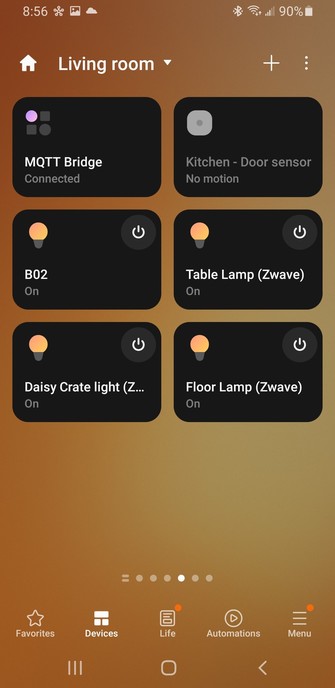
A week ago we had a power surge that flickered the power five times in a row. Of course this is the signal to many #smarthome light bulbs to reset to factory defaults. Joy.

Last night I got the last set of bulbs back online, finally resetting all our group and room configs.

It did remind me of how many Z-Wave bulbs I have (about 6). If I do end up moving away from #smartthings , I'll definitely need a #zwave enabled server.

#homeautomation #homeassistant

@RoyGreenhilt I just picked up a Conbee stick to move my #Zigbee devices over to #HomeAssistant and phase out my old #SmartThings Hub. Is there something similar for #Zwave ?
@djweso @RoyGreenhilt I have a Zooz #Zwave plus stick that I use on #HomeAssistant

@reemi @djweso @RoyGreenhilt

I second the choice of the Zooz stick. I have the 700 series and it's been rock solid. #ZWave #HomeAssistant

@Colone1Sanders7 @reemi @djweso Are ya'll using a dedicated small PC to run your HA stuff, or a Pi or or or? I recently picked up an IBM Thinkstation (really small formfactor PC) that has been super-good running Plex. I could just get another one to run HA.

#plex #homeassistant #raspberrypi #homeautomation #zwave #ibm

@RoyGreenhilt @Colone1Sanders7 @reemi @djweso Hi, I hope you don't mind me chipping in! I started with a #RaspberryPi with an SSD (and still have one running a small instance), my main instance is running as a virtual machine. Have you considered using your thinkstation as a Proxmox host and running Plex and #HomeAssistant on the same box? It might not work for your use case, but might be something to consider. I'll butt out now!

@michael @Colone1Sanders7 @reemi @djweso Doing a clustered / virtual hosting box is definitely a consideration. I haven't set one up from scratch though, other than a single box that just runs tons of docker containers (I did that on my Synology).

I'll look into proxmox though. It seems to be basically a hypervisor that can run a ton of VMs. I suppose you'd just allocate USB ports to VM's directly?

COuld just use my synology for disk. Hmmm :)

@RoyGreenhilt @Colone1Sanders7 @reemi @djweso Proxmox is fairly simple to setup and manage, you can either use their ISO or install it on debian. Yup it's a hypervisor and you can run a ton of VMs (and LXC containers), I have a couple of VM's just for messing about on. Yup USB device or port passthrough. Again yes, you could just NFS disks from Synology too... It opens up a whole new world of home labbing. You also have the option to snapshot or take a whole VM backup before you start messing :)
@michael @RoyGreenhilt @Colone1Sanders7 @reemi @djweso +1 for Proxmox. Or if you favour the command line then just use LXC. Download the #homeassistant OVA, import into LXC, start a VM (LXC supports VMs), zero to HA instance in a few minutes. My main HA VM runs that way. Only takes a few minutes to spin up a test HA instance to try something.