 AskUbuntu
Navigation shortcuts are broken in Ubuntu 26.04 #workspaces #shortcuts #dock #2604

 PyCharm Blog
Support for uv, Poetry, and Hatch Workspaces (Beta)
#Python #Pycharm #Uv #Workspaces
https://blog.jetbrains.com/pycharm/2026/05/support-for-uv-poetry-and-hatch-workspaces-beta/
Ubuntu workspace isolation not working for swapped shortcuts #workspaces

 MTBeeUnixPM
#windows #workspaces #wayland #linuxmint #anchoring
Anchoring window sizes and workspace assignment in Linux Mint Wayland...not a full solution but some pretty good workarounds / suggestions
https://claude.ai/share/b0d666a0-d8d4-4ceb-965b-d9398e3c832e
 EveryLibrary
If you’re a business traveler, you know that working out of hotels, the car, and cafes can be challenging. Public libraries, however, offer a well-lit, quiet workspace with free access to wifi, meeting rooms, reference librarians, and more. https://action.everylibrary.org/a_business_traveler_s_guide_to_working_at_the_library
#Library #Libraries #BusinessTraveler #Workspaces
#Library #Libraries #BusinessTraveler #Workspaces

 sayzard
Cursor (@cursor_ai)
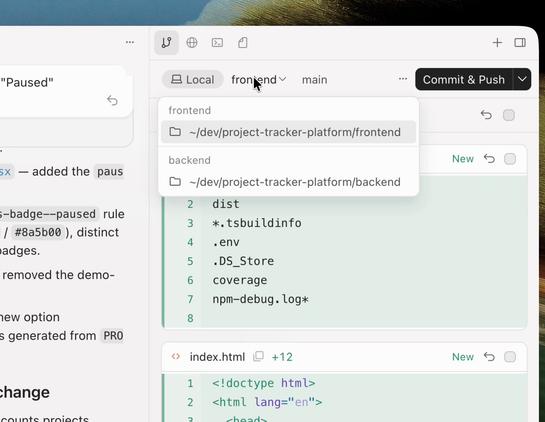
Cursor에 multi-root workspaces 기능이 추가되어, 이제 여러 폴더를 하나의 재사용 가능한 워크스페이스로 묶어 크로스 레포 변경 작업을 할 수 있다. 단일 에이전트 세션이 여러 프로젝트를 동시에 다루는 방식으로, 대규모 코드베이스 개발과 AI 기반 편집 작업에 유용한 기능이다.
 Harsh Kumar
🚀 Work smart. Spend smarter. Choose Sohna Road, Gurgaon!
Affordable coworking meets premium infrastructure — only with Qdesq.
✔️ Fully managed workspaces
✔️ Budget-friendly compared to prime hubs
✔️ Great connectivity across Gurgaon
✔️ High-speed WiFi & meeting rooms
✔️ Zero brokerage
👉 https://www.qdesq.com/coworking-space/sohna-road-gurgaon
#Coworking #SohnaRoad #Gurgaon #Qdesq #Workspaces #StartupLife #OfficeGoals
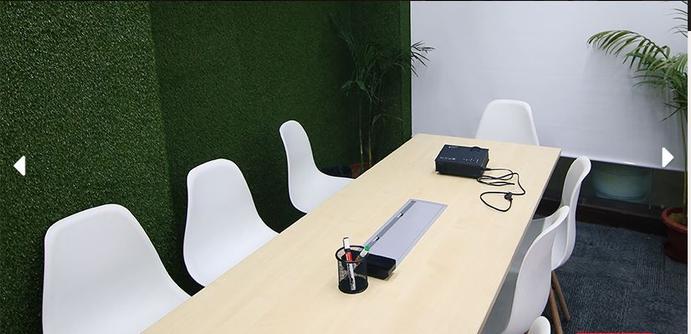
🚀 Work from the heart of Gurgaon — Sector 44!
Find your perfect coworking space with Qdesq and upgrade how your team works.
✔️ Fully managed workspaces
✔️ Central location & great connectivity
✔️ High-speed WiFi & meeting rooms
✔️ Flexible plans for every team
✔️ Zero brokerage
👉 https://www.qdesq.com/coworking-space/sector-44-gurgaon
#Coworking #Sector44 #Gurgaon #Qdesq #Workspaces #StartupLife #OfficeGoals
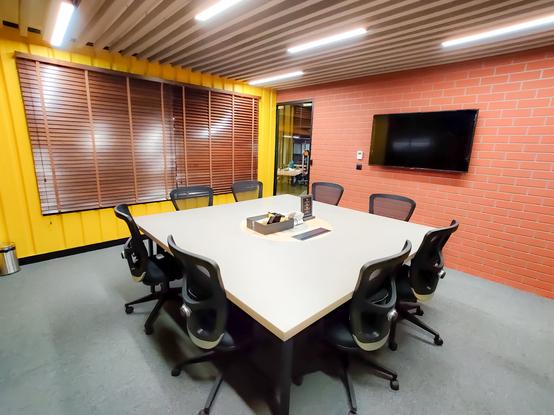
🚀 Work from Gurgaon’s most premium business stretch — Golf Course Road!
Upgrade your workspace with fully managed coworking spaces by Qdesq.
✔️ Plug-and-play offices
✔️ Prime corporate location
✔️ Meeting rooms & high-speed WiFi
✔️ Ideal for teams of all sizes
✔️ Zero brokerage
👉 https://www.qdesq.com/coworking-space/golf-course-road-gurgaon
#Coworking #GolfCourseRoad #Gurgaon #Qdesq #Workspaces #StartupLife #OfficeGoals
 Wojciech Jarosz
So I’ve been trying out #vivaldibrowser the last few weeks. Mostly like it, but find that #workspaces dont work as expected. Can I not have “persistent” workspaces, eg a workspace for email that always has three specific pinned tabs? Can I not have workspaces accessible across two machines? Also seems pinned tabs forget they are pinned or their urls periodically. I have to recreate everything in my workspaces every few days, which seems pointless. What am I doing wrong? @Vivaldi