 Wordius
The Markdown Link no. 26
https://piefed.social/c/technology/p/2026172/the-markdown-link-no-26
The Markdown Link no. 26
https://piefed.social/c/technology/p/2026172/the-markdown-link-no-26
The Markdown Link no. 26
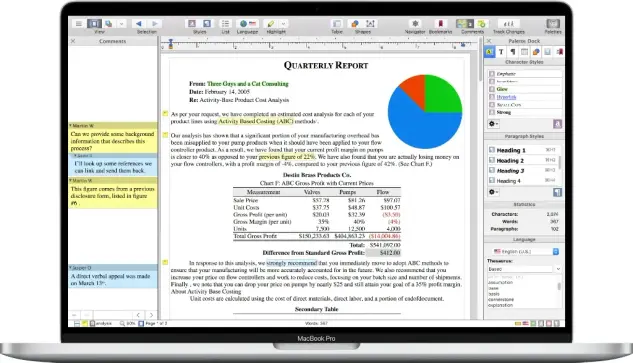
Among today’s links are markdown editors Cyberwriter, Wrangle and t-ext, and markdown viewer Mdterm. Plus a quick look at Nisus Writer Pro, a word processor I first used it back in the 1990s
https://md-handbook.com/blog/markdown-link-no-26/
#markdown #markdowneditors #markdownviewers #opensource #wordprocessors #NisusWriterPro #Mdterm #Cyberwriter #Wrangle #t-ext
New post: WordStar: the pre-Microsoft Word days
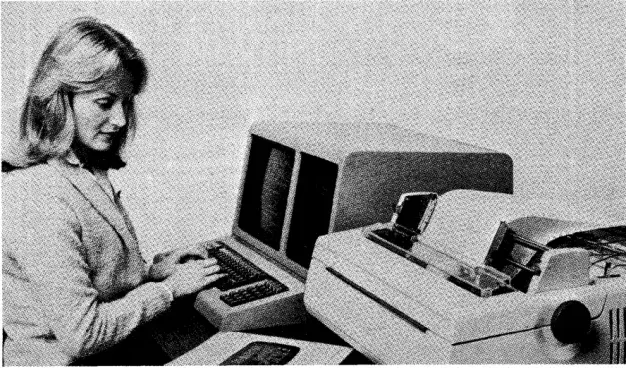
WordStar was the hand I was dealt when I started working with computers back in the 1980s. It was also probably the cheapest word processor on the market, knowing my boss
https://md-handbook.com/blog/wordstar-pre-microsoft-word-days/
Gen X-ers share the college experiences that 'couldn’t happen today' and people are feeling it
https://fed.brid.gy/r/https://www.upworthy.com/gen-xers-share-college-stories

A Look Back at Three Decades of Word Processors
https://bytecellar.com/2016/06/05/a-look-back-at-three-decades-of-word-processors/
#wordprocessors #wordprocessing
#retrocomputing #videoscritture

A few days ago I was running through twitter when I saw Peter Cohen (@flargh) link to a blog post he had written about distraction free writing and the focused simplicity of a 30 year old word processor. Reading the … Continue reading →
The first issue of #Compute had reviews of three "#WordProcessors."
One was from Commodore themselves, written in machine code ("ML" as it was often called then), and worked largely like you'd expect an early word processor to work: character-based, not WYSIWYG, but generally of use in manipulating text.
The other two were from small companies, written in BASIC, and were "line oriented" word processors. They stored documents as sequences of independent lines, which you would call up to look at, and would edit them individually.
Can you imagine working with a system like that now? What if that was how we had to enter text into the Mastodon posting form?

 md_handbook
 Front Page [Unofficial]
 🇪🇺 Yet Another Owl🕯️🕊️
 Aviendha69 🦋🍁 🇨🇦 | ᑐ ∪ ∩ ⊂
 HowToPhil (Phillip R)
 HowToPhil
 John Harris