 Fossery Tech


 Liam @ GamingOnLinux
Wireless VR streaming levels up on Linux with the latest WiVRn release
#WiVRn #VR #Linux #LinuxGaming
Wireless VR streaming levels u...
Wireless VR streaming levels u...
(more Linux news in original post)
Wireless VR streaming levels up on Linux with the latest WiVRn release:
https://www.gamingonlinux.com/2026/02/wireless-vr-streaming-levels-up-on-linux-with-the-latest-wivrn-release/
Wine 11.2 released with optimizations in PDB loading, support for MSVC constructors:
https://www.gamingonlinux.com/2026/02/wine-11-2-released-with-optimizations-in-pdb-loading-support-for-msvc-constructors/
Wine-Staging 11.2 Brings More Patches To Help Adobe Photoshop On Linux:
https://www.phoronix.com/news/Wine-Staging-11.2
New Proton Experimental update adds controller support to more launchers on Linux / SteamOS:
https://www.gamingonlinux.com/2026/02/proton-experimental-update-adds-controller-support-to-more-launchers-linux-steamos/
GE-Proton 10-30 released with fixes for Arknights Endfield and the EA app:
https://www.gamingonlinux.com/2026/02/ge-proton-10-30-released-with-fixes-for-arknights-endfield-and-the-ea-app/
Prefixer is a modern alternative to Protontricks that's faster and simpler:
https://www.gamingonlinux.com/2026/02/prefixer-is-a-modern-alternative-to-protontricks-thats-faster-and-simpler/
Vulkan-based translation layer D7VK officially expands to include Direct3D 5 support:
https://www.gamingonlinux.com/2026/02/vulkan-based-translation-layer-d7vk-officially-expands-to-include-direct3d-5-support/
Linux Kernel 6.19 Officially Released, This Is What's New:
https://9to5linux.com/linux-kernel-6-19-officially-released-this-is-whats-new
GNU Linux-Libre 6.19 Kernel Is Now Available for Software Freedom Lovers:
https://9to5linux.com/gnu-linux-libre-6-19-kernel-is-now-available-for-software-freedom-lovers
Linux 7.0 Kernel Confirmed by Linus Torvalds, Expected in Mid-April 2026:
https://9to5linux.com/linux-7-0-kernel-confirmed-by-linus-torvalds-expected-in-mid-april-2026
NVIDIA Posts Open-Source Nouveau GSP Driver Support For GA100:
https://www.phoronix.com/news/Nouveau-GSP-NVIDIA-GA100
X.Org Server's "Master" Branch Now Closed With Cleaned Up State On "Main":
https://www.phoronix.com/news/X.Org-Server-On-Main
GNU Binutils 2.46 Adds Support for AMD Zen6 CPUs, SFrame v3, and More:
https://9to5linux.com/gnu-binutils-2-46-adds-support-for-amd-zen6-cpus-sframe-v3-and-more
Mesa 25.3.5 arrives with bug fixes for open source Linux graphics drivers:
https://www.gamingonlinux.com/2026/02/mesa-25-3-5-arrives-with-bug-fixes-for-open-source-linux-graphics-drivers/
Mesa 26.0 Open-Source Graphics Stack Officially Released, Here's What's New:
https://9to5linux.com/mesa-26-0-open-source-graphics-stack-officially-released-heres-whats-new
EXT4 In Linux 7.0 Improves Write Performance For Concurrent Direct I/O Writes:
https://www.phoronix.com/news/Linux-7.0-EXT4
Btrfs Brings Experimental Remap-Tree Feature & More In Linux 7.0:
https://www.phoronix.com/news/Linux-7.0-Btrfs-Changes
NetworkManager 1.56 Released with New Features and Improvements:
https://9to5linux.com/networkmanager-1-56-released-with-new-features-and-improvements
(FOSS news in comments)
#WeeklyNews #News #Linux #LinuxNews #VR #Wine #WineStaging #Proton #GEProton #D7VK #Vulkan #Prefixer #LinuxKernel #LinuxLibre #XOrg #GNUBinutils #Mesa #EXT4 #Btrfs #NetworkManager #WiVRn #FosseryTech
Wireless VR streaming levels up on Linux with the latest WiVRn release https://www.gamingonlinux.com/2026/02/wireless-vr-streaming-levels-up-on-linux-with-the-latest-wivrn-release/
Flashing the wrong firmware to my 3070 was a stroke of genius.
When I use #WiVRn with GPU Encoding and run a game, it absolutely sits at the power limit (300W) when the original was 240W, with an extended limit at 270W, while now it's 270W up to 300W.
And it will sit at 300W all day long. Thank you EVGA for overbuilding these cards so much. <3
(I flashed the FTW3 firmware to my XC3 Ultra)
...It amuses me opening OpenRGB and seeing "EVGA GeForce RTX 3070 FTW3 Ultra LHR" instead of the XC3 Ultra as well.
Anyone know if it's possible to make the clocks in wlx-overlay-s use 12 hour formatting instead of 24?
Edit: Solved! Turns out a sneaky pyenv shim replaced my cmake with an older one that the WiVRn build did not support because it was expecting the missing newer features without warning that this version of cmake is too old.
I’m trying to install #wivrn (Monado for wireless #VR headsets) on Arch Linux and having this odd problem where both #envision and the wivrn-server AUR are failing to link monado-service. Specifically, #monado is erroring with these undefined references:
Under ~/.local/share/envision/<profile uuid>/xrservice/build/_deps/monado-src/src/xrt/ipc/:

server/ipc_server_mainloop_linux.c - undefined reference to `listen_socket'

compositor/main/comp_renderer.c - undefined reference to `render_distortion_images_ensure'

compositor/render/render_resources.c - undefined reference to `render_distortion_images_fini'
I’ve been sitting on this for several days and I have no idea what’s going on. At least as far as listen_socket goes, I do have the systemd-libs installed so I don’t know why it’s failing.
If anyone has any ideas, I’m as lost as it gets.
Consegui fazer meu setup de realidade virtual funcionar no Linux usando a stack open source! Usei Monado (runtime OpenXR e OpenVR via OpenComposite); #WiVRn (conexão com headset standalone, Oculus Quest 2) e #WlxOverlayS, um overlay para acessar o desktop, monitores, controlar volume, teclado virtual etc...
Os recursos do WlxOverlayS são algo que jamais funcionou no meu setup de antes com SteamVR (runtime) e ALVR (conexão headset) no Linux, por mais que no Windows desse certo via Virtual Desktop. A Valve ainda não tornou o cliente da Steam nativo sob Wayland, acho que isso acaba limitando as funcionalidades que o próprio SteamVR consegue fornecer em Wayland no Linux por conta disso - captura de tela via portais e pipewire, principalmente. Felizmente, o lado open source da força veio para nos salvar!
Consegui rodar todos os meus jogos de realidade virtual da Steam através desse setup (só requer colocar umas variáveis de ambiente nas opções de inicialização deles) e ainda por cima consigo usar um monte de utilitários baseados em OpenXR como o WayVR e WayVRDashboard :)
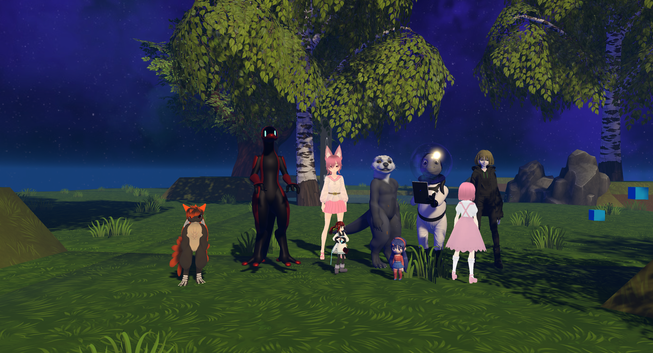
@duckdotexe good for you!
But ... what is the alternative?
Disclaimer: I have a Quest3 and adore to play with the technology like #wivrn and #wlx_overlay_s
 Liam @ GamingOnLinux 🐧🎮
 Krutonium://
 gleb.zhulik
 Polychrome
 Tarcísio Surdi ⁂
 Overte
 Leo Bistmans