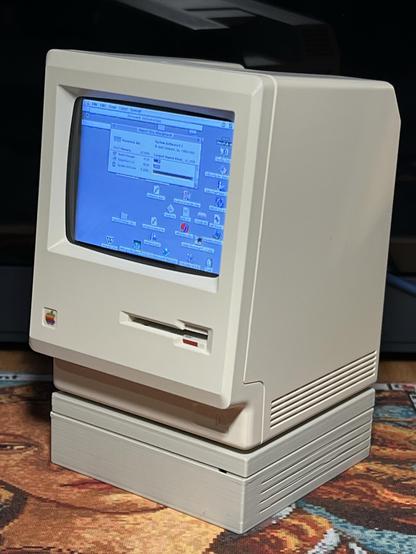
Oh wow! The newly released version 1.4.0 of the Snow Macintosh emulator now even runs on a Raspberry Pi Zero 2. Previous versions only showed a black screen.

It comfortably fits into the 512 MB of available RAM, using about 50-60% of it. The downside - two CPU cores almost pegged to 100% still only result in about 1/3rd real world speed for compact 68000 Macs (emulating a Mac Classic or Mac Plus in my case). This is slow - considering how slow these machines already were.

But hey, it works!

@[email protected]

#retrocomputing #raspberrypi #snowemu #tinymac
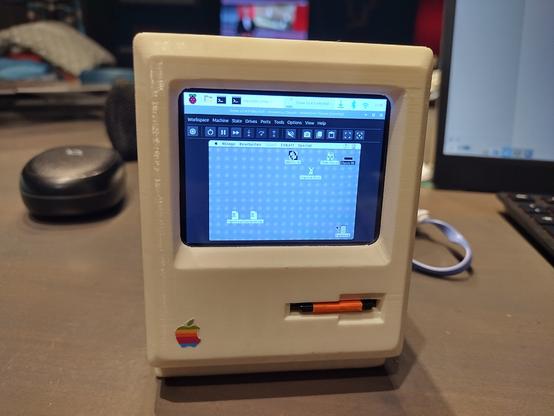
To answer my own question - I fount this, including some build scripts: https://github.com/minivmac/minivmac

In the end my own scripts are also working again. Most likely, not running "make clean" between compilation steps was the issue. I was already blaming Wayland, but not this time 😉

Soon my #marchintosh project will be done!

#tinyMac

@UpLateGeek @MARCHintosh nice work! That case is *so* hard to get open.

Search for the posts tagged #tinyMac to see some photos of my and other folks’ builds.

There’s plenty of space for a Pi 3A+ and a waveshare 2.8” LCD. I crammed a little audio amp and speakers in mine, too.

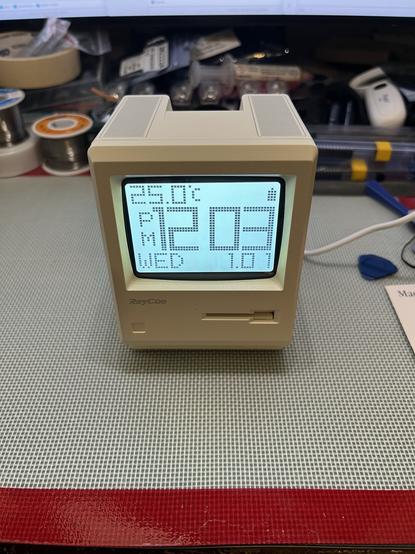
Oh look, a wild Maclock has appeared! That must mean it’s time to start my #Marchintosh project, replicating the adorable #TinyMac project. For scientitous research purposes, of course.
#RetroComputing #VintageMac (-ish)
@paulrickards My #MARCHintosh project also involves making a #TinyMac.
While I progressed on the software side (running #BasiliskII on framebuffer, with multiple configs chosen at boot time if a key is held), I lack hardware knowledge.
As your project seems quite advanced, could you share your internal wiring and integration of the CPX to send keys?
Is its internal speaker enough for gaming audio?
Did you also integrate the front knob and buttons?
Thanks in advance.
👨‍💻🤡 "I built" a tiny Mac! Translation: I glued some wires to a Raspberry Pi while watching YouTube tutorials. 📺 Apparently, assembling a pint-sized museum artifact with 63 more RAM is groundbreaking. Who knew #nostalgia could be so... minimal? 😂
https://www.jeffgeerling.com/blog/2026/pint-sized-macintosh-pico-micro-mac/ #tinyMac #RaspberryPi #techhumor #DIYprojects #minimalism #HackerNews #ngated
I built a pint-sized Macintosh

To kick off MARCHintosh, I built this tiny pint-sized Macintosh with a Raspberry Pi Pico: This is not my own doing—I just assembled the parts to run Matt Evans' Pico Micro Mac firmware on a Raspberry Pi Pico (with an RP2040). The version I built outputs to a 640x480 VGA display at 60 Hz, and allows you to plug in a USB keyboard and mouse. Since the original Pico's RAM is fairly constrained, you get a maximum of 208 KB of RAM with this setup—which is 63% more RAM than you got on the original '128K' Macintosh!

Jeff Geerling

The #TinyMac can have a little HD 20SC as a treat.

#RetroComputing #VintageApple #VintageMac

@colin_mcmillen it’s all sealed up now, but if you search for my posts tagged with #tinyMac you’ll see all the work that led up to this.

Also: it’s not pretty and I’m not proud 😆

Anyway, this feels relevant (playing on Linux, obvs, not Mac OS) #tinyMac

Would I do anything different if I did another #tinyMac build?

- I'd love to make use of the touch switch in the top of the case for something, but I snipped the wires off that early on

- similarly, it would be nice to have made use of the dial on the front to control volume

- adding a data enabled USB-C socket, to allow connection of a hub and peripherals would be nice, or a 3.5mm audio jack (although Bluetooth is pretty good for most things)