How to Update PiMiga 4 for the New Raspberry Pi 500 (8GB White Edition) - The Oasis BBS
Learn how to update PiMiga 4 for the new Raspberry Pi 500 in just a few easy steps! Perfect for retro computing enthusiasts and Raspberry Pi fans. Watch now and upgrade your setup effortlessly!

20 Raspberry Pi 5 Commands You NEED to Know!

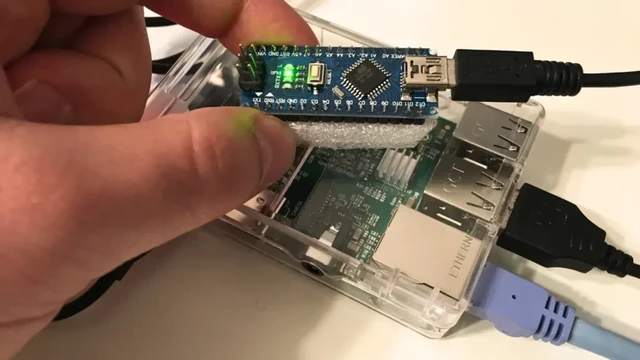
How to Connect Raspberry Pi to Arduino Nano
Connect Raspberry Pi to Arduino Nano through the USB port, and Arduino IDE can be used to program Arduino Nano.

How to Install MPlayer on Raspberry Pi (Easy Guide)
Install MPlayer on a Raspberry Pi by following this tutorial. with the "apt" command. Follow this article for guidance.

Cloudflare Tunnel on Raspberry Pi: Web Server for My Home
In this tutorial, you will learn how to set up a Cloudflare tunnel on Raspberry Pi. This tunnel creates a secure connection to Cloudflare.

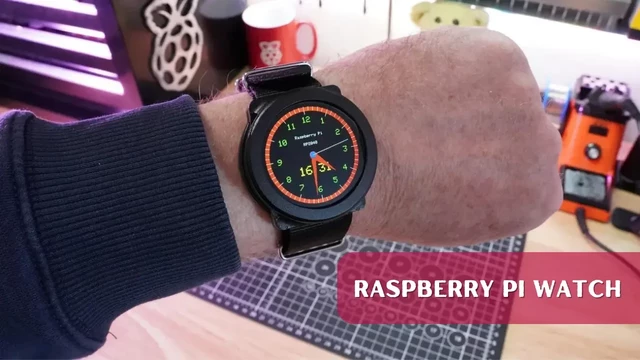
How to Make Your Own Raspberry Pi Watch
We were talking about the idea of a Raspberry Pi watch, then we found one and figured out how to program it. You can do it too.

Raspberry Pi Products
Raspberry Pi Products, From industries small to the kitchen table tinkerer, we make computing accessible and affordable for everybody.

How to Setup IPVanish on Raspberry PI (Installation Guide)
In this tutorial, you will learn how to Setup IPVanish on Raspberry Pi. IPVanish is a popular privacy-oriented VPN service.

How to Enable SPI on Raspberry Pi (The easy guide)
In this guide, we will be showing you how to enable SPI on Raspberry Pi. SPI is a synchronous serial interface for devices.

How to use a Raspberry Pi Pico W to control a robot over Wi-Fi
Use a Raspberry Pi Pico W to control a robot over Wi-Fi. Christopher Barnatt has created a tutorial to show.
 The Oasis BBS
 IT Samurai Teacher
 LEDEdit PRO