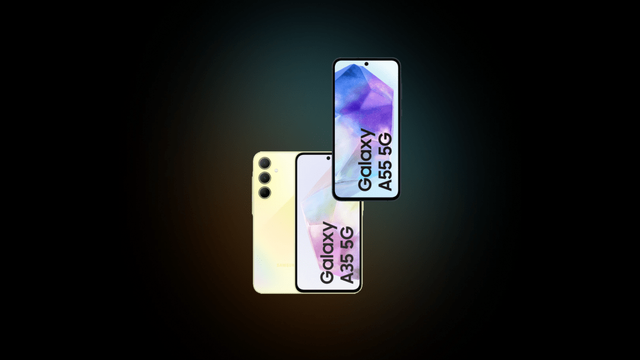
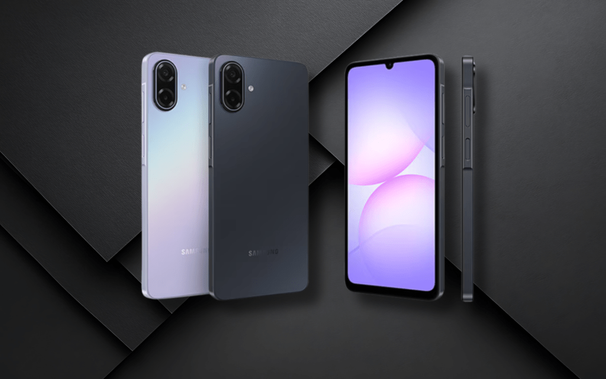
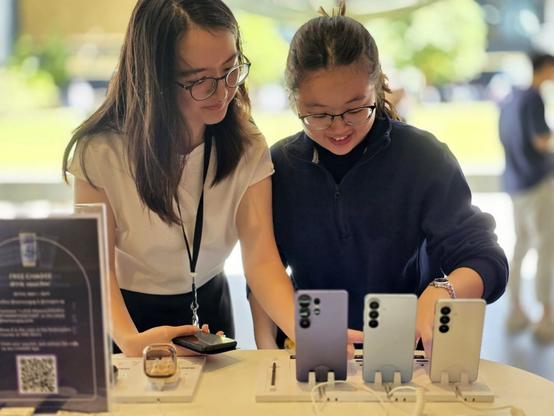
Samsung globally expands One UI 8.5 for the Galaxy A55 and A35!

The time has finally come for users outside Korea, with One UI 8.5 reaching absolute stability! When One UI 8.5 was under development for the Galaxy S25 series, the flagship Galaxy S26 was unveiled to people around the world, and Galaxy A57 and A37 came after, all running One UI 8.5.

Starting from today, we are so excited to announce that One UI 8.5’s availability is currently expanding for the Galaxy A55 and A35 users!

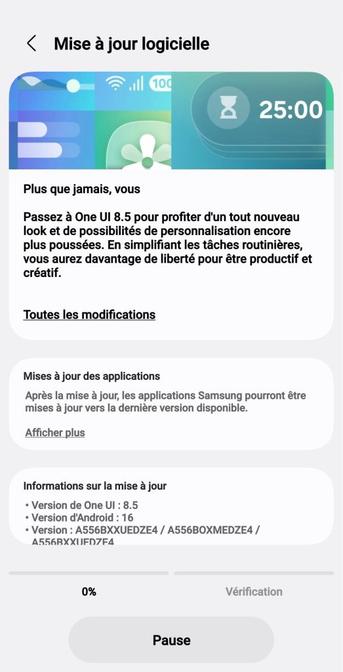
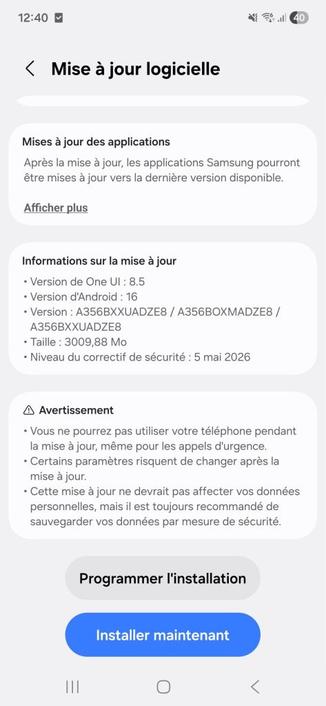
A55 – SourceA35 – Source

The following firmware information is found:

  • SM-A556B: A556BXXUEDZE4 [EUX]
  • SM-A356B: A356BXXUADZE8 [EUX]

To update your Galaxy to One UI 8.5, follow these steps:

  • Open Settings, and navigate to System Update
  • Tap on Check for Updates
  • Press Download and Install
  • Wait until the download and the installation is complete, then press Reboot Now
  • Wait until the phone reboots successfully
  • Make sure that you’re connected to a stable and fast Wi-Fi network to avoid high mobile data fees. Never interrupt the update in any way, or problems could occur later. Make sure that you apply all available updates once you update your phone for maximum stability. An update might take 10 to 20 minutes to apply, depending on the device and the type of the update being applied.

    If you’re seeing “Your software is up to date,” this means that the update hasn’t reached your device yet. Keep checking for updates, as Samsung rolls it out gradually to all devices from country to country, usually starting from Korea.

    #Android #Android16 #news #oneUi #OneUI85 #Samsung #smartphone #Tech #Technology #update

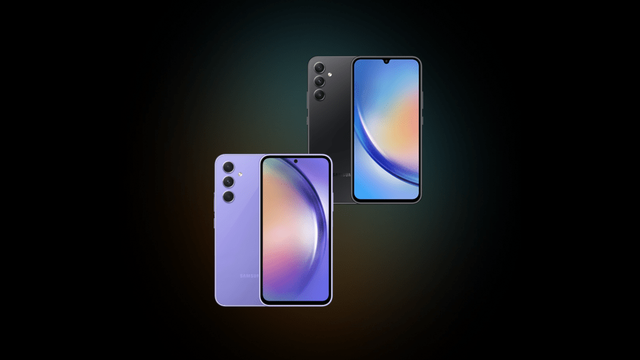
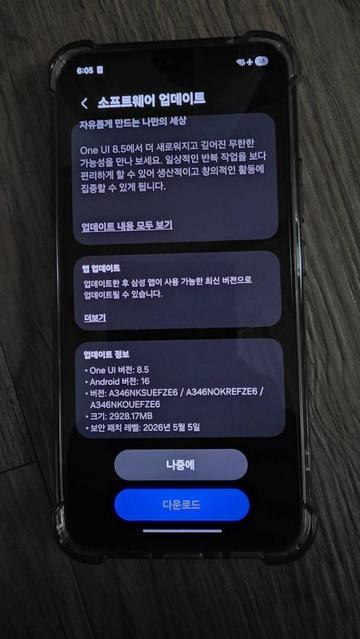
    Samsung releases One UI 8.5 for the Galaxy A54 and A34!

    The time has finally come, with One UI 8.5 reaching absolute stability! Since the development period of One UI 8.5 started, the flagship Galaxy S26 was unveiled to people around the world, and Galaxy A57 and A37 came after, all running One UI 8.5.

    Starting from today, we are so excited to announce that One UI 8.5 is now available for the Galaxy A54 and A34 users, starting from Korea!

    The following firmware information is found:

    • SM-A546S: A546SKSUGFZE2 [SKC]
    • SM-A346N: A346NKSUEFZE6 [KOO] (source)

    To update your Galaxy to One UI 8.5, follow these steps:

  • Open Settings, and navigate to System Update
  • Tap on Check for Updates
  • Press Download and Install
  • Wait until the download and the installation is complete, then press Reboot Now
  • Wait until the phone reboots successfully
  • Make sure that you’re connected to a stable and fast Wi-Fi network to avoid high mobile data fees. Never interrupt the update in any way, or problems could occur later. Make sure that you apply all available updates once you update your phone for maximum stability. An update might take 10 to 20 minutes to apply, depending on the device and the type of the update being applied.

    If you’re seeing “Your software is up to date,” this means that the update hasn’t reached your device yet. Keep checking for updates, as Samsung rolls it out gradually to all devices from country to country, usually starting from Korea.

    #Android #Android16 #news #oneUi #OneUI85 #Samsung #smartphone #Tech #Technology #update

    🚀 Samsung أطلقت تحديث One UI 8.5 المستقر للهواتف Galaxy M55، A16 5G وA17 5G.
    - تحسين عام في الأداء يخفّف من بطء التطبيقات.
    - ترقيات أمنية تحافظ على خصوصيتك وتصعيد الحماية.
    - واجهة أكثر سلاسة مع تحسينات بصرية خفيفة.

    #OneUI #Samsung #PrivacyFirst #OpenSource #Fediverse

    🔗 https://news.google.com/rss/articles/CBMizAJBVV95cUxPNEs5U3pDaDlCSFlYeWhHUF82MlZLUm5RUFBQWnZNS2ZHdG9xN3I5ZEJzVnNlQVZFZUstZWR2dzVhRkVleUk3cGd5d1M3dUtibXVLSHF0RjJhc2lmOGRvZ0pXQnpZbVduSnV3TU9OaTRRQmZ2ZGlMSUdhLTZPVXNFbG9Ka2FXdmt0bjRZTG5xNlBvMDZheXVVem10S1ZBX3ROTHVjMGZFbXJzd3JBQm1ad1Fmak5pVG9xTWVucHlTTEJBdWJJRERNQmRpekRBODNfNjQ4dnVxUDEwbFN1Zm5KenNJLTdlNURERkd6UEh0N0V3MVJyRHYwUzY0d3dnMDVNaERVOHZ1N3Y1LXRZRF9SMVZJMjJsanZiRzEzcnlBM0toNS15NTVKbjMzUlRjbXlIem9HaXZOeElVMmVkaWRULU1UUUhEbWZyVm53WQ?oc=5

    Before you continue

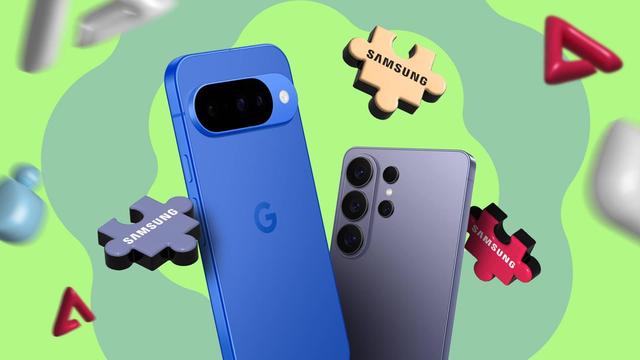
    📱 Pixel User Misses Samsung's One UI Multitasking and Hardware Reliability

    Switching from Samsung to a Google Pixel brought timely updates and AI, but left one user missing One UI's refined multitasking and Samsung's hardware resilience.

    https://www.byte-pulse.net/article/pixel-user-misses-samsung-s-one-ui-multitasking-and-hardware-reliability

    #pixel #samsung #oneui #android

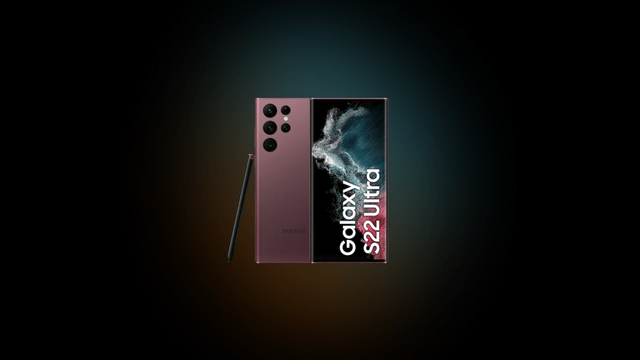
    Samsung’s 2022 flagships receive the May 2026 security update, is One UI 8.5 next?

    Samsung has started pushing the One UI 8.5 update to the newest flagship devices that were released last year and older flagship. This came after the Galaxy S26, the A37, and the A57 were released with One UI 8.5 already pre-installed.

    According to the latest info found on the firmware servers, the Galaxy S22, the Galaxy Z Fold/Flip4, and the Galaxy Tab S8 all received the One UI 8.0-based May 2026 security patch update that fixes all vulnerabilities found since the February 2026 security patch. Currently, this update is only available in Korea, but the expansion is expected to be in next week, with the possibility of One UI 8.5 being released for those devices somewhere in the middle of June.

    The following firmware information is found:

    • Samsung Galaxy S22
      • SM-S908N: S908NKSS9GZE5 [KOO]
      • SM-S906N: S906NKSS9GZE5 [KOO]
      • SM-S901N: S901NKSS9GZE5 [KOO]
    • Samsung Galaxy Z Fold/Flip 4
      • SM-F936N: F936NKSS8IZE2 [KOO]
      • SM-F721N: F721NKSS8IZE2 [KOO]
    • Samsung Galaxy Tab S8
      • SM-X700/X706N: X700XXSBEZE1 [KOO] / X706NKOSBJZE1 [KOO]
      • SM-X800/X806N: X800XXSBEZE1 [KOO] / X806NKOSBJZE1 [KOO]
      • SM-X900/X906N: X900XXSBEZE1 [KOO] / X906NKOSBJZE1 [KOO]

    The security update is expected to be released for the rest of the countries next week to ensure that those devices become ready to receive One UI 8.5 when it releases.

    Meanwhile, various Galaxy A devices, such as the entry-level Galaxy A07 5G, were already receiving the One UI 8.5 update in different countries. So, we expect that more devices will get the One UI 8.5 update in the next coming weeks. Only time will tell if One UI 8.5 will actually land to those devices, having already reached their 4 generations of OS upgrades.

    To update your Galaxy, follow these steps:

  • Open Settings, and navigate to System Update
  • Tap on Check for Updates
  • Press Download and Install
  • Wait until the download and the installation is complete, then press Reboot Now
  • Wait until the phone reboots successfully
  • Make sure that you’re connected to a stable and fast Wi-Fi network to avoid high mobile data fees. Never interrupt the update in any way, or problems could occur later. Make sure that you apply all available updates once you update your phone for maximum stability. An update might take 10 to 20 minutes to apply, depending on the device and the type of the update being applied.

    If you’re seeing “Your software is up to date,” this means that the update hasn’t reached your device yet. Keep checking for updates, as Samsung rolls it out gradually to all devices from country to country, usually starting from Korea.

    #Android #news #oneUi #OneUI85 #Samsung #smartphone #Tech #Technology #update

    One UI 8.5 support for our projects

    Samsung has begun rolling out the One UI 8.5 update to Korea early this month and widened the rollout to many countries and models, starting from the Galaxy S25. This is a big moment for those who are owning the Galaxy S25 smartphone, but others will have to wait until it’s their turn.

    We are currently planning the One UI 8.5 support for our projects, and our evaluations have concluded that One UI 8.5 is still suffering from the library dependency loading problem that One UI 6.1 broke when it comes to starting up PulseAudio with the below command:

    pulseaudio --start --load="module-native-protocol-tcp auth-ip-acl=127.0.0.1 auth-anonymous=1" --exit-idle-time=-1

    Nitrocid, Terminaux, BassBoom, and all other projects will be tested under this environment over the course of our official support duration. However, in One UI 8.5, PulseAudio needs to be loaded like this:

    LD_PRELOAD=/system/lib64/libskcodec.so pulseaudio --start --load="module-native-protocol-tcp auth-ip-acl=127.0.0.1 auth-anonymous=1" --exit-idle-time=-1

    As of today, we are excited to announce that One UI 8.5 is now fully supported for our projects starting May 28th! We are very thrilled to provide official support for those who are using our projects in One UI 8.5. We can now guarantee that our projects work under this version of One UI that was first unveiled to the Galaxy S26, the A37, and the A57 devices before the official rollout started.

    #Android #Android16 #AndroidB #AndroidBaklava #bassboom #news #nitrocid #oneUi #OneUI8 #OneUI80 #OneUI85 #Samsung #smartphone #Tech #Technology #terminaux #update
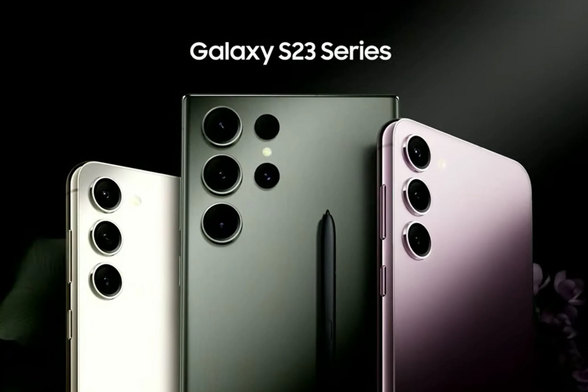
    Lo que no incluye One UI 8.5 en el Galaxy S23 Ultra

    Samsung lanza One UI 8.5, pero el Galaxy S23 Ultra pierde algunas novedades Hace apenas un par de semanas, Samsung comenzó a desplegar la versión estable de One UI 8.5, su más reciente actualización para la capa de personalización basada en Android. Entre los dispositivos que ya están recibiendo esta actualización en diversos mercados destaca...

    Foro Móviles DualSIM

    Samsung releases One UI 8.5 for the Galaxy A07 5G entry-level phone

    While the expansion of One UI 8.5 to many devices is still ongoing, we have seen more Galaxy A devices getting this update that provides you with many awesome features and a redesigned interface. The entry-level phone, the Galaxy A07 5G, received the One UI 8.5 update across different countries.

    If your country is one of the following:

    Then, you can download the One UI 8.5 update on your Galaxy A07 5G. The following firmware information is available, as spotted by Mohammed Khatri:

    • SM-A076B: A076BXXU3BZE3

    To update your Galaxy to One UI 8.5, follow these steps:

  • Open Settings, and navigate to System Update
  • Tap on Check for Updates
  • Press Download and Install
  • Wait until the download and the installation is complete, then press Reboot Now
  • Wait until the phone reboots successfully
  • Make sure that you’re connected to a stable and fast Wi-Fi network to avoid high mobile data fees. Never interrupt the update in any way, or problems could occur later. Make sure that you apply all available updates once you update your phone for maximum stability. An update might take 5 to 10 minutes to apply, depending on the device and the type of the update being applied.

    If you’re seeing “Your software is up to date,” this means that the update hasn’t reached your device yet. Keep checking for updates, as Samsung rolls it out gradually to all devices from country to country.

    #A07 #A075G #Android #GalaxyA07 #GalaxyA075G #news #oneUi #OneUI85 #Samsung #SamsungGalaxyA07 #SamsungGalaxyA075G #smartphone #Tech #Technology #update

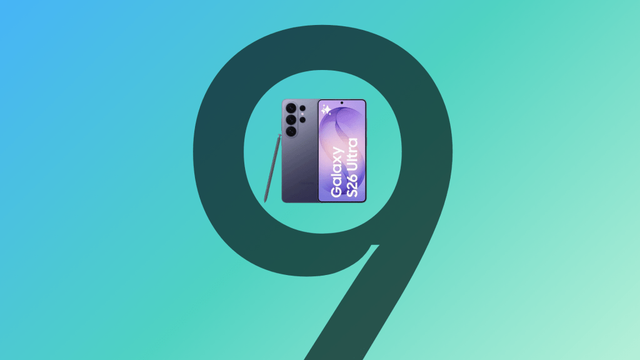
    One UI 9.0 Beta expands to India and Poland, Beta 2 now live!

    Earlier this month, the One UI 9.0 beta program has started for users with the Galaxy S26 series devices in the following countries:

    • Korea
    • United States
    • United Kingdom
    • Germany

    This version of One UI 9.0 provided several features, such as the Masking Tape feature in Samsung Notes and the enhanced quick panel that allows you to take it to the next level in your style with even more customization options.

    May 26th has come, and One UI 9.0 Beta 2 is now available for those who have already joined the beta program with the Galaxy S26 in the above countries mentioned. Alongside that, India and Poland can now finally get their first taste of One UI 9.0 in the Galaxy S26 with the first beta on May 26th. This is what Samsung promised in the Korean version of the announcement in Samsung Newsroom.

    The second beta version of One UI 9.0 is now available to fix some bugs and to incorporate general improvements across the whole operating system based on user feedback and internal evaluation, according to Tarun Vats.

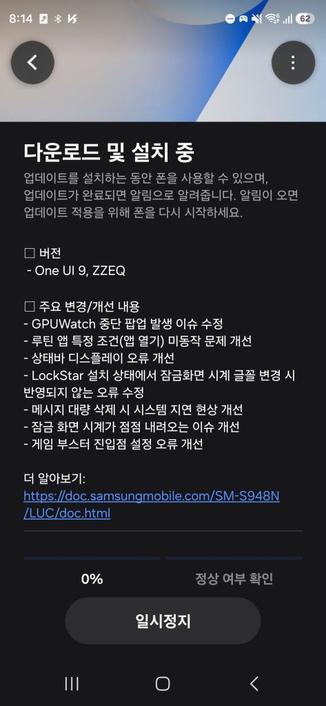
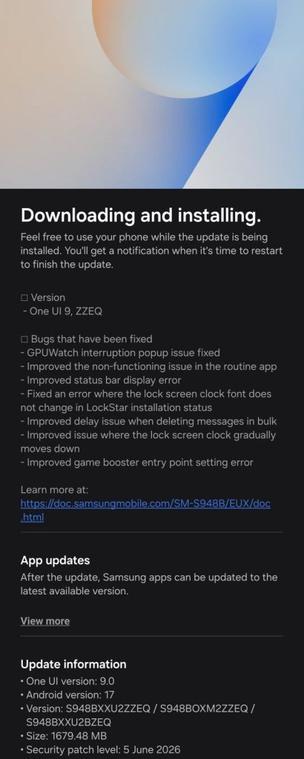
    One UI 9.0 Beta 2 is available under build ZZEQ, with the Galaxy S26, S26+, and S26 Ultra devices that joined the beta program receiving it. The following changes were made:

    • Bugs that have been fixed
      • GPUWatch interruption popup issue fixed
      • Improved the non-functioning issue in the routine app
      • Improved status bar display error
      • Fixed an error where the lock screen clock font does not change in LockStar installation status
      • Improved delay issue when deleting messages in bulk
      • Improved issue where the lock screen clock gradually moves down
      • Improved game booster entry point setting error

    This update also brings the June 2026 security patch, which fixes many vulnerabilities that were discovered in different system components since the beginning of this month. Samsung did not mention the details of those vulnerabilities that were fixed in June 2026 security patch, though.

    Meanwhile, One UI 8.5’s stable rollout is still ongoing for more devices, with the Galaxy S22, the Z Fold/Flip4, and the Galaxy Tab S8 being the last flagship devices eligible for this platform update, essentially setting the end of the line for future software upgrades. Those devices are, however, expected to receive the May 2026 security patch before One UI 8.5 as per the quarterly rollout schedule.

    To update your Galaxy to One UI 9.0 Beta 2, first make sure that you are already in the beta program. Then, follow these steps:

  • Open Settings, and navigate to System Update
  • Tap on Check for Updates
  • Press Download and Install
  • Wait until the download and the installation is complete, then press Reboot Now
  • Wait until the phone reboots successfully
  • Make sure that you’re connected to a stable and fast Wi-Fi network to avoid high mobile data fees. Never interrupt the update in any way, or problems could occur later. Make sure that you apply all available updates once you update your phone for maximum stability. An update might take 10 to 20 minutes to apply, depending on the device and the type of the update being applied.

    For India and Poland, you’ll have to follow the steps outlined in this article to join the beta program. Then, check for updates on your phone. You should see something like this:

    Press Update, wait for the update to install, then reboot your phone. You should be taken to the beta version of One UI 9.0.

    We encourage you to please report all bugs found to the Beta program community so that Samsung will analyze your feedback and implement fixes and/or improvements based on them.

    #Android #Android17 #AndroidC #AndroidCinnamonBun #GalaxyS26 #GalaxyS26Ultra #news #oneUi #S26 #S26Ultra #Samsung #SamsungGalaxyS26 #SamsungGalaxyS26Ultra #smartphone #Tech #Technology #update

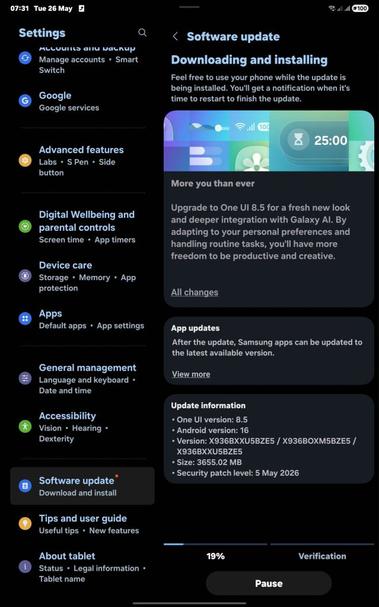
    Samsung globally expands One UI 8.5 for the Galaxy Tab S11!

    The time has finally come for users outside Korea, with One UI 8.5 reaching absolute stability! When One UI 8.5 was under development for the Galaxy S25 series, the flagship Galaxy S26 was unveiled to people around the world, and Galaxy A57 and A37 came after, all running One UI 8.5.

    Starting from today, we are so excited to announce that One UI 8.5’s availability is currently expanding for the Galaxy Tab S11 users!

    The following firmware information is found:

    • SM-X730: X730XXU5BZE3 [EUX]
    • SM-X736B: X736BXXU5BZE5 [EUX]
    • SM-X930: X930XXU5BZE3 [EUX]
    • SM-X936B: X936BXXU5BZE5 [EUX]

    To update your Galaxy to One UI 8.5, follow these steps:

  • Open Settings, and navigate to System Update
  • Tap on Check for Updates
  • Press Download and Install
  • Wait until the download and the installation is complete, then press Reboot Now
  • Wait until the phone reboots successfully
  • Make sure that you’re connected to a stable and fast Wi-Fi network to avoid high mobile data fees. Never interrupt the update in any way, or problems could occur later. Make sure that you apply all available updates once you update your phone for maximum stability. An update might take 10 to 20 minutes to apply, depending on the device and the type of the update being applied.

    If you’re seeing “Your software is up to date,” this means that the update hasn’t reached your device yet. Keep checking for updates, as Samsung rolls it out gradually to all devices from country to country, usually starting from Korea.

    #Android #Android16 #news #oneUi #OneUI85 #Samsung #smartphone #Tech #Technology #update