 The Eclectic Light Company [Unofficial]
Unmount a volume or eject a disk
https://fed.brid.gy/r/https://eclecticlight.co/2026/05/21/unmount-a-volume-or-eject-a-disk/

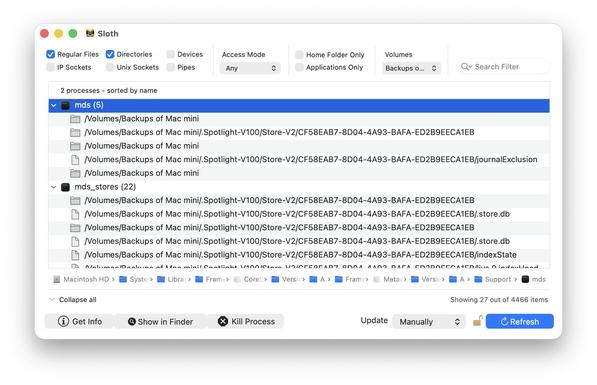

Unmount a volume or eject a disk
https://fed.brid.gy/r/https://eclecticlight.co/2026/05/21/unmount-a-volume-or-eject-a-disk/
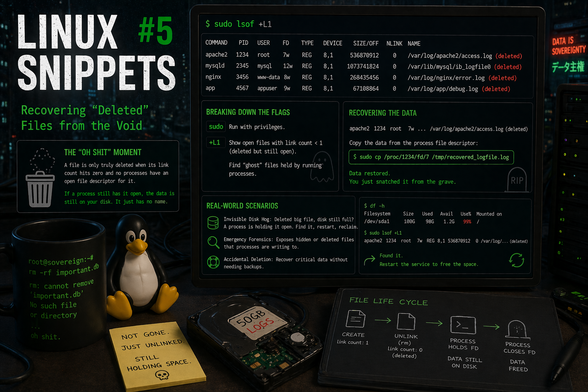
Ready for a bit more linux snippet fun? post #5 in my linux snippet series is out and it is all about recovering deleted files via /proc. Enjoy
https://schulz.dk/2026/04/24/linux-snippets-5-recovering-deleted-files-from-the-void/
#linux #schulzdk @blog #lsof #proc #filerecovery #tip #linuxtips
`lsof -i`
# display ports connected to the internet
#Networking #ports #lsof #Linux #csh #ksh #bash #zsh #sh #fish #programming #opensource #Technology #mathematics
Что происходит, когда у сервера заканчиваются файловые дескрипторы
Сервер внезапно перестал отвечать, а в логах ошибка Too many open files? Дело не в нехватке памяти или перегруженном процессоре — просто ваш процесс исчерпал свои файловые дескрипторы. Под катом расскажу, что это такое, почему они заканчиваются, как быстро обнаружить проблему и как её пофиксить. Читать
https://habr.com/ru/companies/ruvds/articles/1007534/
#linux #too_many_open_files #файловые_дескрипторы #ulimit #systemd #lsof #мониторинг #LimitNOFILE #системное_администрирование #ruvds_статьи
On my machine this looks as follows:
$ lsof [email protected]
COMMAND PID USER FD TYPE DEVICE SIZE/OFF NODE NAME
firefox-e 98732 rtn 222u IPv4 1138297 0t0 TCP desktop:60092->lb-140-82-121-3-fra.github.com:https (ESTABLISHED)
As a bonus I found out that firefox doesn't immediately close connections.
E.g.
1. start a fresh firefox (or make sure the host isn't used anywhere)
2. run `lsof [email protected]`, should be empty
3. go to github.com in firefox
4. run `lsof [email protected]`, should show a couple of connections
5. close the tab in firefox
6. repeating lsof command produces the same output for at least a minute
I was fiddling around with lsof and it's quite powerful. Did you know you can use -i@host to find open connections to a particular host?
So if you wanted to check open connections to github.com you'd do `lsof [email protected]`.
The #lsof tool can be useful, but the amount of options is overwhelming. Collecting the ones that I would use, so that I don't have to look things up next time.
Another cheat sheet to simplify the life of a #sysadmin running #linux
https://linux-audit.com/cheat-sheets/lsof/
Do you have other ones that you on a regular basis and that I missed?
Updated the article: Monitor file access by Linux processes
Linux is powerful with the help of small utilities like lsof and strace. They help with monitoring disk and file activity, of new and running processes. #linux #lsof #ltrace #strace #syscall
Link: https://linux-audit.com/monitor-file-access-by-linux-processes/
Feedback and boosts welcome 🤟
 🅺🅸🅼 🆂🅲🅷🆄🅻🆉:~$ ▓
 Dendrobatus Azureus
 Habr
Habr
 OSTechNix
 rtn
rtn Michael Boelen
