
Make new edition suggestions actionable for instructors from the detailed notification letter
There is a workflow issue for instructors starting from the detailed leganto notifications letter.
Scenario:
1. Librarian suggests a new edition for a citation in Alma
2. Instructor receives the detailed notification letter with a link to the citation view for the existing citation that now has a suggestion
3. Instructor looks around and there is nowhere to do anything about the suggestion, although they might spot the new edition tag - it does nothing when they click on it
4. Instructor has to know that they must click on the section or list links at the top of page to be able to do anything with the suggestion
Instructor should be able to review and action the suggestion from the full citation view.
For institutions with force_PDf_viewer set to true the file viewer will open instead of the full citation view. This should be considered when working out the solution.
Workaround:
In detailed notifications letter consider removing the link for the citation and inserting a note that instructor can see suggestions from the link to the list instead.
📢 The #IGeLU Steering Committee & Program Planning Committee are pleased to announce that the dates for the #IGeLU2025 Conference and Developers Day will be 15th to 18th of September.
👉 Our IGeLU 2025 host will be University of #Siena, Italy. 🇮🇹
https://igelu.org/igelu-2025-save-the-date/
#Alma #Primo #Summon #AlmaD #Rialto #Rapido #RapidILL #Specto #Rosetta #Leganto #LibraryMobile #campusM #SFX #CDI #Esploro
IGeLU 2025 – Save the Date – IGeLU

Implementation Consultant (fluent in German & Turkish). at Clarivate
Clarivate is Hiring! Search available jobs or submit your resume now by visiting this link. Please share with anyone you feel would be a great fit.
#IGeLU2024 – Call for Proposals
👉 Call for proposals for the hybrid #IGeLU 2024 Conference and Developers Day (9-12 Sept 2024). The Conference theme is “Beyond Limits and Differences: Data, Hidden Treasures and Mermaids…”.
This conference is hosted by the Royal Danish #Library (Det Kongelige Bibliotek), #Denmark.
https://igelu.org/igelu-2024-call-for-proposals/
#libraries #librarysystems #Alma #Primo #Summon #Leganto #Rosetta #esploro #campusM #Rialto #Rapido #RapidILL
IGeLU 2024 – Call for Proposals – IGeLU

Broken link/problem files resolution inside NUI
I see there is consultation arising from NERS results about the broken link report emails (to library, an alert that a report has been made and to users, a resolution notice).
It made me think there is an opportunity in the new UI to streamline the link/file fixing process.
- When a library team member is signed in to Leganto could broken links/problem file reports be indicated in the notifications area to identify affected lists - not just the assigned librarian, but any library team member with course reserves roles?
- Could an affected citation have a indicator appear to identify which citation and which link/file is the culprit - in the list view, and in the Links/Availability tab?
- Could we fix it from within Leganto (edit the metadata or upload a new file) without forcing us to hunt around in Alma for it too. We almost inevitably will check it in Leganto anyway and not just rely on how it looks on the Alma side. Afterall, the broken link report was made from in Leganto and maybe there is additional context for why the user reported it as broken, that is not obvious in Alma. We should be able to dismiss the alert from within Leganto thereby triggering the proposed email to the user who reported the problem.
It would cut down the jumping between interfaces and minimise the risk of neglecting to remove the alert which can only be done on the Alma side.
Our faculty librarians fix links in Leganto, but they only work on course reserves in Alma sporadically - like after rollovers.
They like being able to "Set Complete" in Leganto - I think they would also like "Remove problem file/link alert" to be there.
Screenshot attached of how it might look in the new UI.
Ability to delete/remove redundant copyright records from the Approval Requests list
We would like the ability to delete/withdraw or otherwise remove pending copyright approval requests in the Approval Requests list.
There are a few reasons why a Library may wish to do this:
-Associated citation has since been deleted
-Patron digitization request has been cancelled
-Citations with copyright records that require manual approval were added to the Approval Requests List as part of the rollover. However, some of these units will not be using Leganto and will never submit a reading list.
In these cases, rejecting copyright is not appropriate as there was no genuine request for copyright approval. Rejecting will generate incorrect metadata and may affect future requests for copyright approval.
As a result of these scenarios, the tasklist can become full of redundant citations with copyright that will never be approved or rejected, and there is no way to remove them from the List. Such is the case with our own Approval Requests list.
Sorry if it seems like spam, but 3 ideas for improving the Leganto Suggest replacement features coming up in a thread
#LibrarySystems #LegantoShareable link function in the Leganto file viewer
In the Leganto PDF viewer there is no option to create a shareable link to the citation.
Problem: The educator or another student wants to share a link direct to the viewer (e.g. Hi students, add your comments on this file), they can only get the URL from the browser address bar. This URL does not support SAML authentication. They do not understand the implications of doing this, and will not go back to the other tab to get a shareable link - indeed they may have closed the other tab.
1. User may end up at the Leganto authentication page which is not for SSO users (when pasted into a private browser tab), or
2. User may at first end up looking at Leganto "My Lists", but then not being passed to the file viewer, or its citation.
3. User may experience item 2, then use the link again and see the file viewer, BUT, they are not shown the copyright statement which is presented from the citation/list "View PDF" link.
Suggestion: Provide a "create shareable link" feature in the file viewer page. The create shareable link should operate the same way as it does in the citation view - popping up a dialog box with the option to copy it, AND, it should use the citation URL (with SAML option in our case), not the file viewer URL.
See screenshot attached.
This is not foolproof but would at least result in a smoother experience for the user and would show the copyright statement.
Separate Alma "attach existing file" from Leganto "upload file" for automatic citation statuses
We have set citation_uploaded_file to "ReadyForProcessing" so that when an educator uploads a file we know we have to pay attention to copyright audit and process the citation promptly.
When library staff use the "Attach Existing File" function in Alma it sets the citations to "Ready for Processing" seemingly using the same parameter.
We would expect that an Alma user attaching a file is very different to an educator uploading a file and we should be able to define the automatic citations separately.
Note: an Alma user uploading a file when editing a citation does not trigger this automatic citation, only "attach existing file".
Case: 06783245 - advised that this is not a bug.
Reject input if DOI or citation source URL is incorrectly formatted (Leganto instructor UI)
We have seen many instructors create citations manually (rather than using Cite It) with the DOI formatted as a full URL (e.g. "https://doi.org/10.1111/misp.12056" rather than just "10.1111/misp.12056"). This prevents the citation from resolving and linking to the resource as expected.
Similarly, some users will add the citation source URL without the "https://" prefix, or with other formatting issues which prevent it from linking as expected.
A simple fix for this issue would be for Leganto to detect incorrectly formatted DOIs or URLs and to reject input, displaying a tooltip to inform the user of the correct format. Alternatively, DOIs could be automatically reformatted if added incorrectly.
 peta
peta François Renaville 🇺🇦🇪🇺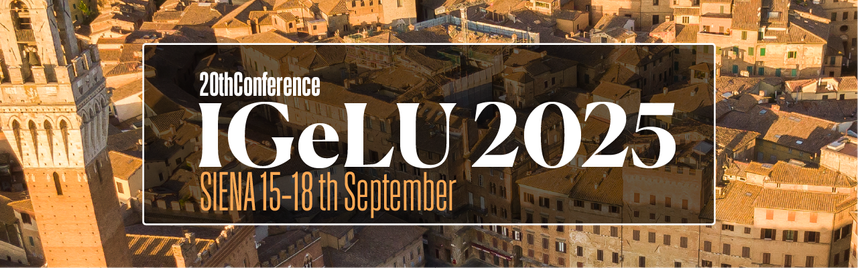
 bibliojobs