Stop Trading Time for Syntax: 5 Google AI Secrets That Build Better Software Faster
1,209 words, 6 minutes read time.
Google is currently deploying a suite of AI-driven development tools that are fundamentally rewriting the rules of the software engineering industry. For the developer, engineer, or tech enthusiast, these tools—ranging from Project IDX to Gemini Code Assist—represent a shift from manual syntax labor to high-level architectural oversight. This evolution is occurring right now across Google’s global cloud infrastructure, providing men in the tech space with the ability to deploy complex applications with a fraction of the traditional overhead. By integrating these specific AI models, Google aims to eliminate the “grunt work” of coding, allowing creators to focus on the logic and scale of their projects.
You know that feeling when you’re under the hood of a project and the tools you’ve used for a decade suddenly feel like a blunt chisel trying to carve a diamond? That’s the current state of traditional local development. We’ve spent years perfecting our local setups, but the reality is that the “secret” shift Google is pushing with Project IDX is about to make your local environment look like a collection of rusty wrenches. Project IDX isn’t just another IDE; it’s a full-stack, AI-integrated workspace that runs in the cloud but feels like it’s right under your fingertips. It’s built on a foundation of Nix, meaning it’s reproducible and powerful, giving you the kind of consistency a man needs when he’s moving from a desktop to a laptop without wanting to spend four hours reconfiguring dependencies.
If you’ve ever hit a wall at 2 AM trying to figure out why a Docker container won’t spin up, Gemini Code Assist is the partner that doesn’t sleep. It’s like having a senior architect looking over your shoulder, but one who actually knows every line of documentation ever written. Google has designed this to go deeper than the basic “fill-in-the-blank” AI we’ve seen before. It understands the context of your entire codebase. It doesn’t just suggest a line of code; it suggests a way to refactor your entire data flow to prevent the bottleneck you didn’t even see coming. It’s about maintaining the lead in a competitive market where speed is the only currency that matters.
The reality is that coding has always been a battle of attrition against bugs, but Google’s new Firebase Genkit changes the theater of operations entirely. Instead of spending your weekend wrestling with manual schema migrations or broken backend integrations, Genkit allows you to build AI-powered backends with a level of precision that feels almost unfair. It’s about building a framework that is rugged enough to handle real-world traffic while being flexible enough to pivot when your requirements change. For the man who values efficiency, this tool effectively removes the friction between a great idea and a live, functioning deployment.
For the guys who like to build in the shadows, keeping their data close to the chest, the introduction of Gemma—Google’s open-weight model—is the real game changer. You can run these models on your own hardware or within Google’s free Colab environments to get the power of a massive LLM without the privacy concerns of sending your proprietary logic to a third-party server. It’s raw, it’s powerful, and it allows you to build custom tools that are yours and yours alone. Using Colab’s free GPU tiers to fine-tune a model for your specific niche is the modern equivalent of forging your own custom blade. It’s about having the right gear for the specific hunt you’re on.
We have to talk about the sheer leverage provided by Android Studio’s latest AI integrations. If you are developing for mobile, you know that the fragmentation of devices can be a nightmare—it’s like trying to fit a square peg into a thousand different sized round holes. Google’s AI bot within the IDE doesn’t just fix typos; it assists in optimizing layouts and handling background tasks in a way that respects the hardware. This isn’t about being lazy; it’s about being effective. It allows a solo developer to output the volume of a ten-man agency, reclaiming your time and ensuring your product hits the market before the window of opportunity slams shut.
The marketplace doesn’t care about how hard you worked; it cares about what you shipped. These Google tools are designed to take the friction out of that process. Whether it’s using Firebase Genkit to rapidly deploy a backend that actually scales or leveraging Chrome’s built-in AI to run models locally in a user’s browser, the goal is total dominance of the stack. We are moving into an era where the “expert” isn’t the guy who memorized the most API calls, but the man who knows how to orchestrate these AI agents to build something that lasts. The barrier to entry is dropping, which means the competition is getting fiercer. If you aren’t using these tools, you’re trying to win a drag race in a minivan.
This is the new standard, and it’s evolving faster than most can keep up with. The developers who thrive in the next five years will be those who embrace this “free coding” era—not because they want to work less, but because they want to build more. We are seeing the democratization of high-level engineering. The future belongs to the builders who aren’t afraid to put down the old tools and pick up the new ones, even if the learning curve feels like a punch to the gut at first. It’s time to stop fighting the syntax and start building the vision.
If you’re ready to stop grinding and start scaling, I want to hear about what you’re building. Drop a comment below with the project that’s been sitting on your back burner, or reach out to me directly if you’ve found a shortcut in the Google ecosystem that we haven’t covered yet. Don’t forget to subscribe to the newsletter—we don’t do fluff here, just the raw tech and tactics you need to stay ahead of the curve. Let’s get to work.
Call to Action
If this breakdown helped you think a little clearer about the threats out there, don’t just click away. Subscribe for more no-nonsense security insights, drop a comment with your thoughts or questions, or reach out if there’s a topic you want me to tackle next. Stay sharp out there.
D. Bryan King
Sources
Disclaimer:
The views and opinions expressed in this post are solely those of the author. The information provided is based on personal research, experience, and understanding of the subject matter at the time of writing. Readers should consult relevant experts or authorities for specific guidance related to their unique situations.
Related Posts
#advancedProgrammingTools #AIAgentOrchestration #AIBackendDevelopment #AICodeGeneration #AIDebuggingTools #AIForDevelopers #AIFullStackDevelopment #AIModelFineTuning #AIProgrammingAssistant #AISoftwareSolutions #AITechForMen #AIDrivenDevelopment #AndroidStudioAI #automatedCoding #ChromeBuiltInAI #cloudIDE #cloudNativeDevelopment #codeRefactoringAI #codingEfficiency #codingShortcuts #competitiveProgrammingAI #developerProductivity #devopsAI #enterpriseAI #FirebaseGenkit #freeCodingTools #freeGPUForCoding #futureOfCoding #GeminiCodeAssist #generativeAIForApps #GoogleAITools #GoogleCloudAI #GoogleColab #GoogleDeepMindAlphaCode #GoogleDeveloperEcosystem #GoogleDeveloperSecretTools #GoogleGemma #highLevelEngineering #highPerformanceCoding #machineLearningForCoders #modernDeveloperWorkflow #modernTechStack #NixEnvironment #openSourceAIModels #professionalCodingTools #ProjectIDX #proprietaryLogicProtection #rapidDeploymentTools #ReproducibleEnvironments #softwareArchitectureAI #softwareAutomation #softwareEngineeringAI #softwareScalability #soloDeveloperTools #techCareerGrowth #techIndustryTrends #techLeverage #technicalDominance #VertexAI Stephen Moreton-Howell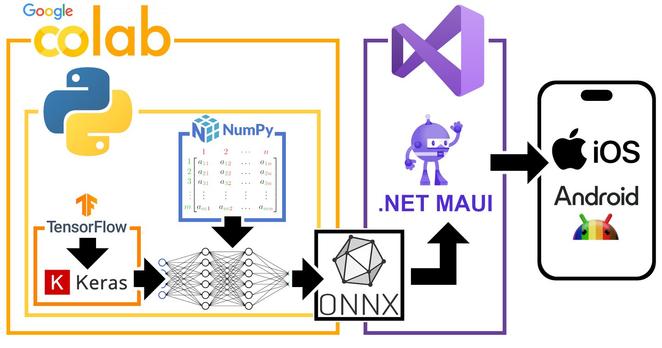
 sayzard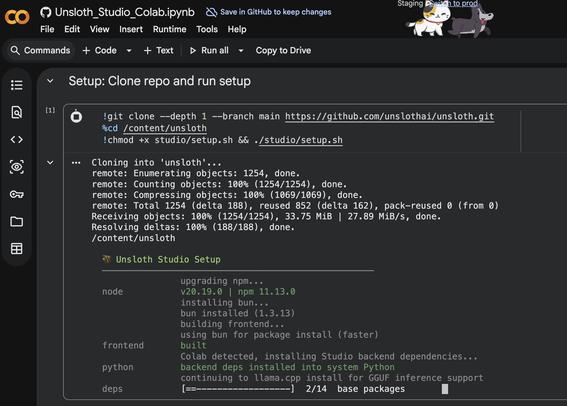
 エミリーと学ぶ生成AIの世界
 Bryan King

 Izoate
 Edward

