Tip of the day: One of the features Apple added to their operating systems is Live Text. It uses the device’s camera to dynamically detect text in whatever it’s pointed at. Here’s how you can use this feature to scan text into a document in #DEVONthinkToGo. #notetaking #tipoftheday #workflow https://www.devontechnologies.com/blog/20230404-scan-text
AI inside DEVONthink can be a powerful tool. But when it comes to AI, some users have security concerns, such as possible prompt injections. So, what exactly are they, and are they a risk in DEVONthink? #devonthink #devonthinktogo #ai #artificialintelligence #security #promptinjection https://www.devontechnologies.com/blog/20260317-devonthink-ai-security
Tip of the day: In #DEVONthink and #DEVONthinkToGo, you’ll see fields for a username and password in the properties of a database. These are the database credentials. While it looks like they would lock a database from access, they don’t. Here is, what they are actually for. #collaboration #pkm #productivity #safety #sync #tipoftheday https://www.devontechnologies.com/blog/20240130-database-credentials
Tip of the day: Whether due to a physical infirmity or just a product of getting older, viewing things on screen can become more difficult. Changing the interface isn’t something that’s simply done and everyone has their own level of correction needed. Here are a few ways to make things a bit easier on your eyes. #accessibility #devonthink #devonthinktogo #ios #macos #pkm #productivity #tipoftheday https://www.devontechnologies.com/blog/20230411-reduced-vision
DEVONthink and DEVONthink To Go do not automatically sync by default because we believe that you should decide for yourself whether and what you want to sync. Here are things to consider when setting up the sync. #devonthink #devonthinktogo #sync https://www.devontechnologies.com/blog/20260310-sync-checklist-devonthink
DEVONthink To Go 4.0.6 is available. The maintenance update improves the search syntax and custom metadata handling, and updates support for many AI models. It also fixes issues with favorites, PDFs, the Summary popover, smart groups, syncing, and licensing, while making the app generally more stable and less prone to freezes. #devonthinktogo #devonthink #update #ai #artificialintelligence https://www.devontechnologies.com/apps/devonthinktogo
DEVONtechnologies | DEVONthink To Go

DEVONthink is a professional document and information management app for Mac and iOS.

DEVONtechnologies
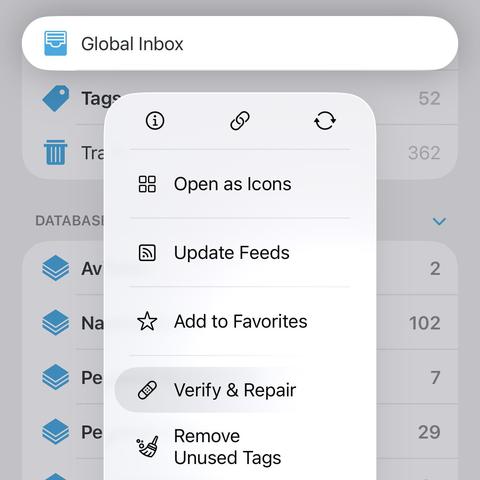
Tip of the day: Context menus are used by many applications on Apple’s mobile platform. They provide a wider range of commands within the limited interface space of mobile devices. You typically open them by long-pressing items. Here is how to open them a bit faster. #devonthinktogo #ios #tipoftheday https://www.devontechnologies.com/blog/20231003-speed-up-haptic-touch
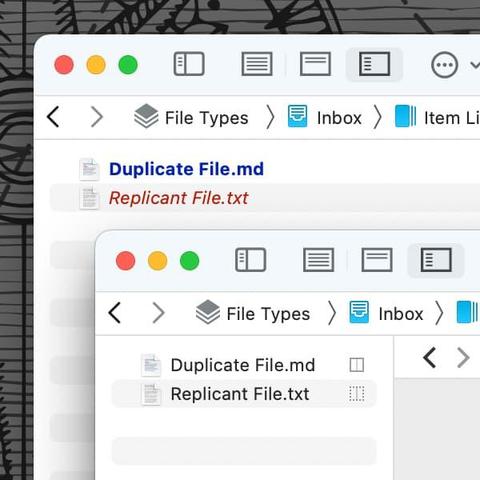
Tip of the day: There are several reasons to make a copy of a document, e.g., for safety, or because the document could actually belong in multiple locations in your databases. #DEVONthink and #DEVONthinkToGo support two types of copies: duplicates and replicants. Here’s what they are and how to make them. #paperless #pkm #productivity #tipoftheday https://www.devontechnologies.com/blog/20230524-duplicates-replicants
Tip of the day: We are all familiar with links to our favorite websites. But URLs, uniform resource locators, are not only used for web pages in a web browser. There are other specialized links that can be used with other applications, for example #DEVONthink. #devonthinktogo #pkm #productivity #thirdparties #tipoftheday https://www.devontechnologies.com/blog/20251028-understanding-url-schemes
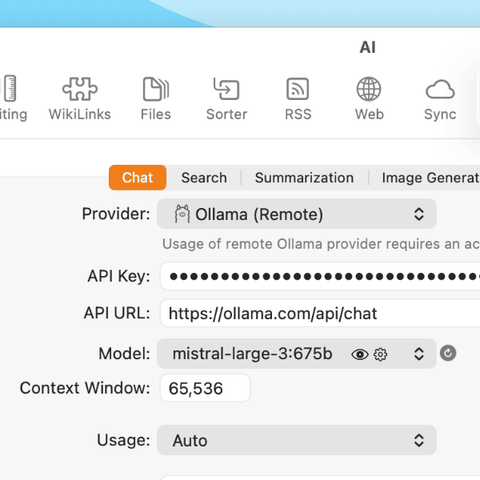
The popular AI app Ollama, typically used to run AI models locally on your Mac, now offers cloud models. This gives you remote access to many models, even if your hardware is limited. And you can also use these models in DEVONthink and DEVONthink To Go. #devonthink #devonthinktogo #ai #ollama https://www.devontechnologies.com/blog/202617-ollama-remote-ai-devonthink