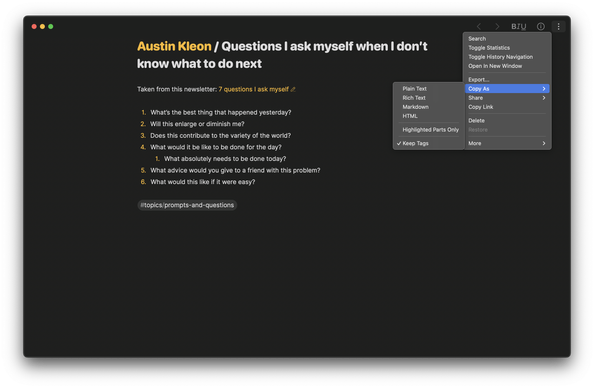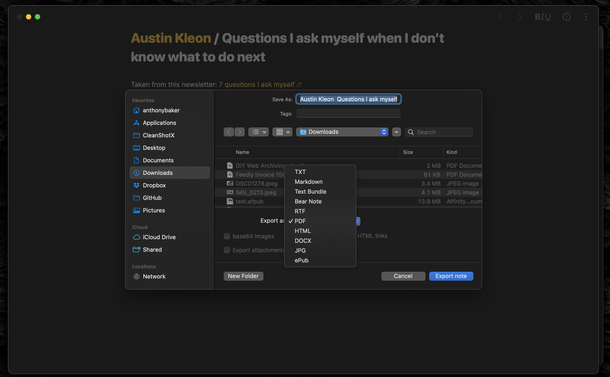
This might be a useful Obsidian tip. I tried Obsidian (again!) last year but I just couldn’t walk away from Bear because it’s so good. (Bear is macOS only but they did add web access last year.)

“I discovered Obsidian's core plugin "File recovery". Enabled by default, it saves the state of your files every five minutes and keeps that history for a whole week!”

http://www.bjoreman.com/diary/2026/2026-01-19.html

#notes #obsidian #bear #BearNotesApp #bearNotes

Saved by Obsidian

The Weekly Review - Issue 5 2026 - https://blog.codemaclife.net/post/the-weekly-review-05-26

I focused choosing Bear Notes app for blogging and TickTick to track my habits.

#CodeMacLife #TheWeeklyReview #blog #bearnotes #ticktick

I've organised my reads for 2026 in Bear notes app📗

Each book links to my notes and highlights, including other information gathered from the internet.

#bearnotes

The circle is now complete. 😌

I can add links to notes in #BearNotes from my work logs & outlines in #Workflowy, keeping the latter clean while taking advantage of the features it has that Bear does not (and visa-versa).

(I tried in the past to use Bear like a wiki/log tool and it felt like it strained my mental model. I prefer using Bear for standalone notes generally speaking.)

Using Workflowy for work logging has been tremendously helpful. Never need to recall “what did I do yesterday??”!

@tekphloyd Like #Drafts, #BearNotes doesn’t work on Windows which for a multi-OS user like me is basically a dealbreaker to ever using either of them.

But you’re right - #Obsidian’s mobile experience absolutely sucks. It’s because they never made a separate mobile-friendly app (or mode) and chose instead to try and incorporate all of the desktop UI/UX features and functions.

@am1no @steveroy Yes, I've tried practically every note-taking app, and for my neurological profile, #BearNotes remains the best choice. To each their own; ultimately, they're just tools to achieve a goal.
@steveroy I've tried using #Obsidian many times, and I've tried to get used to it, really. However, there's an inherent friction in its use that bothers me greatly. #BearNotes, on the other hand, is the epitome of simplicity. The #Shortcuts + #BearNotes combo is perfect for my zettelkasten workflow.
I’m looking into moving my notes out of Apple’s ecosystem, hoping not to be locked into another one. I’m giving a go to #Obsidian and #BearNotes. Any other one I should try? Bonus points for being cross-platform and being able to import my existing notes.
Bear Web Public Beta - You are invited!

We’re excited to share a new chapter for Bear: Bear Web is now in Public Beta! This is a big step toward making Bear available wherever you need it, and we’d love for you to give it a try. ⚠ Please read the following carefully before jumping in. About Bear Web Bear Web is a web app designed to complement the native Bear apps on Mac, iPhone and iPad, providing you with the flexibility to access your notes from any web browser. It is primarily for situations where you cannot access the n...

Bear Community

I took a stab at cleaning up my code for BearExporter, a Python script to export all of your Bear notes to Markdown files you can use with Obsidian, read in the terminal, or whatever.

As the old saying goes "it works for me!" but I know it's not exactly great code, but it is available.

I'm not great at Python but I'll try to improve it as time allows.

➡️ https://codeberg.org/raster/BearExporter

#BearApp #BearNotes #BearNotesApp #macOS #python #markdown

BearExporter

A Python script to export Bear notes to Markdown files into a folder on disk

Codeberg.org