 Vivaldi Tips
Tip #773
ウィンドウパネルやタブボタンから同期したタブのグループを簡単に開く方法
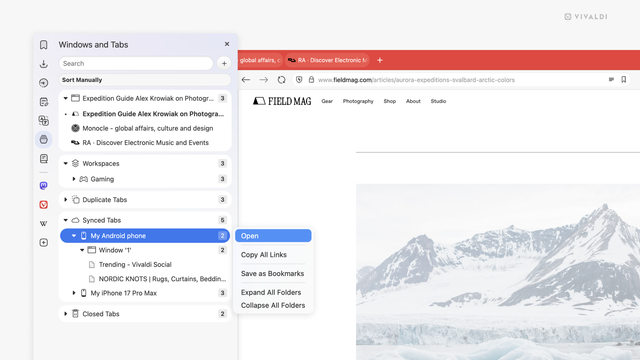
複数のデバイスを使ってブラウジングをすることが多い場合、パソコンで Vivaldi を使っている時に他のデバイスの Vivaldi で開いているタブにアクセスしたいと思ったことはありませんか?
同期したタブを開くには:
タブを 1 つだけ開きたい場合には、リスト上の該当するタブを素早くクリック(ダブルクリック)してください。

Tip #773
ウィンドウパネルやタブボタンから同期したタブのグループを簡単に開く方法
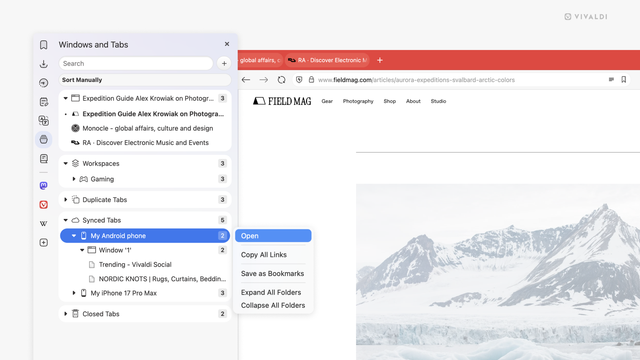
複数のデバイスを使ってブラウジングをすることが多い場合、パソコンで Vivaldi を使っている時に他のデバイスの Vivaldi で開いているタブにアクセスしたいと思ったことはありませんか?
同期したタブを開くには:
タブを 1 つだけ開きたい場合には、リスト上の該当するタブを素早くクリック(ダブルクリック)してください。
Tip #773
Open a group of synced tabs easily from the Windows Panel or the Tab Button.
When you’re browsing on multiple devices, you may find yourself in a situation where, while using Vivaldi on your computer, you need to access tabs that you have open on other devices.
To open synced tabs:
In case you only want to open one tab, a quick (double-)click on that tab in the list of tabs is all you need to do.
#sync #TabButton #Tabs #Vivaldi #VivaldiBrowser #WindowsPanel