OK #linux based photographers out there. Bought two Canon R5 MkIIs today. Libraw supports this camera, but this is how it's showing up in #RawTherapee and in #Digikam. Digikam's documentation doesn't show it supports this camera even though libraw does. Do I just need to wait?

Didn't have this issue for the R3 or R6 I had also shooting CR3 files.

#linux #rawtherapee #digikam #photography #linuxphotography #canon #rawfiles

📰 Today's top stories, personally curated for you by Zorz Studios: http://zorz.it/newspaper

- A gilded, pearl-kissed #BridalShower inspired by #CoastalRomance;
- The #SonyA7V tops yet another sales chart;
- What to do when #clients ask for #RawFiles;
- #StreetStyle look of the week: a yellow #WinterCoat;
- #DiriyahBiennale announces #artists for 2026 edition, and more

#ZoracleDaily #newspaper

Ah yes, the riveting saga of someone's three-month #enlightenment in New York as they transform RAW files into "beautiful" images via hex editing 🙄. Because nothing says "cutting-edge photography" like staring at binary code until your eyes bleed 🤓📷.
https://capnfabs.net/posts/fuji-raf-compression-algorithm/ #photography #hexediting #RAWfiles #digitalart #HackerNews #ngated
How Does Lossless Compression in Fuji RAF Files work?

I spent 3 weeks earlier this year digging in to and reimplementing the lossless compression algorithm in Fuji’s RAF Camera RAW files. This post discusses the fundamentals of how it works.

fabian writes.
#This #photo is one of a series I took in the #Chilterns in #2017. Looking back at them now, there's quite a a few I like but I would need to go back to the #rawfiles and start again. #phototography #woodland #woodlandphotography #photograph
Is the High Dynamic Range Setting in Your Camera Useful?

If you're someone who likes using high dynamic range in post-production, give it a try in-camera. You'll likely see a big change.

The Phoblographer
Rawsie app lets you 'Marie Kondo' your raw files making them 80% smaller - DIY Photography

What would you say if I told you I could change 1GB of data into 200MB without losing quality or data? Firstly, you might not believe me, and secondly, you’d probably write me off as a complete nerd. But that is exactly what the developers of the Rawsie app are claiming. Now by using the […]

DIY Photography

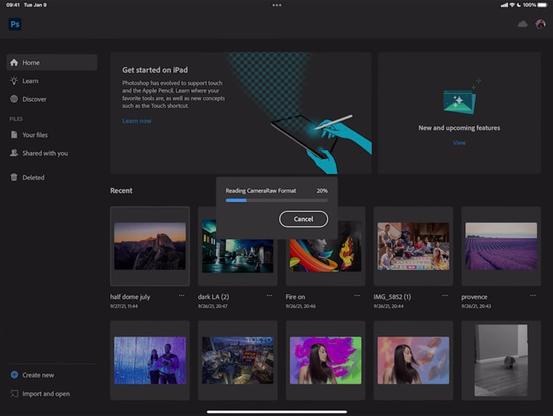
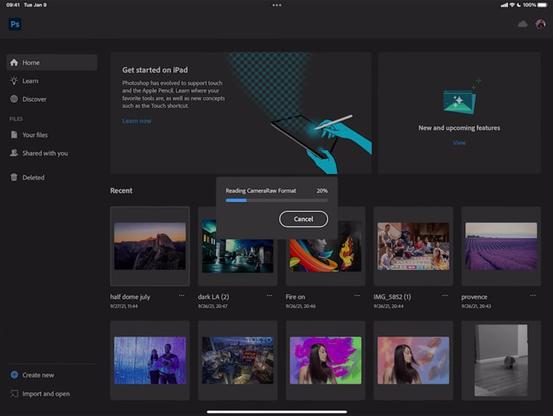
Adobe is Bringing RAW Photo Editing to Photoshop for iPad

Adobe has announced that RAW photo editing support is coming to its Photoshop iPad app through a teaser video it has published to its YouTube channel.

Photoshop for iPad -- which was originally announced in November of 2019 -- hasn't seen a notable feature update since October of 2020 when it received the "edit image size" feature and live stream support. Three months before that, Adobe added the refine edge brush to the app.

Adobe MAX is set to take place at the end of October which will very likely bring a wide range of product announcements with it. But ahead of that, Adobe has published a sneak peek at a new feature coming to iPad: RAW photo editing support. The announcement is similar in scope to the feature the company did on enhanced masking for Lightroom, if not a bit shorter and simpler.

While it's not clear if this is the only update Photoshop for iPad will get this year, it is a notable one. Adobe has announced that RAW files of all kinds will be editable on Photoshop for iPad which includes everything that Adobe currently supports in its desktop operating system, from RAWs shot on full-size cameras to Apple ProRAW files captured on the latest iPhones.

From DNG to Apple ProRAW, users will be able to import and open camera raw files, make adjustments like exposure and noise, as well as take advantage of non-destructive editing and auto-adjustments in raw files -- all on the iPad.

In the video above, Adobe Photoshop on the iPad product manager Ryan Dumlao demonstrates how photographers will be able to use the RAW editing capabilities to import and open camera RAW file formats on the go and make both minor and relatively robust adjustments to files. Additionally, the app supports the ability to import RAWs as an ACR Smart Object which retains RAW information that can then be imported as a PSD for further editing on the desktop version of Photoshop.

Dumlao shows the import process but also makes minor edits to the photo through the app, likely to remind users what is possible on Photoshop for iPad since photographers may not use the app frequently in its present state because of its lack of RAW file support. Now, though, the software has considerably more utility for photographers and may see its use increase significantly as a result.

Adobe has not revealed when the feature will ship to end-users, but it is highly likely that will come during MAX later this month since Adobe has historically used the annual event to update its entire suite of software applications.

#mobile #news #software #acr #adobecameraraw #adobephotoshop #import #ipad #photoshop #photoshoponipad #raw #rawediting #rawfiles #smartobject

Adobe is Bringing RAW Photo Editing to Photoshop for iPad

Finally!

Should Photographers Ever Sell Their RAW Files?

Should photographers sell their unedited RAW files to a client? Is there any benefit in doing so? These questions are discussed in this eight-minute video from David Bergman and Adorama.

The idea of handing over the RAW files has been debated before and at length. One thing that Bergman clears up in this discussion is that oftentimes when a client is asking for the RAW, they don't actually mean the uncompressed .NEF or .CR3 files the camera produces, but rather the full resolution unedited JPEG as usually most non-photographers don't have access to RAW processing software like photographers do anyway. The clients may simply want these files because they think the photographer isn't delivering the highest resolution files possible for whatever reason.

Bergman goes on to say that creatives should have a discussion with our clients about this to find out exactly what they are looking for and detail how the editing process is done so they are reassured that they have received the highest resolution image that they paid for.

If, however, they actually are asking for the RAW files, should photographers be willing to discuss handing them over? And if so, is there any benefit to selling them to the clients?

Bergman opens this discussion with the first real clear and concise answer, and that is "yes" because of the income opportunity. The key here is to be sure to price unedited RAW files at high enough of a margin to not lose out on any potential income from print sales, since technically speaking, the client could create prints on their own with those original files.

Asking a photographer to hand over a memory card, USB, or DVD of raw images is akin to asking an author to present you with their book in manuscript format: unedited, unformatted, and including the paragraphs and chapters that didn’t make it.

But creatives are often hired because of a particular look and style they can produce and often times that requires at least some minimal retouching and edits to achieve. Photographers have to ask if they want their unedited images out there without their name attached to it.

For people like photojournalists, there is likely very minimal editing involved and so in that case, it may not be much of an issue. However, for fashion photographers and conceptual artists, even if they were to put in as much effort as possible to get the image as close to the envisioned result in-camera, there is likely a lot of time spent on post-production editing every little detail to get the specific style. The last thing these photographers will want is their brand associated with an unedited and unprocessed image, let alone one that may have been altered and retouched by someone giving the shot a look and feel that is very far from the stylization they want to be affiliated with their name. In these cases, even though it is possible to earn much more money selling the RAW files to the client, Bergman still votes "no" on selling the unedited files.

Author 's take: Personally, I tend to agree with Bergman's point of view on the matter. Even though there is a possible large financial benefit in just selling the RAW files after a shoot, it would feel far too "unprofessional" to hand them over to someone with the expectation of my name attached to it.

For more from David Bergman, visit his website or subscribe to the Adorama YouTube channel.

Image credits: Header photo licensed via Depositphotos.

#educational #industry #adorama #clients #davidbergman #expetations #income #raw #rawfiles #sales #selling #sellrawfiles #youtube

Should Photographers Ever Sell Their RAW Files?

Should you ever sell a RAW file?

Should you sell your RAW files if a client wants them? - DIY Photography

Do you let your clients have the unedited photos along with the edited ones? Do you think that’s the way to go or it’s a huge no-no? There are different opinions on this topic. In this video from Adorama, David Bergman discusses why you should and shouldn’t sell your RAW files to clients. First of […]

The Look of Kodak Movies: Panasonic GH5 II Review

The Panasonic GH5 II is a good camera in and of itself. But it's a camera that I'm not sure that photographers necessarily need.

The Phoblographer