ghostwriter

install guide

MX Linux / Debian based distro's

sequence

su -
apt install ghostwriter
apt install pandoc
multimarkdown
apt install libtext-multimarkdown-perl
apt install cmark

Handy opensource markdown editor

  • easy to memorize shortcuts
  • vim like reaction when doing bullets and such
  • no frills, thus fast and efficient
  • low memory footprint

Sources:

moi

https://ghostwriter.kde.org/documentation/

https://pandoc.org/

https://pandoc.org/demos.html

https://github.com/commonmark/cmark

#programming #pandoc #multimarkdown #cmark #markdown #Linux #technology #OpenSource #language

Documentation

Introduction Welcome to ghostwriter! This quick reference guide gives examples of writing in Markdown, a plain text markup format created by John Gruber. For more information, please visit John Gruber's website at http://www.daringfireball.net. ghostwriter has built-in support for the cmark-gfm processor. However, it also can auto-detect Pandoc, MultiMarkdown, or cmark processors. Simply install any of these processors and ensure that their installation locations are added to your system's PATH environment variable. ghostwriter will auto-detect their installation on startup, and give you live HTML preview and export options accordingly.

ghostwriter
The upcoming version of #MultiMarkdown (version 7) is slated to have #EPUB as a target in it. As much as I love #Pandoc , I'm wildly excited by this possibility.

New post: MultiMarkdown Composer v7 almost released

At the age of 18(!), MultiMarkdown Composer almost reaches version 7

https://md-handbook.com/blog/multimarkdown-v7-alpha-released/

#markdown #MultiMarkdownComposer #MultiMarkdown

The Markdown Handbook

The Markdown Handbook is your reference to everything markdown.

Do you want to style your rendered #Markdown but don’t want to pollute your nice readable plain text with #HTML and #CSS?

Some dialects like #MultiMarkdown allow metadata headers for linking to stylesheets, but then you have to provide a stable link to that CSS document or package it along with the Markdown document.

Or do you? If your CSS is short and unobtrusive enough, encode it as a data: URI and put that link in your Markdown metadata.

This works great for documents stored in #PKM systems like #DEVONthink that offer Markdown editing and rendering, but require you to use links or inline CSS for any styling different from the system-wide stylesheet.

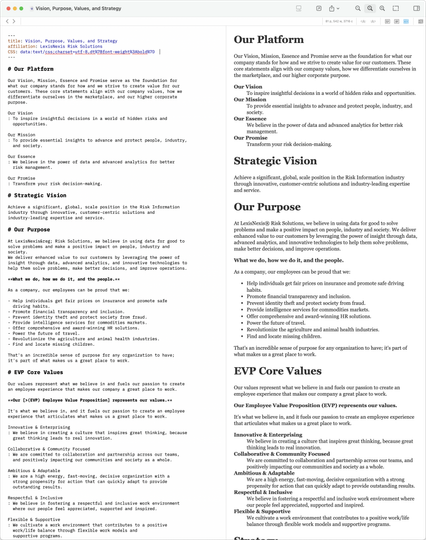
See the attached screenshot for a real-world example that boldfaces terms in a definition list using a tiny bit of encoded CSS in the Markdown metadata header.

Metadata

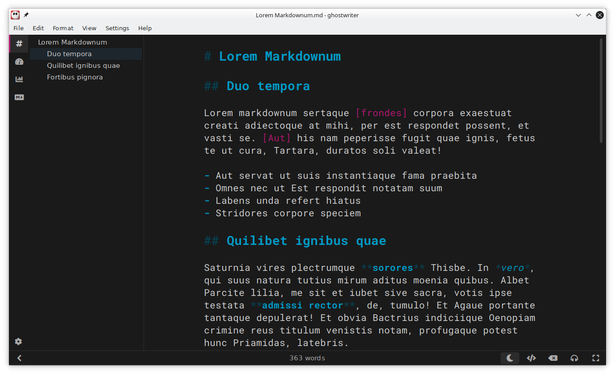
ghostwriter is a distraction-free text editor for Markdown featuring a live HTML preview as you type, theme creation, focus mode, fullscreen mode, live word count, and document navigation in an aesthetic writing environment.

Website
https://apps.kde.org/ghostwriter/

Github
https://flathub.org/apps/org.kde.ghostwriter

#Linux #KDE #ghostwriter #Markdown #Pandoc #MultiMarkdown #Discount #cmark

ghostwriter

Distraction-free text editor for Markdown

KDE Applications

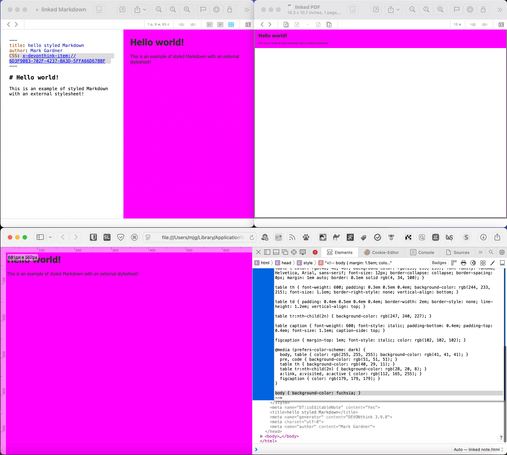
@devontechnologies #DEVONthink will also display #CSS embedded into a #Markdown document via a #MultiMarkdown "HTML Header" metadata variable. (1st attached screenshot)

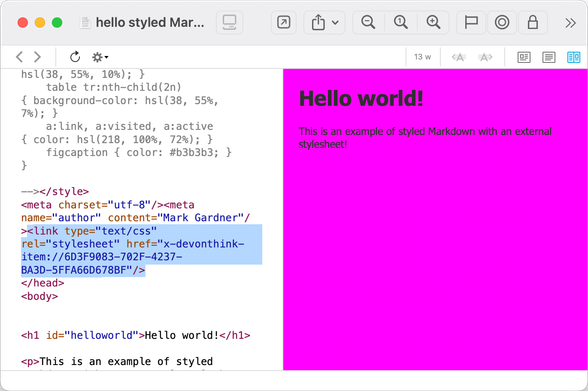
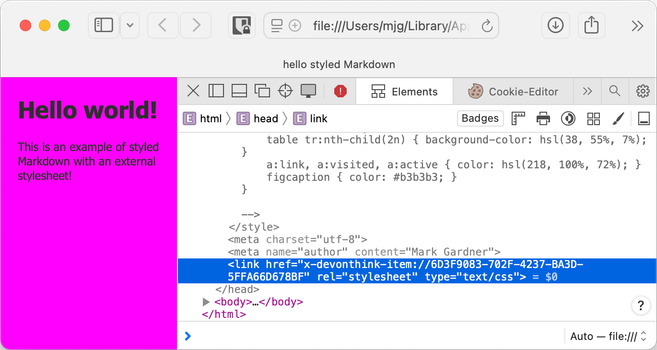
Using a "CSS" variable in MultiMarkdown to link to an external stylesheet and then using DEVONthink's document conversion *will retain* those external CSS links for #HTML and Web Archives. (2nd and 3rd screenshots)

But!

#PDF and Formatted Note conversions will *embed* the styles directly. (4th screenshot)

Det kan være nyttig å plassere metadata for tittel, forfatter, dato o.l. utenfor selve teksten i et Markdown-dokument. En løsning på det er å definere at begynnelsen på dokumentet kan innholde metadata.

Metadata kan for eksempel plasseres i en YAML-blokk; hvor --- definerer start, og --- eller ... definerer slutten på YAML frontmatter.

---title: Lurium ipsum!subject: Lurium laruim ipsumdate: 2024-06-26keywords: - hopp - hepp - hippauthor: Aslak---Code language: YAML (yaml)

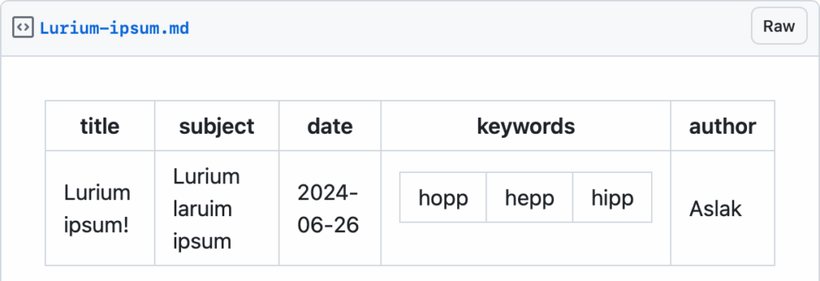
som Github presenter omtrent slik:

Github sin presentasjon av en YAML-frontmatter.

Men er egentlig YAML noe ok til slikt?

En annen variant er å bruke MultiMarkdown (MMD) sine metadata-felt som ligner på epost/netnews (RFC 5322 og RFC 5536 ) og andre internet metadata-felt:

Title: Lurium ipsum!Subject: Lurium laruim ipsumDate: 2024-06-26Keywords: hopp, hepp, hippAuthor: AslakCode language: HTTP (http)

Navn på metadata angis som en kort tekst som avsluttes med : og resten linjene som tekst med selve metadata. Metadatablokken avsluttes med to (en?) tomme linjer.

Som med overnevnte RFC-er og RFC 9651 (Structured Field Values for HTTP) så burde lister kunne angis som:

Keywords: hoppKeywords: hepp, hippCode language: HTTP (http)

Det tror jeg ikke alle implementasjoner av MMD, om noen, støtter.

Daring Fireball: Markdown

@ron I agree. It’s frustrating to switch between variants for different projects based on the limitations of each. In case you didn’t already know, both #MultiMarkdown and the #kramdown version of markdown can do definition lists. They’re just not as widely supported as, say, Github-flavored Markdown.