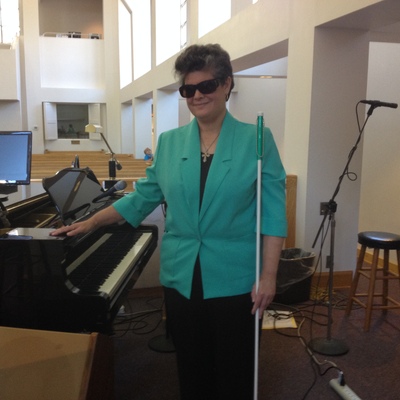
I have finally become acquainted with my #MantisQ40 #BrailleDisplay and this week, I'll be adding it to my workflow. With multiple #ministry meetings a couple of rehearsals and private #music practice, it is sure to be put through its paces. After reassigning the thumb buttons, I was thrown for a loop when I first paired it with my MacBook Pro and realized that the button assignments were not as I had chosen them for the operation of the Mantis. A few adjustments to Braille in the Voiceover utility and my using the right buttons had everything working as it should. I have it paired with iPhone, iPad and Mac using Bluetooth, and have the USB connection for my Windows PC. The solid Bluetooth connection impresses me, and I appreciate having full control of my connected devices without one of them cutting in at an inopportune time. I'm not soaring yet, but definitely increasing altitude, and thoroughly enjoying the ride into another generation of electronic #Braille.

Cette semaine sur Oxytude, retrouvez l'actu des nouvelles technologies et de l'accessibilité .
https://ift.tt/qEShglx

Si vous ne l'avez pas encore fait, allez consulter notre sélection d'idées cadeaux accessibles pour Noël 2024, vous y trouverez certainement des produits sympa à offrir ou à vous offrir.
https://ift.tt/NZaRFio

#Accessibilité #A11Y #Aveugle #NVDA #iOS #VoiceOver #Labelo #NFC #Minecraft #GamesAccess #CanIPlayThat #UGC #Greta #Audiodescription #MantisQ40 #Humanware #Touch2see

Hebdoxytude 386, l’actualité de la semaine en technologies et accessibilité – Oxytude

So, I've run into a really weird issue on my #MantisQ40 #BrailleDisplay where if I'm using it in terminal mode and running the PC via the keyboard, I can only press Alt+pagedown if I use the left alt key. Furthermore, I can only press alt+Pageup if I use the right alt key. This affects several other keystrokes that use this particular combination such as alt+shift+pagedown/up, ctrl+alt+Pagedown/up, ctrl+Win+Alt+Pagedown/up, etc. Alt+pagedown, no matter what keys are being used with it, can only be pressed via the left alt key, and alt+pageup is the same way, but only with the right alt key. The keystrokes work just fine on my laptop's built-in keyboard. I'm absolutely stumped here. Does anyone have any suggestions?
Well, this is certainly interesting. Ctrl+alt+Pagedown works fine to temporarily slow down JAWS speedh but ctrl+alt+Pageup no longer works. I'm using a #MantisQ40 Braille display.
to #MantisQ40 and #iOS users: Is anyone having an issue with iOS17.4 where the thumb keys don't work with the phone? Asking on behalf of a Mantis user, experieincing this issue since they updated to 17.4.
Just signed up for the #MantisQ40 Email list in hopes to keep an eye on updates and things. At this point, the latest update has broken the find dialogue within the library. So if I use the Find dialogue in one of my books (I have a hymnbook I downloaded from my church's website, for example), typing results in unknown symbols. The workaround is to type using the Braille keyboard input. The problem here is that the whole reason I got a Mantis was so I could take advantage of my speed on QWERTY. I really, really hope this is fixed soon. Furthermore, if anyone has any suggestions as to Email lists in which the Mantis is discussed other than the #APH one, let me know. Thanks!
Just found a software update for the #MantisQ40 that may help. Seeing if I can find release notes now.
Okay guys. I use a #MantisQ40 Braille display. Connecting to my #iPhone running #iOS 17 via bluetooh has gone very well, but when I disconnect my iPhone from the display, it repeatedly reconnects and disconnects. I should be able to go to either device's settings and disconnect without a problem. I can't use my on-screen keyboard when the display is connected. Am I missing something?
But now that I'm using my #MantisQ40 with #JAWS, I'm becoming more and more tempted to switch anyway unless there are tricks that make #Braille support less nasty which I don't know. (PS: iff you know of tricks to make JAWS' Braille support work more nicely on gmail.com, I'd love to know of them.)

I had a Mantis Q40 Braille display/keyboard combo for testing last year. I used it for about six weeks before I had to send it back. Couldn't afford to buy it at the time. I have since used other displays I own, with varying keyboards as combinations. But I must say, none parallels the integrated experience of the Mantis. Sadly, HumanWare currently don't list any dealers in Germany who carry their Braille products. Which surprises me. But their dealer locator only shows Low Vision products, not Braille. That's a bit disconcerting, since I'd require a German language version. Well, will need to investigate some more.

That reminds me, do HumanWare have a presence in the #Fediverse yet?

#Braille #MantisQ40 #HumanWare