 Alexander Dunkel
We’re rethinking the conference #Hackathon format by launching a HaCLAthon (C=Collaborative, L=Long-term, A=Asynchronous) [1] for the #IOER 2026 conference. [2]
The goal is a living #JupyterBook that becomes a citable publication with a DOI. Here is the stack I built to make it actually work:
1. The Problem: Jupyter Notebooks are great for #DataScience, but a difficult for collaborative #Git diffs and non-technical domain experts. Solution: We use #Jupytext to maintain a bidirectional sync between .ipynb (for code) and .md (for text stories).
2. The Problem: Inviting external contributions usually means a security/privacy black box if you use 3rd-party CMS brokers to link into Github/Gitlabs. Solution: I deployed a self-hosted #Golang OAuth broker to handle the GitHub handshake on our servers as a microsservice. 100% #DSGVO compliant and sovereign. [3]
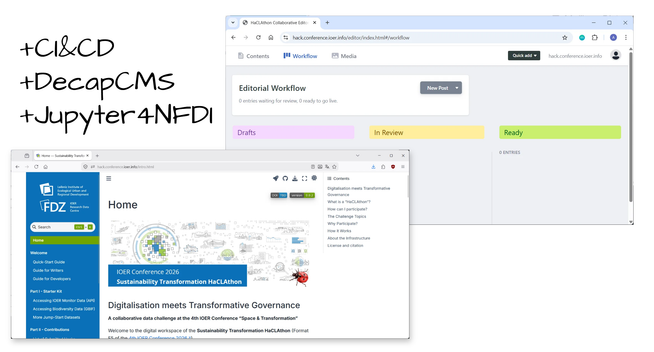
3. The Problem: We want domain experts to write, but we don't want to force them to learn Git. Solution: Integrated a browser-based visual editor (#DecapCMS/#SveltiaCMS). Edits enter a Kanban-style editorial workflow as PRs. We review/merge on Github, and our #GitLab CI/CD builds the book.
4. The Result: Developers get #Jupyter4NFDI or local #Docker environments. Writers get a WYSIWYG browser editor. Everyone gets listed as an author on a persistent scientific artifact.
Documentation is also about building inclusive pipelines!
Want to contribute a "hack" or spatial data story?
We are looking for contributions on urban resilience, circularity, and land-use change. 🌍
Github: https://github.com/ioer-dresden/ioer-conference-2026-haclathon
Book: https://hack.conference.ioer.info/
Background: https://ad.vgiscience.org/links/posts/2026-05-07-haclathon/
Slides: https://slides.ad.ioer.info/haclathon/
#OpenScience #OpenData #Sustainability #Jupyter #DevOps #GIS #Infrastructure #HaCLAthon
@ioer @diegorybski.bsky.social
[1]: https://hack.conference.ioer.info/
[2]: https://conference.ioer.info/
[3]: https://gitlab.hrz.tu-chemnitz.de/ioer/fdz/tools/cms-auth
[4]: https://slides.ad.ioer.info/haclathon/
 Omid Farhang
 Chris Newton
 Tushar Chauhan
 Kevin Brown-Silva
 Alexandre B A Villares 🐍
 dmolina
 Jörg Kantel
 Project Jupyter
 Steve Leach