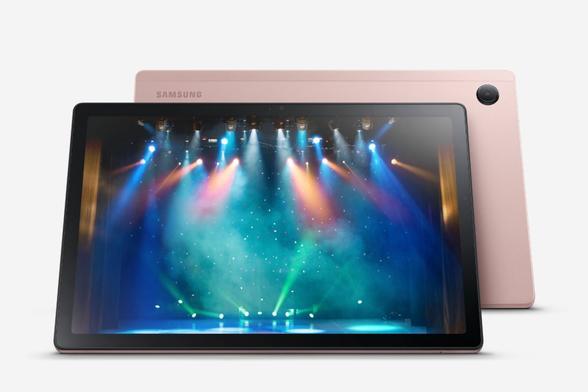
Samsung Galaxy Tab A 7.0 kaaned: Stiilsed kaitsekatted Samsung tahvlile.

Kaitse oma Samsung Galaxy Tab A 7.0 stiilselt ja turvaliselt. Telli kohe ja anna oma tahvlile uus elu! https://tootemaailm.ee/samsung-galaxy-tab-a-7-0-kaaned/ #Samsung #GalaxyTabA #Kaitsekatted #Tahvelarvuti #Stiilne

Hey, #Android #GalaxyTabA and similar folks: my old tablet is nearly out of internal storage (15.8 of 16 GB used), but the more detailed breakdown only shows about 2.5 GB actually used (see pics)(because nearly all my apps and data are on the SD card). Any suggestions for finding/clearing out this Black Matter?

[FINISHED] Galaxy Tab A7 Lite’s One UI 6.1 update is still on testing

UPDATE: Samsung Galaxy Tab A7 Lite testing is done! Korean units have received the One UI 6.1 update! Other countries will follow as the rollout begins soon.

Samsung started to roll out One UI 6.1 to various supported devices, including the Galaxy Tab S9, Galaxy S23, and Galaxy Fold 5, as one of the first devices getting the update. Then, the 2022 and the 2021 flagships got the same update. Afterward, the A, the F, and the M series got the update as the last phone groups, and one of those that should receive the update soon is the Galaxy Tab A7 Lite.

According to the latest investigation done by us, we’ve found various pointers that suggest that the Tab A7 Lite is still in the testing stage of the One UI 6.1 update, which should be released soon. The final update will be under the following firmware versions (may not be final as there may be bugs to be fixed):

  • SM-T220: T220XXU8EXH2
  • SM-T225: T225XXU6EXC3
  • SM-T225C: T225CZCU7EXG5
  • SM-T225N: T225NDXU8EXH2
  • SM-T227: T227JXU8EXH2
  • SM-T227U: T227USQUAEXH2 (USA) and T227UVLUAFXH2 (Canada)

We speculate that the European 🇪🇺 models, EUX and EUY, will get this update as one of the first regions to get this update.

Once Samsung eventually releases One UI 6.1 to your Tab A7 Lite in your country, which should be close, follow these steps:

  • Open Settings
  • Tap on Software Update
  • Tap on Download and Install
  • Wait until you see “One UI 6.1” at the top of the screen
  • Click on Download
  • Wait for a few minutes, depending on your Internet connection
  • Click on Install
  • Your phone will restart automatically to a screen where it automatically installs the update. It should take no more than 15 minutes. Afterward, the Setup Wizard will appear on your screen, congratulating you for upgrading to One UI 6.1.

    One UI 6.1, however, has a size of around 1.8 to 2.8 GB, depending on your device and your carrier, so you’ll have to download it under WiFi. It’s recommended to download this update on a connection that has a minimum of 8 Mbps.

    You’ll need to charge your battery before installing this update because, depending on how many apps are installed, it may take a long time. Never interrupt the update process, or you may experience errors.

    Enjoy!

    #Android #Android12 #Android12L #Android13 #Android14 #AndroidT #AndroidU #AndroidUpdate #Announcement #arm #arm64 #GalaxyTabA #GalaxyTabA7Lite #oneUi #OneUI5 #OneUI6 #OneUI61 #operatingSystem #OS #Release #Samsung #SamsungGalaxy #SamsungGalaxyTabA7Lite #TabA7Lite #update

    One UI 7.0 update devices list

    Cover image is from Samsung.

    Many people are eager to try out the One UI 7.0 beta since the leaks started to appear at around late July. According to one of the tipsters, Tarun Vats, Samsung is expected to release the One UI 7.0 beta in August in the United States of America, Korea, and Germany, further evidenced by a Samsung Members update to v5.0.02.1 that wasn’t live yet; Galaxy Store only indicated v5.0.00.11 on August 8th.

    One UI 7.0 Final is expected to reach the following devices, but this is not an official list, but a list that we’ve compiled according to their update schedules. Any device that are not on this list are ineligible for this update. Flagships are highlighted in bold green, while the middle rangers are marked as regular yellow, and the entry levels are marked as italic red:

    • Phones
      • Galaxy S
        • Galaxy S24
        • Galaxy S24+
        • Galaxy S24 Ultra
        • Galaxy S23
        • Galaxy S23+
        • Galaxy S23 Ultra
        • Galaxy S22
        • Galaxy S22+
        • Galaxy S22 Ultra
        • Galaxy S21
        • Galaxy S21+
        • Galaxy S21 Ultra
      • Galaxy Z
        • Galaxy Z Fold 6
        • Galaxy Z Flip 6
        • Galaxy Z Fold 5
        • Galaxy Z Flip 5
        • Galaxy Z Fold 4
        • Galaxy Z Flip 4
        • Galaxy Z Fold 3
        • Galaxy Z Flip 3
      • Galaxy A
        • Galaxy A73
        • Galaxy A72
        • Galaxy A55
        • Galaxy A54
        • Galaxy A53
        • Galaxy A35
        • Galaxy A34
        • Galaxy A33
        • Galaxy A25
        • Galaxy A24
        • Galaxy A23
        • Galaxy A15
        • Galaxy A14
        • Galaxy A05
        • Galaxy A05s
      • Galaxy F
        • Galaxy F55
        • Galaxy F54
        • Galaxy F53
        • Galaxy F35
        • Galaxy F34
        • Galaxy F33
        • Galaxy F15
        • Galaxy F14
        • Galaxy F05
      • Galaxy M
        • Galaxy M55
        • Galaxy M54
        • Galaxy M53
        • Galaxy M35
        • Galaxy M34
        • Galaxy M33
        • Galaxy M15
        • Galaxy M14
        • Galaxy M05
    • Tablets
      • Galaxy Tab S
        • Galaxy Tab S9 FE
        • Galaxy Tab S9 FE+
        • Galaxy Tab S9
        • Galaxy Tab S9+
        • Galaxy Tab S9 Ultra
        • Galaxy Tab S8
        • Galaxy Tab S8+
        • Galaxy Tab S8 Ultra
      • Galaxy Tab A
        • Galaxy Tab A9
        • Galaxy Tab A9+

    For flagship devices that are expected to receive One UI 6.1.1, which will be covered in a separate post, these devices should receive One UI 6.1.1 first, which will be unveiled soon. How soon? We don’t know.

    For now, enjoy!

    #Android #Android14 #Android15 #AndroidU #AndroidUpdate #AndroidV #GalaxyA #GalaxyF #GalaxyM #GalaxyS #GalaxyTabA #GalaxyTabS #GalaxyZ #oneUi #OneUI7 #OneUI70 #OneUI71 #Samsung #SamsungGalaxyA #SamsungGalaxyF #SamsungGalaxyM #SamsungGalaxyS #SamsungGalaxyTabA #SamsungGalaxyTabS #SamsungGalaxyZ #update

    Galaxy Tab A7 LTE receives June 2024 Security Patch

    Samsung has recently began distributing the June 2024 security patch to the Galaxy Tab A7 LTE device. This is built on top of One UI 4.1 that uses Android 12 as the base. According to the latest data, we have found the following firmware versions released:

    • SM-T505: T505XXS8CXG1

    To obtain the update, follow these steps:

  • Open the Settings app
  • Navigate to Software update
  • Tap on Download and Install
  • You should be able to see the update information. Verify the version with your device model posted above.
  • Click on Download, let it download, and click on Install. Make sure that you download the update through Wi-Fi.
  • This security update should take 5 to 10 minutes maximum to install once your tablet reboots. Make sure that you have the phone charged fully before initiating the update process to avoid interruptions. Back up your data to your PC, the cloud, or any other device in case the update went wrong. Don’t interrupt the update process, or you’ll experience problems later.

    Enjoy!

    #Android #Android14 #AndroidU #GalaxyTabA #GalaxyTabA7 #GalaxyTabA7LTE #July2024 #news #Patch #phone #PhonesTablets #Samsung #SamsungGalaxyTabA #SamsungGalaxyTabA7 #SamsungGalaxyTabA7LTE #security #smartphone #Tech #Technology #update

    Galaxy Tab A7 Lite receives July 2024 Security Patch in Ecuador [ECO]

    Samsung has recently began distributing the July 2024 security patch to the Galaxy Tab A7 Lite device in Ecuador with the CSC code of ECO, which received the One UI 6.0 update on March 28th with firmware version T225XXU6DWL9. This is built on top of One UI 6.0 that uses Android 14 as the base. Unfortunately, none of the Galaxy Tab A7 Lite tablets have received the One UI 6.1 update yet. According to the latest data, we have found the following firmware versions released:

    • SM-T225: T225XXS8DXG4

    To obtain the update, follow these steps:

  • Open the Settings app
  • Navigate to Software update
  • Tap on Download and Install
  • You should be able to see the update information. Verify the version with your device model posted above.
  • Click on Download, let it download, and click on Install. Make sure that you download the update through Wi-Fi.
  • This security update should take 5 to 10 minutes maximum to install once your tablet reboots. Make sure that you have the phone charged fully before initiating the update process to avoid interruptions. Back up your data to your PC, the cloud, or any other device in case the update went wrong. Don’t interrupt the update process, or you’ll experience problems later.

    Enjoy!

    #Android #Android14 #AndroidU #GalaxyTabA #GalaxyTabA7 #GalaxyTabA7Lite #July2024 #news #Patch #phone #PhonesTablets #Samsung #SamsungGalaxyTabA #SamsungGalaxyTabA7 #SamsungGalaxyTabA7Lite #security #smartphone #Tech #Technology #update

    Galaxy Tab A9 receives July 2024 Security Patch

    Samsung has recently began distributing the July 2024 security patch to the Galaxy Tab A9 device. This is built on top of One UI 6.1 that uses Android 14 as the base. According to the latest data, we have found the following firmware versions released for European variants:

    • SM-X115: X115XXS3BXG1
    • SM-X115N: X115NKOS3BXG1

    However, the Galaxy Tab A9+ purchased from Europe didn’t receive the security updates, so you’ll have to wait until it eventually gets released, which should only take a couple of days.

    To obtain the update, follow these steps:

  • Open the Settings app
  • Navigate to Software update
  • Tap on Download and Install
  • You should be able to see the update information. Verify the version with your device model posted above.
  • Click on Download, let it download, and click on Install. Make sure that you download the update through Wi-Fi.
  • This security update should take 5 to 10 minutes maximum to install once your tablet reboots. Make sure that you have the tablet charged fully before initiating the update process to avoid interruptions. Back up your data to your PC, the cloud, or any other device in case the update went wrong. Don’t interrupt the update process, or you’ll experience problems later.

    Enjoy!

    #Android #Android14 #AndroidU #GalaxyTab #GalaxyTabA #GalaxyTabA9 #July2024 #Patch #Samsung #SamsungGalaxyTab #SamsungGalaxyTabA #SamsungGalaxyTabA9 #security #Tablet #Tech #Technology #update

    Galaxy Tab A9 starts getting One UI 6.0 update

    February was the month that the Galaxy Tab S9’s highly-anticipated One UI 6.0 update rollout finished, with the possibility of Samsung starting to roll out One UI 6.1 to various supported devices, including the Galaxy Tab S8 and S9, Galaxy S23, and Galaxy Fold 5.

    However, it looks like today has set a mark for the descendant of the Tab S9, the Tab A9, getting its major update to Android 14 because the following versions of Tab A9 (SM-X115) got One UI 6.0:

    • EUX – Europe 🇪🇺: March 4th, 2024
    • INS – India 🇮🇳: March 5th, 2024
    • SLK – Sri Lanka 🇱🇰: March 7th, 2024

    The firmware goes by the version of  X115XXU1BXB6. This firmware was built on February 2024 with the December 1st, 2023 security patch. However, this is awkward, considering that the A04 series One UI 6.0 update came with the January 2024 security patch.

    From now on, if you live in the above countries and have this specific model, you’ll get this:

    For other countries, you may have to wait before your country’s carrier approves the update. In order to install One UI 6.0 to your Tab A9 (SM-X115 EUX, INS, and SLK), follow these steps:

  • Open Settings
  • Tap on Software Update
  • Tap on Download and Install
  • Wait until you see “One UI 6.0” at the top of the screen
  • Click on Download
  • Wait for a few minutes, depending on your Internet connection
  • Click on Install
  • Your phone will restart automatically to a screen where it automatically installs the update. It should take no more than 15 minutes. Afterward, the Setup Wizard will appear on your screen, congratulating you for upgrading to One UI 6.0.

    One UI 6.0, however, has a size of around 1.8 to 2.8 GB, depending on your device and your carrier, so you’ll have to download it under WiFi. It’s recommended to download this update on a connection that has a minimum of 8 Mbps.

    You’ll need to charge your battery before installing this update because, depending on how many apps are installed, it may take a long time. Never interrupt the update process, or you may experience errors.

    For users in countries other than the abovementioned ones, you may have to wait until this update is available for your country, which will be hopefully just a week or two away.

    Enjoy!

    #Android #Android12 #Android12L #Android13 #Android14 #AndroidT #AndroidU #AndroidUpdate #Announcement #arm #arm64 #GalaxyTabA #GalaxyTabA9 #oneUi #OneUI5 #OneUI6 #OneUI60 #OneUI61 #operatingSystem #OS #Release #Samsung #SamsungGalaxy #SamsungGalaxyTab #SamsungGalaxyTabA #SamsungGalaxyTabA9 #update

    Galaxy Tab A8 starts getting One UI 6.0 update

    February was the month that the Galaxy Tab S8’s highly-anticipated One UI 6.0 update rollout finished, with the possibility of Samsung starting to roll out One UI 6.1 to various supported devices, including the Galaxy Tab S8 and S9, Galaxy S23, and Galaxy Fold 5.

    However, it looks like today has set a mark for the descendant of the Tab S8, the Tab A8, getting its major update to Android 14 because the following versions of Tab A8 (SM-X200) got One UI 6.0:

    • EUX/EUY – Europe 🇪🇺: March 6th, 2024
    • BRI – Taiwan 🇹🇼: March 6th, 2024
    • TGY – Hong Kong 🇭🇰: March 6th, 2024
    • CHN – China 🇨🇳: March 6th, 2024

    The firmware goes by the version of  X200XXU3DXB3. This firmware was built on February 2024 with the February 1st, 2024 security patch.

    From now on, if you live in the above countries and have this specific model, you’ll get this:

    For other countries, you may have to wait before your country’s carrier approves the update. In order to install One UI 6.0 to your Tab A8 (SM-X200 EUX/EUY, CHN, TGY and BRI), follow these steps:

  • Open Settings
  • Tap on Software Update
  • Tap on Download and Install
  • Wait until you see “One UI 6.0” at the top of the screen
  • Click on Download
  • Wait for a few minutes, depending on your Internet connection
  • Click on Install
  • Your phone will restart automatically to a screen where it automatically installs the update. It should take no more than 15 minutes. Afterward, the Setup Wizard will appear on your screen, congratulating you for upgrading to One UI 6.0.

    One UI 6.0, however, has a size of around 1.8 to 2.8 GB, depending on your device and your carrier, so you’ll have to download it under WiFi. It’s recommended to download this update on a connection that has a minimum of 8 Mbps.

    You’ll need to charge your battery before installing this update because, depending on how many apps are installed, it may take a long time. Never interrupt the update process, or you may experience errors.

    For users in countries other than the abovementioned ones, you may have to wait until this update is available for your country, which will be hopefully just a week or two away.

    Enjoy!

    #Android #Android12 #Android12L #Android13 #Android14 #AndroidT #AndroidU #AndroidUpdate #Announcement #arm #arm64 #GalaxyTabA #GalaxyTabA8 #oneUi #OneUI5 #OneUI6 #OneUI60 #OneUI61 #operatingSystem #OS #Release #Samsung #SamsungGalaxy #SamsungGalaxyTab #SamsungGalaxyTabA #SamsungGalaxyTabA8 #update

    マジ!?!?

    RT @[email protected]: Galaxyタブレット
    #JCOM から新登場です🌈✨

    #GalaxyTabA が家族の中心にあると…👨‍👩‍👧‍👦
    みんなで思い出や予定をシェアしたり、
    子どもでも安心して楽しめたりと♪

    ▼たくさんの機能が充実してます!
    https://t.co/C9uR0gDhfm https://t.co/3eFi3YZxtX
    https://twitter.com/GalaxyMobileJP/status/1196254221722476544

    Galaxy Tab A I Galaxy Mobile Japan 公式サイト - Galaxy Mobile Japan 公式サイト

    Galaxy Tab Aの没入感のある10.1インチのディスプレイと3D Dolby Atmosサウンド、長持ちバッテリーやKids Homeで、次世代のエンターテインメントを体験してみてください。