Oh no! 🤯 The obscure Dropbox Paper app 📝 is finally getting the axe! Not that anyone noticed or cared, but here's a FAQ about its untimely demise. Time to pretend like you were using it all along! 😂
https://help.dropbox.com/installs/paper-mobile-discontinuation #DropboxPaper #Dropped #AppNews #TechHumor #DigitalTools #HackerNews #ngated
FAQs on the Dropbox Paper app discontinuation

The Dropbox Paper app is being discontinued October 9. Learn what that means for your Paper documents and mobile editing.

Pro tip: one popup is usually enough

#DropboxPaper #Popup

If anyone working at Dropbox sees this--could you add a small bit of margin above H3 headings in Dropbox Paper?

H1 and H2 have a good amount of margin above them. But H3 headings have none, and the preceding line of text squishes right up against it!

#typesetting #DropboxPaper

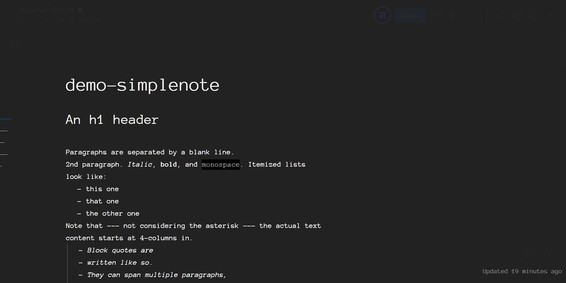
User Style for Dropbox Paper that introduces a simple Dark theme. To be used with Stylus or similar extention.

User Style for Dropbox Paper that introduces a simple Dark theme. To be used with Stylus or similar extention. - dropbox-paper-dark.css

#UI
#dropboxPaper
#markdown
#esa.io

DropBox Paper
入力したものと表示されるものが異なる
負担の大きいUI

一方で、表示そのものの文字列を変更する場合はあちらの方が便利
(いちいち編集ペインを開く必要がない)

esa.ioも文字の変更だけはページ表示画面そのままで変更できれば、記事に編集効率はぐっと上がる
だろう

#Qiita
#esa.io

2つのペイン (左がMarkdown編集、右がプレビュー)。

esa.ioでは右でチェックボックスをcheck, uncheckできる。よく使っている。

さらに踏む込めば、右で文字列の編集もできれば作業性は高くなる気がしなくもない。
(Dropbox Paperの編集のように)。

左ペイン(Markdownの記述)で編集したい部分を探しにくいというのが検討した理由。
(検索すればいいかもしれないが)。

#DropboxPaper