🗝️🎞️ 🏧 Keyframes, Cash, and CodePen w/ Shaw
Hosts: Adam Argyle @argyleink + Robbie Wagner @robbiethewagner.dev
With @shshaw
#CSS #animations #webcomponents #serversiderendering #webdev #Videocast #Codepen #AI
https://www.youtube.com/watch?v=5aonoWgK7kQ
I forked my Liam Neeson poster generator #CodePen to make a Jason Statham one. I'd watch at least a couple of these: https://codepen.io/chriskirknielsen/pen/jEVwBMo
GitHub - AnandPilania/mcp-live-playground: Live IDE for building, testing and debugging MCP servers. LLM agnostic.

Live IDE for building, testing and debugging MCP servers. LLM agnostic. - AnandPilania/mcp-live-playground

GitHub

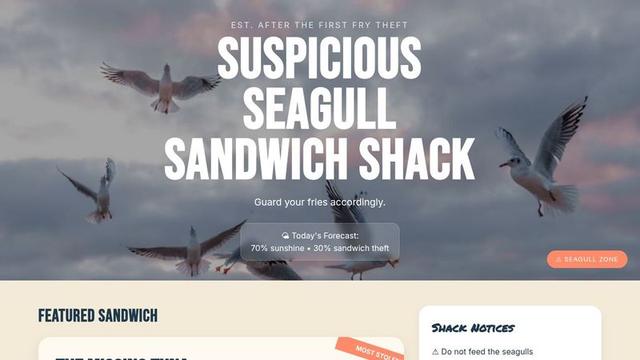
Built a beach sandwich shack menu UI for this week’s CodePen Challenge 🪶🥪

The seagulls were not part of the original business plan.
Now they run the place.

#CodePen #CSS #Frontend https://codepen.io/grauconejo13/pen/KwNzOVR

Suspicious Seagull Sandwich Shack 🥪🪶

...

Trying to figure out the CodePen 2.0 editor

Recently, CodePen introduced CodePen 2.0, and since then, I have been trying to figure out how to modify my workflow for this blog to use it. I have been using CodePen to host my code demos for over six years now, and it feels weird to change, but it seems like a positive development. Lately, I have been writing a lot of posts about how to use Vue.js with Web Awesome. Let’s start with something that we can use to demonstrate basic functionality with Vue.js, Web Awesome, and Font Awesome.

So, what’s going on here? In previous demos (like the one for More Web Awesome Dropdowns), there were three files for each pen (the markup, CSS, and JavaScript). For 2.0 pens, you can have many more (and it uses Vite). In the demo above, App.vue handles the application layout, Header.vue handles the header, and CounterButton.vue handles the button’s behavior. I have done A LOT of experimentation since the 2.0 editor dropped, and I can’t get a few things (like Vue Router) to work, but I am hoping that will come with time. Since I can add more files, I added the social meta tags and a manifest.json. It means that the result should be more shareable on its own. I also added a light-mode/dark-mode toggle, a link to view the files, and a link to the blog post.

I think that, moving forward, I will keep using the same header. I hope that you appreciate the result.

Example: https://strange-scene-malamute.codepen.app

#CodePen #FontAwesome #VueJs #WebAwesome
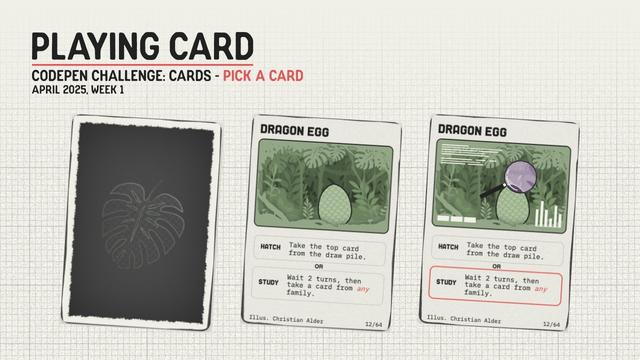
I'm adding a collectable card system to my site 👀 Already got the card setup from a previous CodePen demo

https://codepen.io/HejChristian/pen/RNwXexO

Just needs a page (binder) to keep track of any folks might find (LocalStorage or IndexedDB for some persistence 🤔)

No battle system yet, maybe one day though ☺️

#CSS #CodePen

#CodePenChallenge: Pick a Card | Playing Card

My first CodePen challenge 🥳 I went with the image card for this one, and thought up how an interactive playing card might look, feel, and animate. I...

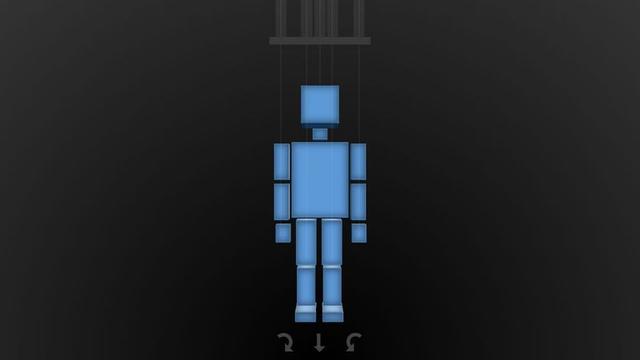
3D CSS demo by Josetxu.
https://codepen.io/josetxu/pen/MYjzwgG

Mouse over the string holders and make the puppet move. All coded in HTML+CSS.

#css #3d #webdev #codepen

Puppet Strings - CSS

...

is listening to Eagle-Eye Cherry and debugging a #codepen.

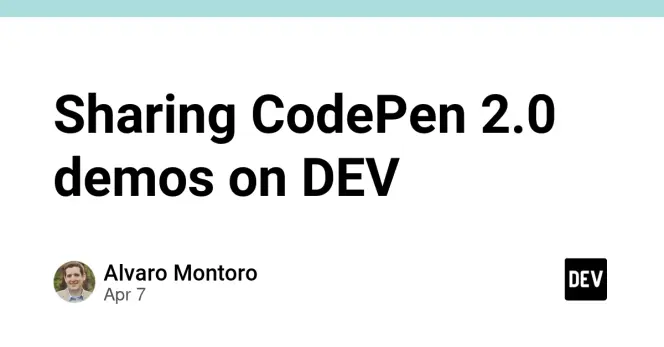
You code a shiny new CodePen 2.0 demo, go share it on DEV... and it doesn't embed correctly! Oh no! 😱

Good news! There's a quick workaround you can use right now. 😀

No hacks. No waiting. Just a simple trick to get your demo embeds working again: https://dev.to/alvaromontoro/sharing-codepen-20-demos-on-dev-273

#CodePen #DEVCommunity

Sharing CodePen 2.0 demos on DEV

How to share CodePen 2.0 demos on DEV

DEV Community
is trying hard to get Vue Router working with the CodePen 2 editor.

#Vue #CodePen