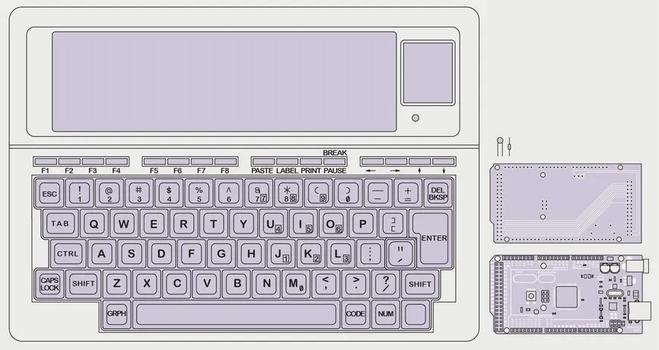
TRS-80 Model 100 Gets Arduino Heart Transplant
TRS-80 Model 100 Gets Arduino Heart Transplant (https://hackaday.com/2022/09/23/trs-80-model-100-gets-arduino-heart-transplant/) image https://hackaday.com/wp-content/uploads/2022/09/a-tandy-m100-notebook-computer-is-shown-with-its-wide-lcd-display-above-a-mechanical-keyboard-along-with-a-pcb-and-arduino-mega.webp #arduinohacks #retrocomputing #arduinomega2560 #model100 #portable #tandy #trs80 #upcycling #hackaday posted by pod_feeder_v2 (https://gitlab.com/brianodonnell/pod_feeder_v2/)
Summer’s Coming – Let Mowerino Cut Your Grass
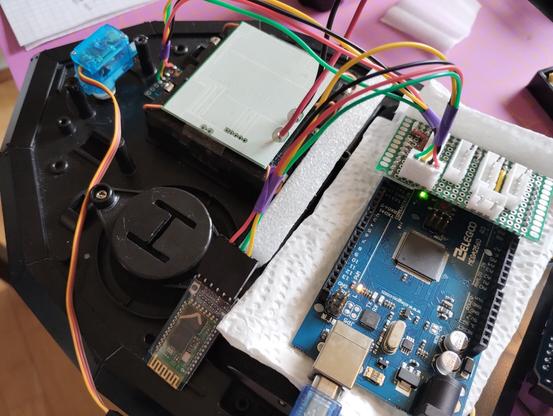
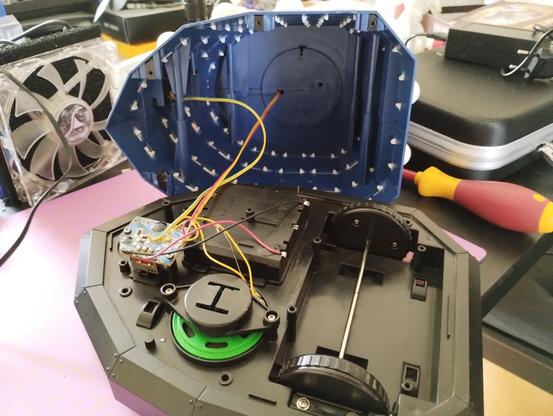
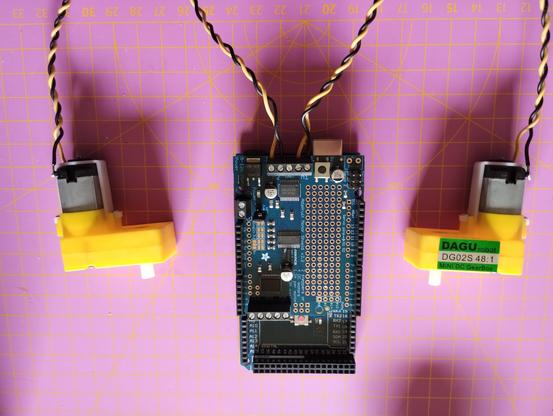
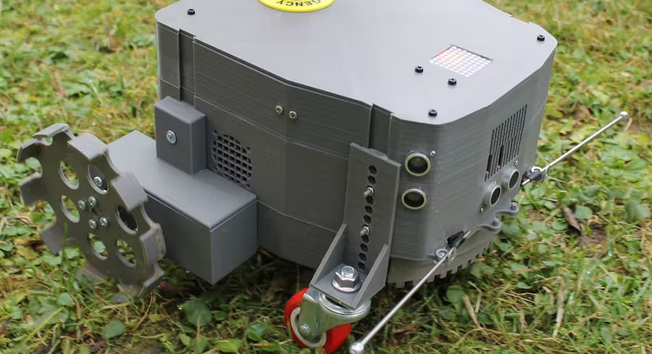
In the Northern hemisphere, summer is about to hit us full bore. While we love the season, we do dislike lawn maintenance. Apparently, so does [salmec] who developed the Mowerino around an Arduino Mega 2560 board.
As you might expect, the robot uses sharp blades so, you probably want to be careful. There are sensors that allow the machine to self-navigate or you can control it via Bluetooth. This is one of those things that seems easy until you try to actually do it. Nylon trimmer string is probably safer, but it breaks and it is hard to keep it cutting. Blades are more robust but also riskier to things like rocks, fingers, and pets.
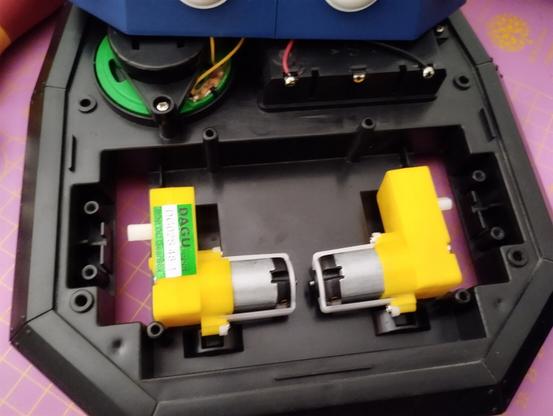
Moving around in the yard is also an issue. The Mowerino has some ordinary-looking caster wheels in the front. That might be a place for improvement since most yards are not friendly to that kind of wheel. The other thing we worried about is what happens to the grass clippings. Around here, a week of rain means your mower will choke on grass clippings. On the other hand, the Mowerino has a smaller blade so maybe that helps mitigate clipping clogging.
Overall, though, it looks like it might be a good place to start if you dream of robot groundskeepers patrolling your estate. Most of the mowers we see like this have big wheels. But, of course, not all of them.
#arduinohacks #robotshacks #arduinomega2560 #autonomous #bluetooth #robotlawnmower
Arduino Brings USB Mouse to Homebrew computer
When building your own homebrew computer, everything is a challenge. Ultimately, that's kind of the point. If you didn't want to really get your hands dirty with the nuts and bolts of the thing, you wouldn't have built it in the first place. For example, take the lengths to which [rehsd] was willing to go in order to support standard USB mice on their 6502 machine.
Code for mapping mouse movement to digital output.
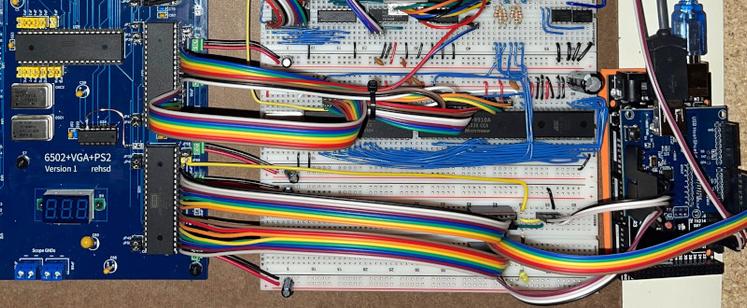
The idea early on was to leverage existing Arduino libraries to connect with a standard USB mouse, specifically, the hardware would take the form of an Arduino Mega 2560 with a USB Host Shield. There was plenty of code and examples that showed how you could read the mouse position and clicks from the Arduino, but [rehsd] still had to figure out a way to get that information into the 6502.
In the end, [rehsd] connected one of the digital pins from the Arduino to an interrupt pin on the computer's W65C22 versatile interface adapter (VIA). Then eleven more digital pins were connected to the computer, each one representing a state for the mouse and buttons, such as MOUSE_CLICK_RIGHT and MOUSE_LEFT_DOWN.
Admittedly, [rehsd] says the mouse action is far from perfect. But as you can see in the video after the break, it's at least functional. While the code could likely be tightened up, there's obviously some improvements to be made in terms of the electrical interface. The use of shift registers could reduce the number of wires between the Arduino and VIA, which would be a start. It's also possible a chip like the CH375 could be used, taking the microcontroller out of the equation entirely.
From classic breadboard builds to some impressively practical portable machines, we've seen our fair share of 6502 computers over the years. Despite the incredible variation to be found in these homebrew systems, one thing is always the same: they're built by some of the most passionate folks out there.
[Thanks to Jim for the tip.]
#arduinohacks #peripheralshacks #retrocomputing #6502processor #arduinomega2560 #homebrewcomputer #interrupt #usbhid #usbmouse
RAMPS Rebuild Keeps Robox 3D Printer Out of Junk Bin
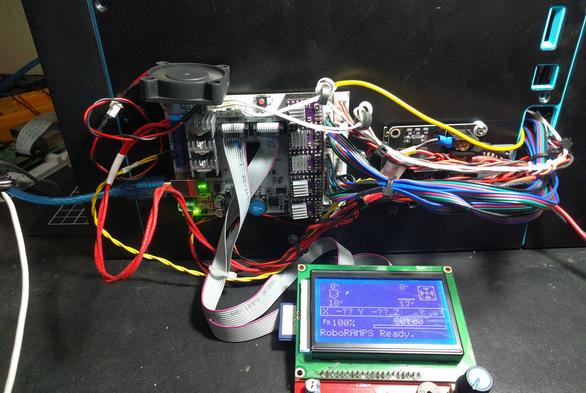
A 3D printer is a wonderful invention, but it needs maintenance like every machine that runs for long hours. [Rob Ward] had a well-used Robox 3D printer that was in need of some repairs, but getting the necessary replacement parts shipped to Australia was cost-prohibitive. Rather than see a beloved printer be scrapped as e-waste, he decided to rebuild it using components that he could more easily source. Unfortunately the proprietary software and design of the Robox made this a bit difficult, so it was decided a brain transplant was the best path forward.
Step one was to deduce how the motors worked. A spare RAMPS 1.4 board and Arduino Mega2560 made short work of the limit switches and XYZ motors. This was largely accomplished by splicing into the PCBs themselves. The Bowden filament driver motor had a filament detector and an optical travel sensor that required a bit of extra tuning, but now the challenging task was next: extruding.
The printer's new custom hotend.
With a cheap CR10 hot end from an online auction house, [Rob] began modifying the filament feed to feed in a different direction than the Robox was designed for (the filament comes in at a 90-degree angle on the stock Robox). A fan was needed to cool the filament feed line. Initial results were mixed with lots of blockages and clogs in the filament. A better hot end and a machined aluminum bracket for a smoother path made more reliable prints.
The original bed heater was an excellent heater but it was a 240 VAC heater. Reluctant to having high voltages running through his hacked system, he switched them out for 12 VDC adhesive pads. A MOSFET and MOSFET buffer allowed the bed to reach a temperature workable for PLA. [Rob] upgraded to a GT2560 running Marlin 2.x.x.
With a reliable machine, [Rob] stepped back to admire his work. However, the conversion to the feed being perpendicular to the bed surface had reduced his overall build height. With some modeling in OpenSCAD and some clever use of a standard silicone sock, he had a solution that fed the wire into the back of the hot end, allowing to reclaim some of the build height.
It was a long twelves months of work but the write-up is a joy to read. He's included STL and SCAD files for the replacement parts on the printer. If you're interested in seeing more machines rebuilt, why not take a look at this knitting machine gifted with a new brain.
#3dprinterhacks #3dprinter #arduino #arduinomega2560 #marlin #ramps #rebuild #refub #robox