3 Followers
3 Following
61 Posts
[he/him/they] Programmer/designer and technical lead for an indie creator of 3D apps and tools. Constantly learning, but gladly so. I'm not nearly as attractive as my avatar.
ToolsBlender, UE, Unity, Substance, Audacity, GIMP

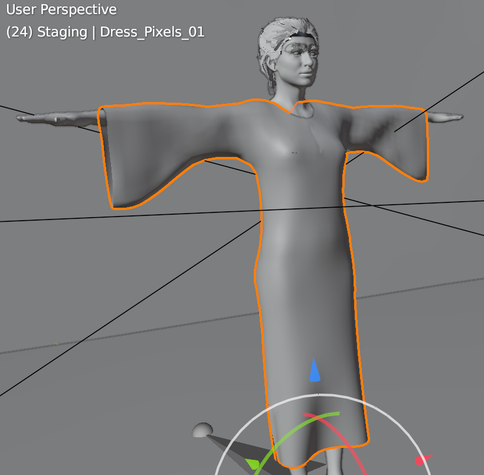
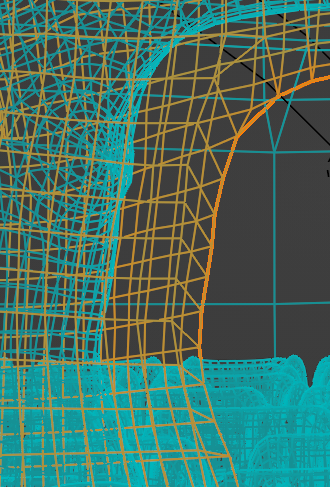
Last week I put the finishing touches (I hope) on my first project making physics-simulated clothing in Blender. I've used Blender for years for hard surface work, but our team's character artist asked me to create a dress.

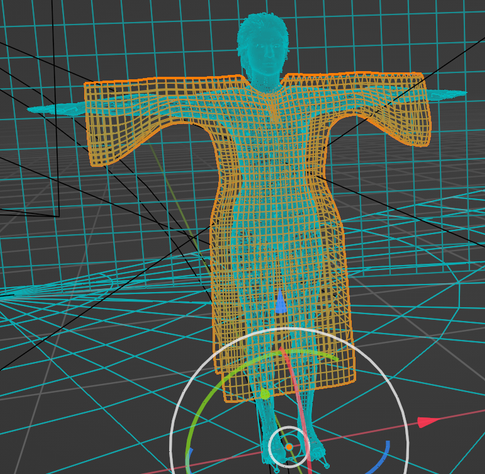
I've tried hard to keep the topo mostly quads in Blender, though it will be triangulated during export to UE 5. * Constructive topo critique welcome. *

For the edges that are sewing points, I made a custom Geometry Nodes utility that cleans up the topo.

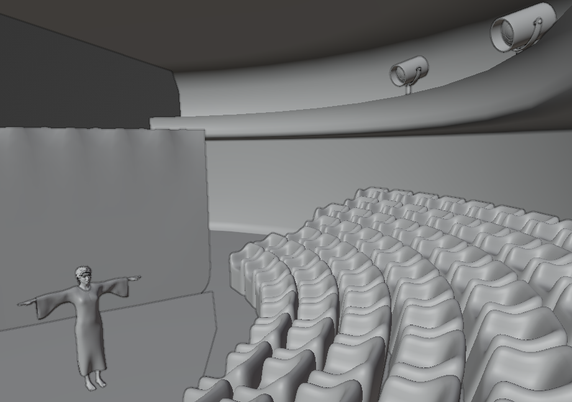
I made a simple theatre environment and an animated sequence (with my own IK constraints) for fun and to have a better way to present it during our team meeting.

There's a procedural fabric material that turned out pretty well, IMO, but I can't share that publicly yet.

After tweaking settings, I've got the sewing and related physics stable within 24 frames, but I leave 40 frames ahead of the first output frame.
If you are working with #GeometryNodes in #Blender you may be as excited as me about the new Self Object node which allows you to easily query the transform of the object that owns each the node graph. The docs mention that you can't obtain the geometry output from the Object Info node downstream of Self Object. IOW, image #1 is an error.

They don't tell you what to do about it. The answer is to use the Vector outputs from Object Info but get the Geometry from the Group Input, as shown in image #2.

This little example graph uses a Grid to create a 2D array of instances of its input stepping the rotation of each instance based on the index of the grid vertices. It's probably not all that useful as-is but shows the sort of thing the new node makes it easy to do.

Feeding a scaled-flat and manually (and randomly) tilted single cube mesh as input, the graph makes something like image #3.

(I release this example under MIT License terms. Use as you wish, but no warranty.)

I needed an 8-way multiplexor switch in #Unrealengine Material work, so I made this. I'm quite comfortable writing code the traditional way, but I must admit there's a kind of beauty in the patterns of a node graph like this.

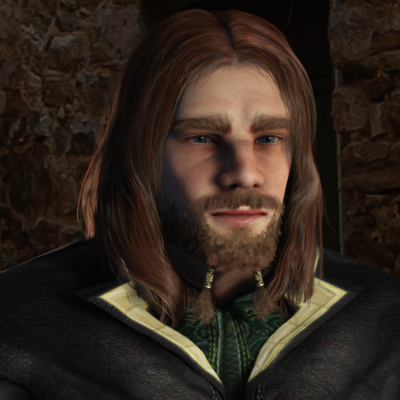
A brief word about my Mastodon avatar, in case anyone is curious:

This is my D&D character, Trygve Olafsson, which I modeled in Reallusion's Character Creator tool for fun. The clothing is a purchased asset, though I'm learning to make my own in #blender3d.

The avatar of course is scaled way down from the original. Here's a larger image.

#gamedev #WIP Multistory Dungeons (from Mana Station) comes with nice, stylized materials, but for my #UnrealEngine project I need something more realistic.

I imported the texture atlases into #Substance3d Sampler and added layers to adjust color, add procedural surface detail, and generate additional PBR maps that weren't needed in the stylized originals.

Here's a screenshot (SFW, *accidentally* marked sensitive) of one of the structural pieces, in a test scene (basic lighting and minimal post FX). (Stylized original left, custom realistic right.)

Certain texture features -- notably wood grain -- are different directions on the same atlas, which complicates the process.

To address the wood grain issue, I'll export to Substance Designer, or use #GIMP to create a direction map showing wood grain orientation, then use that extra input to Sampler or Designer.

I could hand-edit this, but beyond the current project I'm setting up a workflow to use for some other stylized assets I have on hand.

I'm a little late for #throwbackthursday in my timezone, but it's still Thursday west of here, so...

Here's the cover of the instruction set manual for the first microprocessor I learned to program. In hand-assembled binary. From code written on column-grid paper.

("Kids today! We used to have to carve our programs into stone tablets! And all we had were tall and short ones because zero wasn't invented yet!")