Stefan Koell

124 Followers
148 Following
386 Posts
Dev, geek and creator of Royal TS (remote management tool).
Websitehttps://code4ward.net
Royal TShttps://royalapps.com/ts/win/features
Royal Serverhttps://www.royalapps.com/server/main/features
We are thrilled to announce our new product! The perfect solution for all your connection needs, from RDP to VNC, all in one multifunctional TUI app. We’re more than happy to share this new product with you after all our hard work and sweat! 🚀

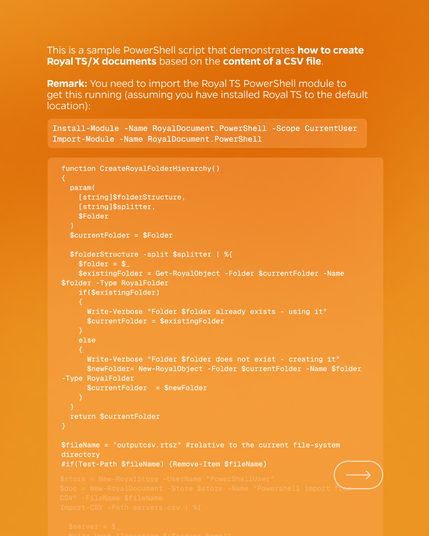
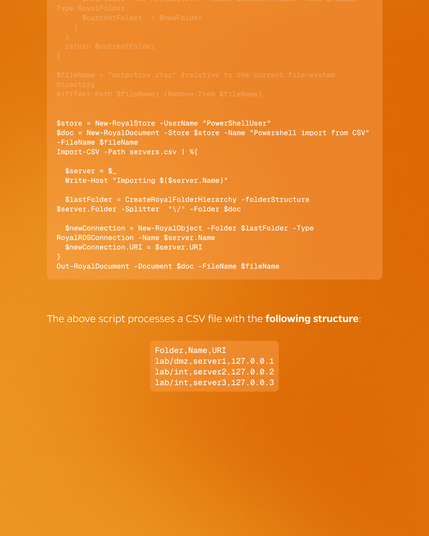
How to easily create a Document with a PowerShell Script based on a CVS File in Royal TS💡 Check out our Community Page to read more ➡️ https://www.royalapps.com/go/kb-ps-ts-csvfile

#PowerShell #PowerShellscript #remote #remotedesktop #CVS #CVSfile #royalts

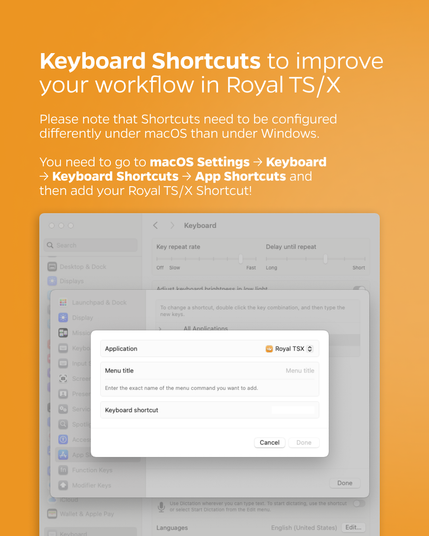
Shortcuts need to be configured differently under macOS than under Windows 💡 You need to go to macOS Settings → Keyboard → Keyboard Shortcuts → App Shortcuts and voilà: Add your Royal TS/X Shortcut!

#tech #software #devops #it #remotedesktop

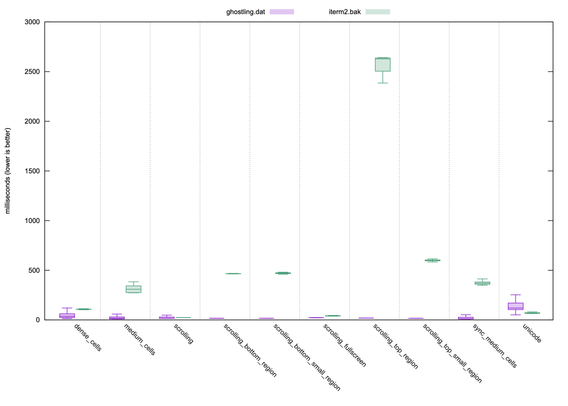
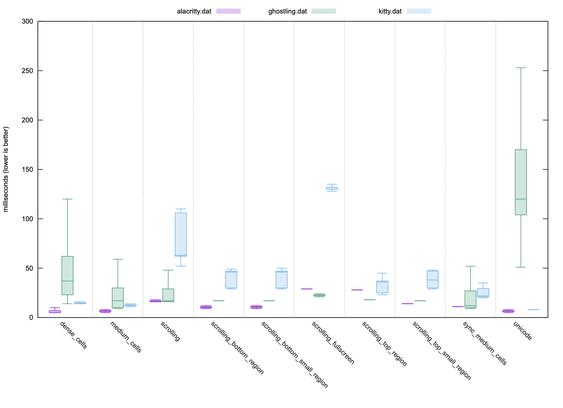
libghostty is FAST! Here's a look at vtebench with Ghostling. Reminder: Ghostling is single threaded + blocking render + blocking IO. The point is, you get comparable speed to the fastest dedicated terminals in an embeddable lib! Had to pull out iTerm2 because its so slow.

Warning: Ghostling is purple in the first chart but green in the second. Sorry for the confusion.

Also, the Unicode results are not correct for Ghostling because Ghostling is getting stuck on worst case "glyph not found" since we only embed one font. So the results are wildly skewed poorly. A result integrator of libghostty would have significantly better performance here.

I haven't fully profiled the libghostty C API yet. I think there will be obvious wins to be had. This was just my first check and I am very happy with the results.

Comparing libghostty/Ghostling to dedicated terminals is a bit unfair, since dedicated terminals can get away with a lot of performance tricks to go faster that a reusable general purpose terminal emulation library can't do as well. But, I wanted to show this comparison to show that despite that, libghostty still does SUPER well, comparable, and even best-in-class in a couple categories.

This is all to say, every embedded terminal experience on earth can be nearly as fast as the fastest native desktop terminals. There are no more excuses. The tide will rise!

Full Ghostling source (single ~600 line C file): https://github.com/ghostty-org/ghostling

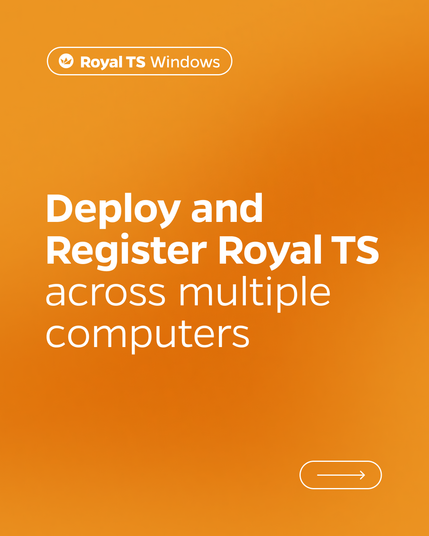
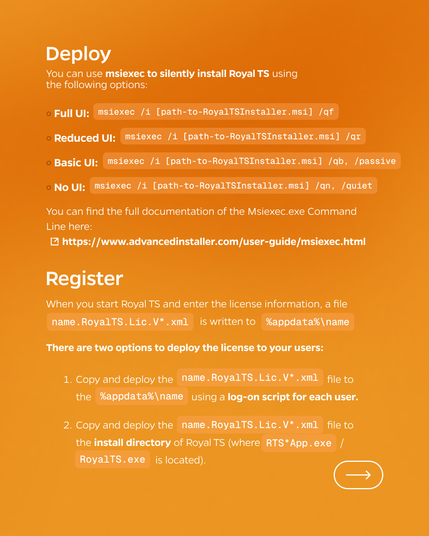
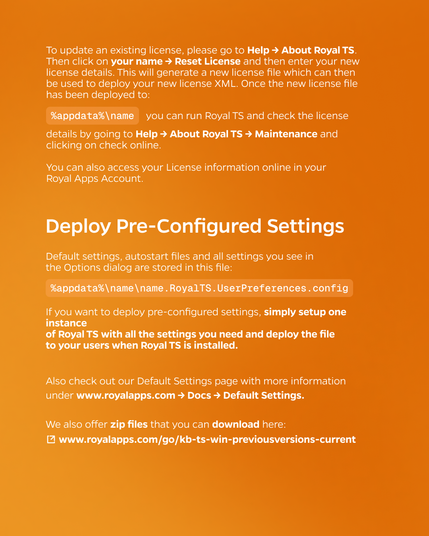
Deploy and Register Royal TS across multiple computers with ease 💡 
Read more here ➡️ https://www.royalapps.com/go/kb-ts-win-deployment
and check out Default Settings ➡️ https://docs.royalapps.com/r2023/royalts/advanced/default-settings.html

#deploy #workflowautomation #automation #itops #software #template #remotedesktop

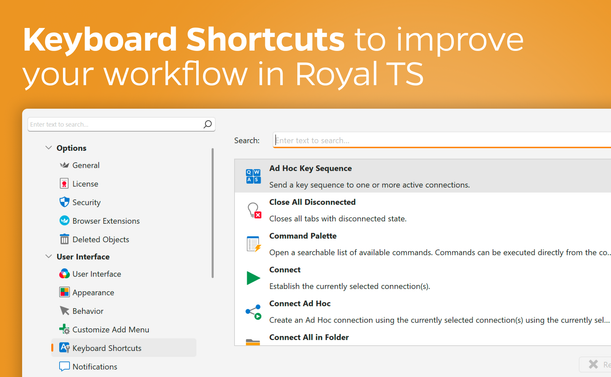
💡 Did you know that you can create various Keyboard Shortcuts to quickly access different functions in Royal TS? Read more here: https://www.royalapps.com/go/help-ts-win-v7-keyboardshortcuts

#shortcut #software #remote #devops #itadmin #remotemanagement #rdp #msrdp #ssh #remotedesktop

@soltes Wow! Mermaid support? That's awesome!
@soltes Looks promising! The doc links seem to be dead. Are you planning to have per instance proxy configuration? Might be difficult on some platforms.

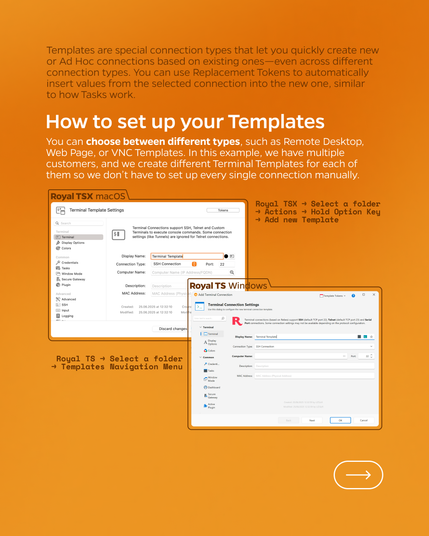
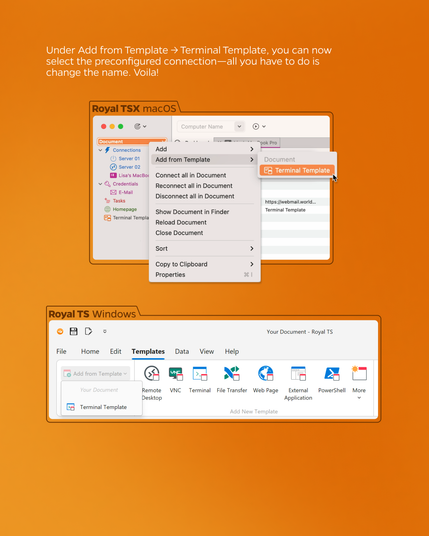
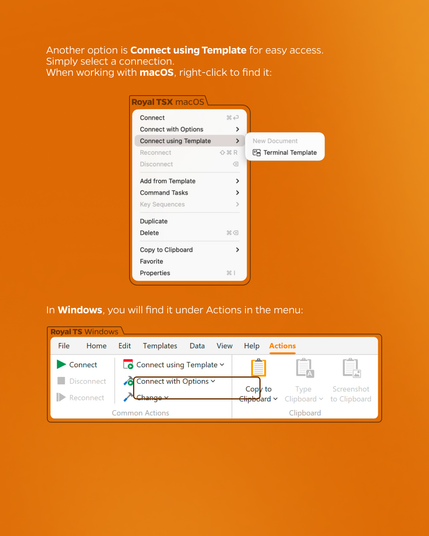
How to set up Templates in under 3 Minutes 🚀 Stop setting up every connection from scratch — just set up your Template and you're ready to go!

#workflowautomation #automation #itops #software #template #remotedesktop

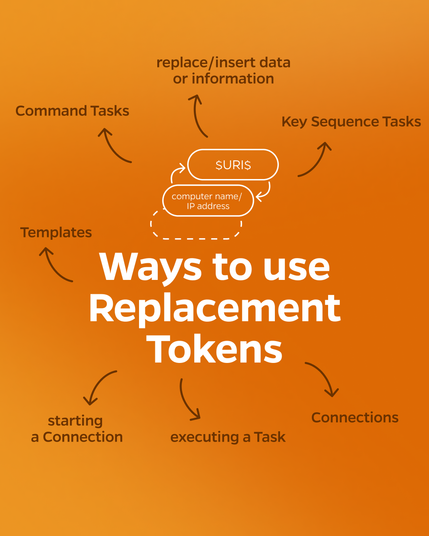
Don't miss out on the use of Replacement Tokens 💡 From replacing and inserting data or information, starting a Connection, executing a Task to creating an object from a template. Read more here ➡️ https://docs.royalapps.com/r2023/royalts/advanced/tokens.html