RetroEdgeTech

281 Followers
233 Following
1.5K Posts

I just ordered nine HP ChromeBook 11 G5 EE Laptops with Intel Celeron N3060 1.60GHz 4GB RAM 16GB storage.

Will be turning them into #corebootbook laptops and using them for an educational activity through the end of this year.

I look forward to comparing them with the other Chromebook laptops that I have turned in to #corebootbook laptops.

I expect the HP ChromeBook 11 G5 EE (hardware ID: RELM)to be very similar to the Dell Chromebook 11 (hardware ID: CANDY, model 3120) that I have already done quite a lot with.

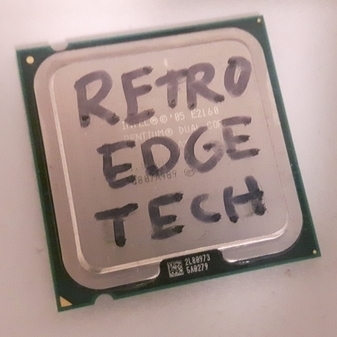
I'm going to be upgrading a Dell Precision T5400 to dual processors, getting a total of 8 cores on a "Core 2 Duo" era machines. LGA771/775

The processors I'll start out with for this build will be two Intel Xeon E5420 CPUs, quad core at 2.50GHz. I may upgrade to Xeons with faster clock speeds later, but these should be fine for now.

For memory, I currently have 1GB PC2 ECC memory modules, so I will be using those for a total of 8GB. Hope to upgrade to 16 or 32GB in the near future.

I'll be removing the nVidia graphics card that came with the workstation and replacing it with a AMD Radeon HD 8490 1gb Video Card for now. I plan on replacing it with an AMD FirePro W5100 with 4GB memory soon.

I plan on this being my #retro #netBSD workstation.

Pictured are the specs for my current workstation. I haven't upgraded because I haven't had to, as this does pretty much what I'd like it to do.

Thinking about playing around with some HP Z series workstations, as I have a few in "my collection".

I have a Z400 and maybe a few others. I plan on experimenting with using #Intel #xeon processors in business class desktops, like the Dell #Optiplex and HP #EliteDesk, too.

I have a few Core 2 Quad era Dell Precision and HP workstations.

So many computers, so little time!

Full installation success on the Acer C720 #chromebook

Now a #corebootbook with #LinuxMint #Debian Edition.

This Acer C720 has been successfully turned into a #corebootbook !!!

A bonus over the Dell Chromebook 11 that I use as my primary laptop is that the sound works right away without doing anything special in Linux Mint Debian Edition. Wifi is also working (shows up anyway, I have been using a USB to ethernet adapter for the whole process as I have wifi turned off in my shop most of the time).

On my Dell Chromebook 11, the only linux that I could get the sound to work on was #Devuan (my first choice for my own use now anyway).

I probably will install #LinuxMint #Debian Edition for my client.

Flashing #coreboot onto an #Acer C730 #chromebook for a client.

The process is a bit of a pain. Even though I have it documented, there are quirks and things that have to be done in exactly the right order to be able to get the laptop into Developer Mode. From there it can be flashed and made into a #corebootbook

Just installed "tlp" (ThinkPad Linux Power Management service) on a #ThinkPad T420s that I am preparing for a customer.

https://linrunner.de/tlp/index.html

TLP - Optimize Linux Laptop Battery Life — TLP 1.9.1 documentation

Laptop hopping.

Pulled the m.2 SSD from an HP Pavilion that had odd hardware issues and put it in a ThinkPad X1 Carbon Yoga.

The screen resolution is ridiculously high with the default resolution. I prefer 1080p, but I may leave it for a while and see how I like it.

I do prefer the size of this laptop and the keyboard is better than the HP Pavilion.

This laptop was in a bunch of damaged laptops that I picked up today. The screen assembly is a bit damaged and there's a small crack in the glass. Touch doesn't work. It looks okay.

Wish the ThinkPad T495 that also came in this bunch was working. I would likely prefer that. Dim screen on that, which might be a backlight fuse on the motherboard. Will have to swap screens to test that.

I have been getting a lot of computers in within the last week with disks that have bad sectors.

To test for that, I frequently use the gnome-disks tool from a liveboot of #LinuxMint.

Note that it says "Disk is OK" but then goes on to say that there are 4312 bad sectors.

If there are any bad sectors, the disk should be replaced. #Microsoft #Windows will start to choke, slow down and give errors even if there is only one bad sector.

Linux is a little more tolerant of bad sectors, but I still recommend replacing the drive if you rely on that machine at all.

Your decisions matter. Vote with your dollars. Spend (invest) in people you know, like and trust.