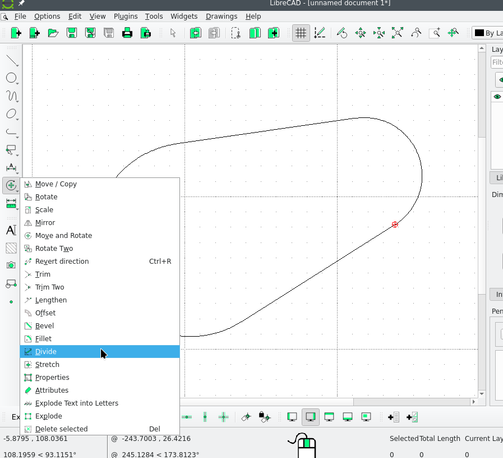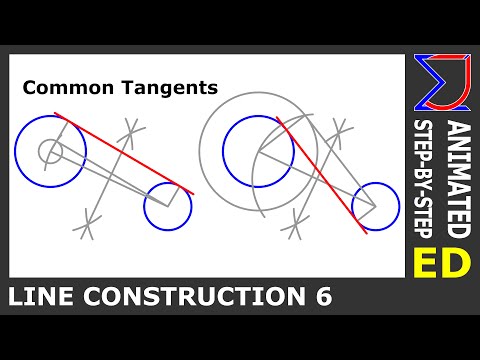
#GIS folks, (maybe #CAD too) how do you draw this kind of shape with guaranteed perfectly tangent lines and only 4 vertices?

I've been trying different things for 3-4 years on and off and the closest I've come is 5 vertices, ESRI leaves a spare vertex in there for some reason and so I don't know which one I delete will ruin the tangent

This is not a need, it's a mental chalenge

#gischat #mapstodon

Practical application: you have two different radius curbs and you want to join them with a tangent line

It's a simliar operation to this but this is achievable by using the tangent curve tool and setting the radius to 0

But much harder if the two curves already exist and you are just trying to connect them

@crowdotblack is the fifth one the closing point i.e. the same as the first one?
@ianturton No it’s just a relic of snapping
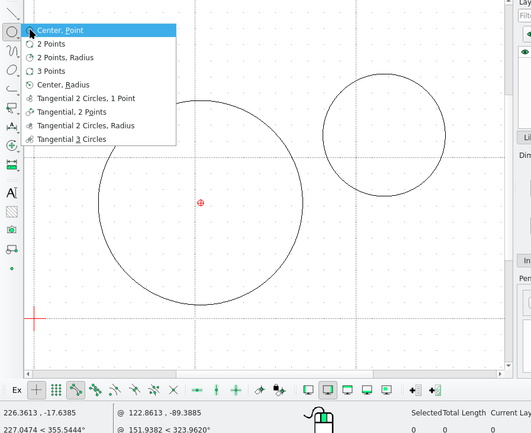
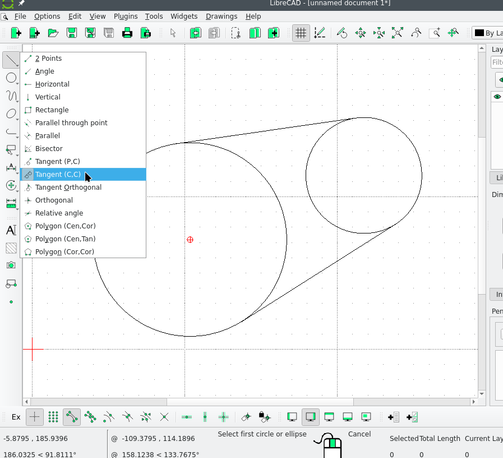
@crowdotblack Using LibreCAD: Draw the circles with any of the circle tools. Draw the tangents using the tangent line tool. Enable "snap to intersection" (bottom toolbar). Use the divide tool, select a circle to divide, then use the intersection of the circle and one tangent as the division point. Repeat on the four points. Now the circles are each two separate arcs, and you can select+delete the half you don't want.

@IvanSanchez I don't think the tangent tool works the same way in ArcGIS Pro, but if this works in LibreCAD, it can be imported I presume. I was hoping it would work in Pro, but that's fine too

How does this tool work to guarantee both ends are tangent?

@IvanSanchez I may have just figured it out for at least constructiong this shape: draw trapezoid, fillet both ends, the larger one will go concave, copy the radius, drag it convex, paste radius

But really I want to know how to draw tangent lines to two curves in ArcGIS Pro

@crowdotblack CAD tools have "perfect" tangent calculations for as long as I can remember (early 1990s). They do the math for tangents (sans floating point errors) on a plane, properly. But GIS tools have always depended on data models without circles nor circular arcs (arc-edge, or point-line-polygon, or OSM's node-way-relation). GIS tooling is not really designed to handle circles *at all*.
@IvanSanchez @crowdotblack parametric geometry CAD versus topological data models GIS

@crowdotblack Perhaps you can draw two circles, similarly to what @IvanSanchez proposed, then use the minimum bounding geometry feature to get the final shape.

https://docs.qgis.org/3.44/en/docs/user_manual/processing_algs/qgis/vectorgeometry.html#minimum-bounding-geometry

24.1.26. Vector geometry — QGIS Documentation documentation

QGIS 3.44 documentation: 24.1.26. Vector geometry

@clubradar @IvanSanchez I believe a convex hull would convert the arcs to segments
@crowdotblack @clubradar But the GIS data model doesn't have circles.
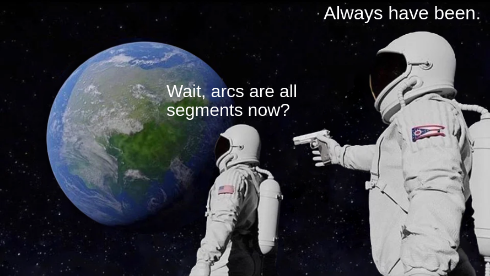
@IvanSanchez @crowdotblack Indeed. GEOS, which handles the convex hull calculation, does not support curve geometries.
How to Draw common tangents to two circles | Geometric Drawing | Engineering Drawing

YouTube