#GIS folks, (maybe #CAD too) how do you draw this kind of shape with guaranteed perfectly tangent lines and only 4 vertices?

I've been trying different things for 3-4 years on and off and the closest I've come is 5 vertices, ESRI leaves a spare vertex in there for some reason and so I don't know which one I delete will ruin the tangent

This is not a need, it's a mental chalenge

#gischat #mapstodon

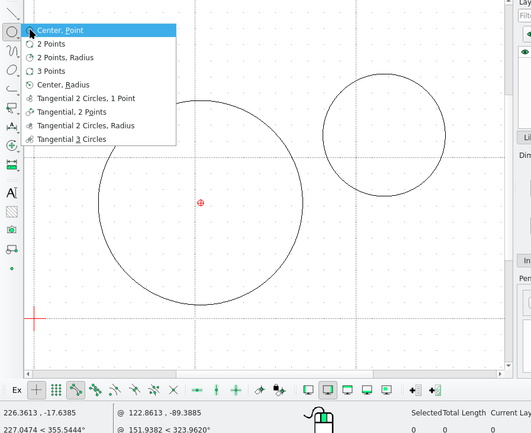
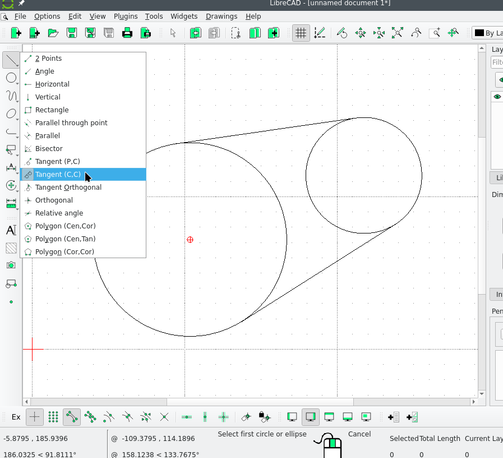
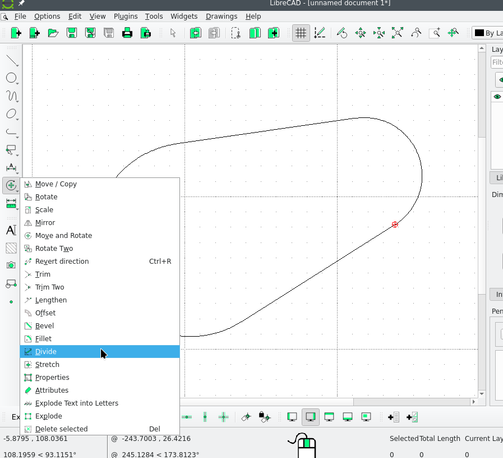
@crowdotblack Using LibreCAD: Draw the circles with any of the circle tools. Draw the tangents using the tangent line tool. Enable "snap to intersection" (bottom toolbar). Use the divide tool, select a circle to divide, then use the intersection of the circle and one tangent as the division point. Repeat on the four points. Now the circles are each two separate arcs, and you can select+delete the half you don't want.

@IvanSanchez I don't think the tangent tool works the same way in ArcGIS Pro, but if this works in LibreCAD, it can be imported I presume. I was hoping it would work in Pro, but that's fine too

How does this tool work to guarantee both ends are tangent?

@IvanSanchez I may have just figured it out for at least constructiong this shape: draw trapezoid, fillet both ends, the larger one will go concave, copy the radius, drag it convex, paste radius

But really I want to know how to draw tangent lines to two curves in ArcGIS Pro