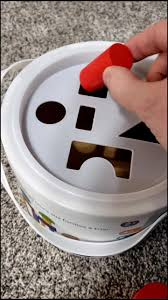
That's right! It goes in the ~/Downloads folder.
@i0null I live on the edge. All installs happen in /var/tmp/
@JSCybersec whats the difference with /tmp
@i0null
@zy Just depends on your mount point.
@JSCybersec wasn't /tmp the norm? or there is several?
@zy Aye, it is the norm, but for the joke it served its purpose :)
@i0null i actually place it on my ~/Desktop
tho to me the Desktop folder is like a workspace i use while im working on a project, when im done with the project i sort the files to their respective folders
a literal desk top :3c
@nekomimi @i0null I place it in downloads for the work. But when I have too much files I just move them to the OLD1..OLDn folder. I rarely use those folders but whatever. On the old work Mac I got to OLD40 at least I think
@pecet @i0null ooooh I see!
You may wanna at least compress them to save space
Or if you wanna go with something cursed just initialize a git repo and create branches :3
You'll thank me later :3c
Edit: yes it's slow but hey it's a good conversation starter! I think
@nekomimi @i0null I should probably delete them but unless I need that storage I just don't care :p
@pecet @i0null hey we all like holding onto our files at all costs :D
Keep them and feel better! :3
@nekomimi @i0null I'm pretty sure that's how it was originally intended.
@foolishowl
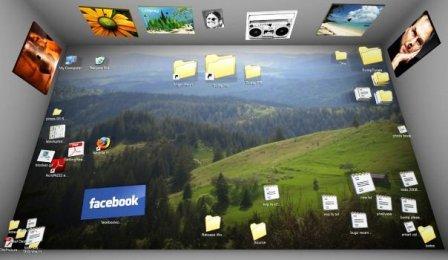
Customers who are using ~/Desktop like a physical desktop also enjoyed Bumptop
@nekomimi @i0null
@[email protected] #Windows :

That's right! It goes in the Documents folder.
@golemwire @i0null Automatically synced to your OneDrive online storage, of course
@i0null that’s why I have a script that’s sorts all downloads after a week in folders like /yyyy/MM/dd/extension πŸ˜‚

One way to do it! I have something a bit more complex for the pictures I download / sync from my smartphone

  • It checks if it's from my camera, if it is then it moves it to the Camera folder
  • It then checks if it's a drawing, checks online if it can find the series / author, then it moves it to a corresponding folder if so
  • It finally checks for the text in the image with Tesseract and moves it to another folder if it finds the proper metadata, sorted by where it was downloaded from

@i0null my downloads folder is ~/Desktop

Mwuhaha, hahaha, HahahhaaHAHAHA!

@bracken a good way to spend mondays is playing bejeweled with the desktop icons
@i0null There was a time, long ago, when there was no standard Downloads folder and the browser always asked you where to put your downloads. Now it became a trash heap that I am too lazy to clean. So it shall remain that way.
@chris
Why not go back to that setting? I notice my Thunderbird always asks me where to store attachments
@i0null
@chris @i0null
go to about:config
search for browser.download.useDownloadDir
set it to false
@i0null oh man that video is awesome
@i0null Life hack: always download directly to /dev/null in order to keep ~/Download clean
@i0null temp or ultratemp for me.
@i0null ok, sometimes temp/temp/
@i0null Until the OS provides a better method of organizing files ~/Downloads it is ​​
@i0null Actually remind me of all the software that actually hardcode ~/Downloads expecting all their users to use an English formatted system. Atleast, nothing that a symlink can't fix.
@i0null I guess it wouldn't be that hard to get the browser to recommend a folder based on the mime type
@licho
it looks like you are downloading a .conf file would you like to store it in /etc 
@i0null hahaha, that reads like a #firefox AI feature
@i0null @licho Every single dotfile goes in your home folder ​​

@i0null

> would you like to store it in /etc

πŸ˜‚ yes please. And "don't ask anymore".

@i0null i'm in this picture and I enjoy it somehow
@i0null for the love of symlinks. why fat32 why?! πŸ™€
@i0null if you don't have $HOME/Downloads in your path you aren't using Linux to it's full potential
@i0null lately, with the way I've started to use flatseal restrictions, my downloads folder has also become my uploads folder.

@i0null No. Everything goes in ~/Downloads/tmp

It's a very organized way of doing things. Everyone else is just wrong.

@i0null

The real Bermudas' Triangle...

@i0null I feel seen! And after a while the files get moved manually into ~Downloads/stuff/...
@Lippe @i0null That's more effort than I go to. I have a whole series of ~/Downloads/New Folder...
@i0null my downloads folder is /tmp.

@i0null I was thinking about writing this earlier today, and then your post reminded me.

So thank you!
https://codeberg.org/EdTheDev/down-shift

I will try to remember to report back in a few months with any regrets.

down-shift

A deeply lazy command line solution for automatically cleaning up ~/Downloads on Linux (and probably Mac)

Codeberg.org
@i0null β€‹β€‹ /lh
@thermia @i0null was just thinking about cc'ing it lol