Dear tech talk/conference presenters: USE BiGGER FONTS PLEASE!

The average age of your bog standard techie is increasing. I've had crappy eyesight all my life, but I suspect now more and more are struggling to actually try to read the code samples you're putting up.

Make the fonts (for you) uncomfortably large. I guarantee your audiences, both in person and later on Youtube will thank you!

#a11y #vision #technology

@feoh It's maddening how many presentations include the statement, "I know you probably can't read this from where you're sitting, but..."
No!!! If we cannot read it, it does not belong in your presentation.
@bittner Holy cow yes! I get that presenting is hard, and I recognize that a LOT of people find it hard to work with large font sizes, but IMO it's so worth the effort!
@feoh "but then Id work to work on my communication and pacing skillllllz!" @bittner

@bittner @feoh

You're on the right track.

If, as a presenter, you're reading your slides or so much as tempting your audience to do so, you are not doing your job correctly. The audience should not have to read anything at all while you're presenting unless you have the skill to guide them into and then back out of that process.

Given the utter contempt that too many techie presenters have for the existence of the craft of presentation, let alone its praxis, you may once in your whole life be present at a presentation where this actually works. More likely, you will not.

@bittner @feoh

The practice of sharing slides after the event is to blame for a lot of this. A conference slide deck now has to serve two purposes:

  • Backdrop for the speaker.
  • Something that works for people who download it later and read it.

You can put a lot of things in speaker notes, but they don't show up if they do a PDF export.

How to use ‘Economies of Empowerment’ to get the benefits of both speed and scale - Agile Yorkshire

Many organizations struggle to scale nimble ways of working as the organization or department grows, stifling innovation and delivery effectiveness. Wha…

Speaker Deck
@david_chisnall wtf? Do they not include export of the notes as appendix as well? Bizarre @bittner @feoh

@david_chisnall @bittner @feoh

What about exporting PDF slides with notes?

@stekopf @bittner @feoh

If you do it, you have a lot of flexibility. But the common flow for a lot of conferences is:

  • They require you to send them a .ppt file.
  • They put the .ppt file on their presenter setup.
  • They do the export for the downloaded version.
  • The last place you have control is step 1.

    @david_chisnall @bittner @feoh

    Whoever does the exporting should be made aware of this issue. Maybe by highlighting that most of the relevant info is in the notes.

    @stekopf @bittner @feoh

    You are assuming that speakers have some way of communicating with that person. This may be the case for small conferences, for larger ones the person doing the exporting is not always physically present at the event and won't have any contact info passed to speakers.

    All of your proposals work for the case where there is an existing understanding of the problem and a process to avoid it. But that is not universal and, when you write the slides, you don't always know what this process looks like so have to assume that it's bad.

    @david_chisnall @bittner @feoh

    What's your suggestion to fix this as slides are not meant to contain much text (like notes or background).

    @stekopf @bittner @feoh

    It has to be driven by conferences, explicitly asking when they share the initial instructions for presenters for separate 'as presented' and 'for download' versions. Then presenters know, when they're creating the slides, they know that they can add more detail for the downloaded version.

    @david_chisnall @bittner @feoh

    You wrote that conferences are not aware of this issue as they do not bother to create PDF exports to include notes. How, then, are these organisers supposed to ask for notes in the first place?

    @stekopf @bittner @feoh

    You can make sure every conference that you help organise knows to do this.

    @david_chisnall @bittner @feoh

    The chances I'll ever be (taking part in) organising a conference is ~0%

    I'd be more likely complain about bad slides :D

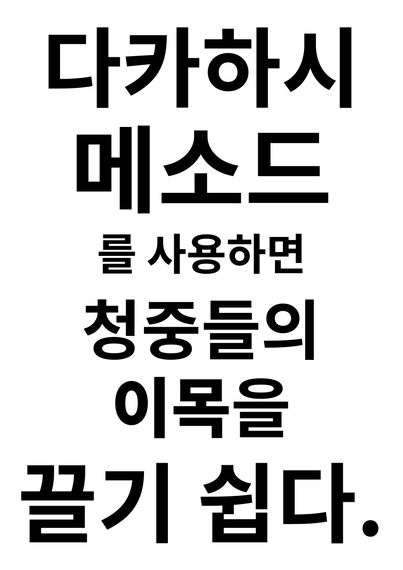
    @david_chisnall @bittner @feoh I learned about the Takahashi method from Audrey Tang long ago, it works well for me.

    https://en.wikipedia.org/wiki/Takahashi_method

    Takahashi method - Wikipedia

    @shapr @david_chisnall @feoh Back when I was helping folks put together slide decks I was a fan of Presentation Zen, which it seems likely borrowed much from Takahashi. I kept multiple copies of the book on hand to give out.
    https://presentationzen.com/
    Presentation Zen

    The Presentation Zen® approach by Garr Reynolds helps professionals and educators create clear, engaging presentations through simplicity, storytelling, and thoughtful presentation design. Explore insights from the award-winning author on slide design, visual thinking, and authentic communication in

    Presentation Zen

    @shapr @bittner @feoh

    Those presentations are the absolute worst for people to read afterwards. Slides with a single word on them, all of the context in the soundtrack. Great for not distracting the audience during the talk, but awful if you just have the slide deck. I've seen a bunch of those uploaded after a conference and just had absolutely zero idea what the speaker was talking about.

    The other use I didn't mention for slides is to remind the speaker what they're supposed to be talking about. If you don't need this, you often also don't need slides unless they have illustrations that are easier to point to than using words.

    One of the best presentations I've seen was from a USAF general. He didn't know he was expected to give a talk until about half an hour before. He had no slides and just a little deck of note cards. I saw them after the presentation, each had a single word on it. His entire plan was 'talk about this for a few minutes, then move onto this' and he did exactly that. Unfortunately, unless you had a recording (and it wasn't recorded) there was no way for anyone else to know what he was talking about afterwards.

    @david_chisnall @bittner @feoh I agree. I organize a ~monthly talk series that is never recorded, thus my preference for this approach.
    @david_chisnall @shapr @feoh Slideware all have a "notes" section these days, yes? My experience is this can used both for the presenter and the post-presentation audience to fill in the gaps. To me, it's a good comprise. Granted, my bias is to make sure the audience, the people who show up in person, have the best possible experience.
    @david_chisnall @shapr @bittner @feoh Perhaps the first slide could link to a write up of what the talk was about in more detail? That would work around the disconnect between the speaker and the organizers. It seems like slides with a lot of detail on them would be more detrimental to the actual presentation itself, since the presenter would be more inclined to read off them.

    It also strikes me as weird that people rely so much on the textual medium for this; an essay or blog post would be much more suited to purpose. Otherwise one should just watch a recording of the talk.
    @shapr @david_chisnall @bittner Never heard of it, thank you!

    @shapr @david_chisnall @bittner But a thing I REALLY want to say in this thread since everyone LEAPT to slides is that often they're by far not the most problematic bit.

    It's when folks inevitably pop open their editor, IDE or terminal to show code or a demo and the font is TEENY TINY!

    @feoh @shapr @bittner

    Tiny font and grey on other-shade-of-grey colour scheme!

    @david_chisnall @shapr @bittner STAHP you're making my lone under-powered eye scream at the very idea :)