 R.L. Dane

 🍵
🍵 
Well, that's depressing. :(
https://codeberg.org/small-hack/open-slopware
List of #FOSS projects using #slop (yes, including the Linux kernel and of COURSE systemd)
Well, that's depressing. :(
https://codeberg.org/small-hack/open-slopware
List of #FOSS projects using #slop (yes, including the Linux kernel and of COURSE systemd)
Linux is primarily a tool for fortune-500 companies first, and end-users like thee and me, last.
Given the fact that most Linux contributors are on a corporate payroll, no surprise.
Computing as we knew it, is dead. The future has been robbed from us.
OBI-WAN: That boy was our last hope.
YODA: No. There is another.
I mean, there's always the BSDs, Haiku, heck, the Commodore 64 is back, so anything can happen. ;)
@rl_dane Hah :) Haiku gives me some hope. They do actively resist the ai nonsense, so far,...
The c64 might be the better way to go :D
Anything that needs to be general purpose enough to work with modern hardware is always going to be disadvantaged by having to reverse engineer proprietary drivers and hardware.
There used to be enough people to somewhat keep up with that, and some shift in mentality at the manufacturer side to be a bit more reasonable with providing open drivers and/or documentation, but in the past few years or so, none of that is true anymore.
I am seeing projects long considered stable fall apart due to losing maintainers left and right, and projects that are still alive get flooded with new developers pushing bad practices as if it were a personal crusade. The software landscape in general seems to be slowly unraveling into complete dysfunction.
Sticking with an as-simple-as-possible stack where all parts can be maintained by one person seems like the most reasonable way out of the mess. (there's more capable options other than a c64 these days though ;) - reviving something like Wirth's project oberon on a somewhat more modern fpga would be a fun start.. )
@DrInterpreter @AnachronistJohn @jns
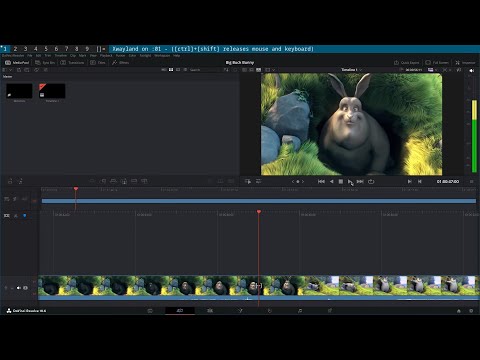
@AnachronistJohn @jns @rl_dane I'm looking for an AI-free, secure OS that will let me pretend to be on Windows when I need to and still run ad blocking Chromium browsers, Zoom and solid free video editing.
I think all three major BSDs can run Chromium. I know for certain #OpenBSD can, pretty sure #FreeBSD can as well. My experience with #NetBSD is very limited, though, but probably.
As far as zoom, I'm afraid that's currently out of the picture on the BSDs, to the best of my knowledge. They used to have a web app, but I think that's gone, as well.
Among the Linux distros, Gentoo seems to have a pretty strongly anti-AI stance.
@rl_dane @DrInterpreter @AnachronistJohn @jns
As far as zoom, I'm afraid that's currently out of the picture on the BSDs, to the best of my knowledge. They used to have a web app, but I think that's gone, as well.
Last I checked, the linux zoom client can run in FreeBSD's linux emulator, and it's packaged, but it has no audio. It is possible to use it for video and use the zoom dial-in option for audio however.
@trashheap @DrInterpreter @AnachronistJohn @jns
Oof, that's rough, but better than nothing, I guess.
I guess we should be thankful that the proprietary zoom app even has a linux build. :P
Is the zoom web client truly gone?
@rl_dane @DrInterpreter @AnachronistJohn @jns
The Web client worked in FreeBSD on chromium last I checked, but haven't had any call to touch zoom in a bit. I dropped it when they had their AI TOS scandle a few years ago. SO if it still exists thats an option.
@rl_dane @DrInterpreter @AnachronistJohn @jns
Zoom may be non negotiable, but just annecodtally I thoiught id mention.
In general web video works very well on FreeBSD, and it works with every telehealth platform ive thrown at it. AND I've got a reocurring tabletop RPG that meets over discord, that works in FreeBSD using the linux dicord client in the linux emulator. AND I regularly chat with friends over signal video on FreeBSD.
@trashheap @DrInterpreter @AnachronistJohn @jns
Nice! I've got Signal on #FreeBSD as well. :)
@rl_dane @trashheap @DrInterpreter @jns (perhaps a separate thread)
I really need a replacement for #Signal that doesn’t require a phone number…
@AnachronistJohn @jns @DrInterpreter @trashheap
Session? Matrix? XMPP? Briar?
I think @terminaltilt might know of some other Signal alternatives that don't require a phone number.
@rl_dane @AnachronistJohn @jns @DrInterpreter @trashheap
I only really know of Delta Chat, Threema, SimpleX, Session, Briar, and Matrix.
Delta Chat is probably the closest 1:1 replacement without a phone number requirement with the lowest barrier to entry.
Session (an actual fork of Signal) is probably the closest for exact UI and feel of Signal.
@terminaltilt @rl_dane @jns @DrInterpreter @trashheap Thanks!
Do you have any thoughts about which might best interoperate with people who are already on traditional platforms?
It wasn’t easy convincing folks to install Signal, but at least it’s well known enough that the people who mattered did. Asking people to install something they’ve never heard of might be a little tough.
I see Delta Chat, for instance, supports chatmail, but I can’t see whether chatmail can be run via already existing email servers… Plus I don’t know what popular chat platforms would also work with chatmail…
This rabbithole might need some time!
@AnachronistJohn @jns @DrInterpreter @rl_dane @trashheap
You're right, the social coordination is always the hardest part. To clarify, Delta Chat only interoperates with email (Chatmail is just an optimized email server profile), so it won't talk to traditional chat apps. If you want to message people on platforms like WhatsApp or Telegram without making them switch, Matrix is your only real option. You can selfhost bridges that pipe their messages directly into your Matrix client, acting as a universal inbox, though maintaining those bridges is definitely a technical rabbit hole. I don't think it would be worth the effort, personally.
@AnachronistJohn @terminaltilt @jns @DrInterpreter @trashheap
I tried out DeltaChat recently, thinking that it could be used as a regular mail client, but it's mostly designed to be used with their own (FOSS, IIRC) server software.
@rl_dane @AnachronistJohn Part of DeltaChat's jam is that chats, appear to folks who are not using deltachat as regular emails. They can reply to emails to slowly "reply" back.
The benefit of DeltaChat as an app, is that it comparmentalizes these chats into a hidden IMAP subfolder, presents them in a chat UI; and if both participants are using deltachat, end to end encrypts them. IT's all just built ontop of the email specification; which by it's nature is federated, like the Fediverse.
@UrbanDjent @AnachronistJohn @jns @DrInterpreter @trashheap
...#Threema is a solid messenger and it also has a great desktop app (for Linux and the others).
It's Electron, no? 🫣
@trashheap @rl_dane @AnachronistJohn @jns @DrInterpreter Ah, I see. Well, I found this (from the app) if you're interested in looking:
https://github.com/threema-ch/threema-desktop
Is there any 'Electron' in there?
@UrbanDjent @trashheap @AnachronistJohn @jns @DrInterpreter
Yeah, that's Electron.
And, I mean, not hating. Sometimes that's all people can manage to do. As soon as you start talking about writing native clients for Linux, you gotta deal with all of the religious wars and silly stuff.
I still give Telegram credit for creating a pretty great native Linux client. I'm not a huge fan of their service for other reasons, but that aspect of them is good.
I tend to just use a website when that's an option, rather than a dedicated Electron app, all eating 1+ GiB RAM apiece.
Matrix lets you do that (and also has decent third-party native client options). SimpleNote as well (a simple note-taking service).
@UrbanDjent @AnachronistJohn @jns @DrInterpreter @trashheap
Bad? Maybe. Annoying? Definitely. Care? Up to you. I do. XD
Telegram has a great, native linux messenger program. Of course, there's several for XMPP. Most companies/orgs just slap as web app into electron and call it a day.
Even when I have dozens of gigabytes to spare, that feels wasteful to me.
@UrbanDjent @AnachronistJohn @jns @DrInterpreter @trashheap
Hah, you're good, bud. We're all a little short and cross-eyed lately. %)
@DrInterpreter @trashheap @AnachronistJohn @jns
The good thing is that it's not a zero-sum-game.
You can experiment with BSD on an old side laptop like I've done for nearly four years now, and still use your preferred Linux distro on your main.
I haven't gotten to the point of running BSD on my main machine yet, but I am daily-driving FreeBSD on a side machine at home.
@DrInterpreter @trashheap @AnachronistJohn @jns
There's always VMs. :)
You can also try #NomadBSD, a live & persistent boot USB based on #FreeBSD.
You ever get ~150 GBP burning a hole in your pocket, these make great BSD machines:
@rl_dane @DrInterpreter @AnachronistJohn @jns
Among the Linux distros, Gentoo seems to have a pretty strongly anti-AI stance.
Like Gentoo, the following linux distros have banned AI code from their project code. However, they don't do anything about upstream AI code. (IE systemd, the linux kernel, apps, etc.)
@trashheap @rl_dane @DrInterpreter @AnachronistJohn @jns Thought I saw a statement from the Alpine Linux project as well but I can't seem to locate anything in search.
Anyone know one way or the other?
@rl_dane @DrInterpreter @AnachronistJohn @jns
I think all three major BSDs can run Chromium
It's complicated. Google does not accept patches into Chromium for operating systems that Chrome doesn't ship on. This means all of the BSD versions of Chromium are externally maintained and have to keep up to date. This is very hard, because Google likes to refactor things aggressively.
FreeBSD can run the Linux builds of Chrome, but it disables some security features (there's no seccomp-bpf support, for example, in the FreeBSD Linux ABI layer).
@david_chisnall @DrInterpreter @AnachronistJohn @jns
Interesting; I was led to believe that it was the Chromium team themselves that got it working so well on #OpenBSD
chromium, but I haven’t been using it myself.@rl_dane @DrInterpreter @jns chromium build time:
===> su-do-clean [chromium-146.0.7680.80] ===> Cleaning for chromium-146.0.7680.80
11127.72 real 156020.75 user 9232.33 sys@AnachronistJohn @jns @DrInterpreter @AnachronistJohn
3 hours, wow. XD
That's actually pretty fast.
I wonder that time (1) doesn't have a "total billions of instructions executed" mode, or something akin to it.
Or something like processor-seconds.
@rl_dane @jns @DrInterpreter It’s a 12 core Ryzen 7900 with 128 gigs of memory, so three hours on that is still a heck of a lot of compiling.
macOS /usr/bin/time -l gives instructions retired
156020.75 user plus 9232.33 sys (165253.08) should be total processor seconds. That works out to be just under 46 hours.
@AnachronistJohn @jns @DrInterpreter
Ahhh, I see.
@rl_dane @DrInterpreter @AnachronistJohn @jns I used zoom yesterday on OpenBSD. The "join from browser" button has gotten bigger in their UI. Their web client works fine. I was even using qutebrowser under wayland.
OpenBSD is a pretty capable workstation OS. I expect FreeBSD is even better for navigating the alternate OS shadow IT minefield.
@overeducatedredneck @DrInterpreter @AnachronistJohn @jns
That's fantastic news, thanks for sharing!! :D

 jns
jns Bitslingers-R-Us
 Jonathan Downie
 trashHeap

 Terminal Tilt
 Patrick Georgi
 anthropomorphic blast radius
 Root Moose
 David Chisnall (*Now with 50% more sarcasm!*)
 Jeff
Jeff