I’ve seen the first evidence that someone who understands user interaction is driving the bus at Apple.

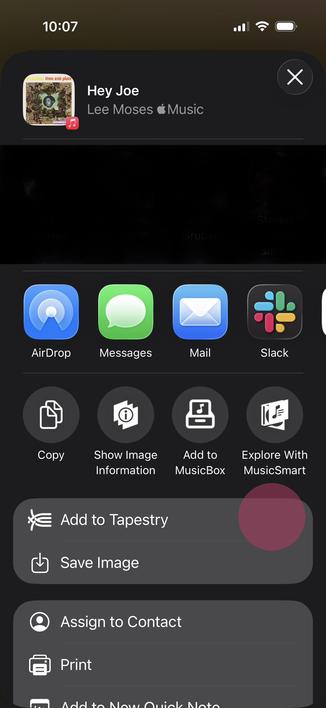
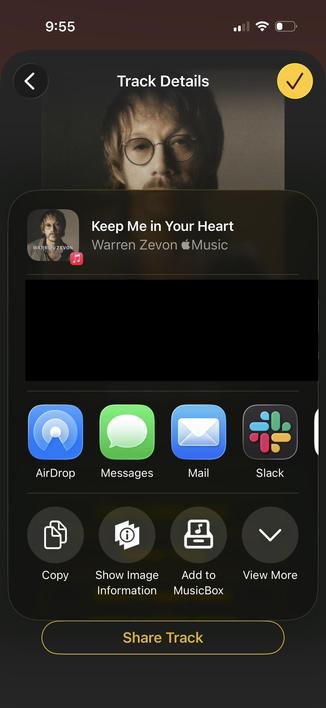
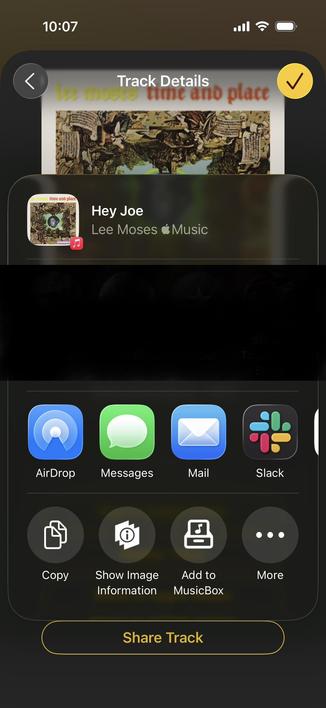
In the first release of iOS 26, the system sharing sheet had a More … button to expand the sheet (first image). The problem was that as soon as you pressed that button it was replaced by another action, which you were unlikely to see because your eye was focused in the tap area (red highlight, second image).

Confusing because what I was looking for was not in the expanded area!

1/2
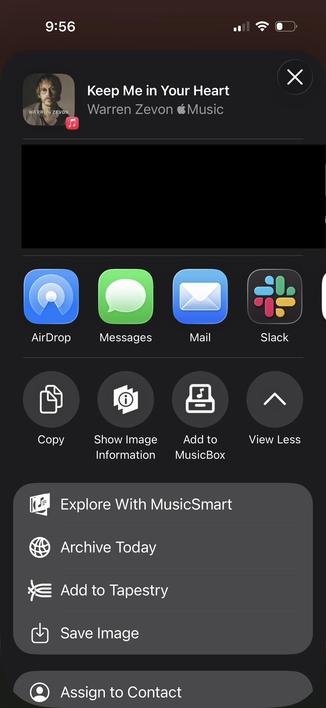
In iOS 26.3, the morphing “More …” button was replaced by a much simpler and more obvious “View More” and “View Less”.

The collapsed and expanded states are shown below.

I hope we see more of this - optimizing for screen real estate when there’s a high cognitive cost just isn’t worth it.

Buttons should act like they have for centuries, not like some magical thing a designer dreamed up.

2/2

@chockenberry — All hail the new bus driver!!!
@chockenberry yay for the sign. very nay for the fact that this existed and made it in any public build at all though.
@monkeydom I couldn’t believe it when I first encountered it in the beta. Didn’t do an FB because it’s obviously wrong…
@chockenberry The report that Liquid Glass isn’t “going away” in OS 27 seems incredibly obvious to anyone who cares enough to even know who Alan Dye is, but this is the type of stuff that’s reasonable to expect. Here’s hoping there’s much more to come.
@chockenberry Please let it be true. Also, I really hope they fix the auto-dismissing menus.
@chockenberry I hope this is a harbinger of improvements to come.
@chockenberry so much better indeed… only now realised the items in the list were the same kind as the items in the row, just more of them!
@chockenberry although still odd that the first row scrolls horizontally to reveal more, while the second put the extras ones as rows…
@chockenberry While this is better, it still kinda sucks. Each of the other buttons in that row triggers an action and dismisses the sheet. That’s the expectation created by putting them together and making them all look the same. But if one is actually a UI disclosure control, it should have different affordances. Making it look like part of a set with the action buttons just because it happens to be near them is a confusing priority of symmetry over meaning.

@dwineman The whole hierarchy of the sharing sheet is weird: horizontal group of recents, horizontal group of apps, and a long list of actions.

Feels like the first problem to solve.

@chockenberry @dwineman Share sheet is number 2 in line of worst offenders as a iOS junk drawer to me, right after Settings.app.
@incanus @chockenberry It’s a junk drawer whose central organizing principle makes no sense (does any user understand, or need to understand, the differences between the types of actions?), which can be customized but not quite enough to make customizing it worth the trouble, and whose contents change without explanation in response to hidden information (what apps are installed and not offloaded and what type of data is being shared). It’s an unpredictable and unlearnable disaster.