
Thinking about switching from Windows to Linux yesterday created a cascade of thoughts in me I didnโ€™t expect and I would liket to tell you a bit about it, about me. I am an AuDHD cis woman (she), somewhat fluid in gender (autigender) and personality, I constantly grow and adapt.

I am a Xennial and worked as a concept developer and PM in tech during my 20s until my first huge burnout, that made me spend several months on an almost empty island in Thailand and in India and quit my job. During my 30s I worked as a yoga teacher, but I never really recovered from the burnout. Because of that and other health problems, I have been unemployed for several years by now. I live together with beagle Lumi, a rescue from animal testing.

Since I found out that I am autistic 4 years ago, things slowly improved, but I cannot change the fact that I am an autistic, disabled person in an allistic, ableist world. Because of my sensory issues and other aspects of my disability, I can barely exist in the outside world. Besides my daily walks with Lumi and very few planned activities, I spend most of my time at home, so itโ€™s almost impossible for me to meet like minded people IRL. The fact that I live in a very conservative country, city and neighborhood doesnโ€™t help with that either.

As an Anarchist I believe in community and mutual support, but switching to a new operating system with only the online-community here on Mastodon as support is scary. I have an IRL friend who is a sys-admin, but he is specialized in Windows and very busy. I am a fast learner and have exceptional analytical skills, but I am not a programmer, my math skills are extremely limited and the burnout affects my capacity for learning new things. I have a very monotropic mind, am very attached to objects and change can be difficult for me as autistic person.

But currently I feel the need for change, for tidying up my life, my data, myself.

I still have my information architect and project manager skills and I already have a list in my mind of all the things that will be affected by the change and I have a lot of questions. I will write about that in another post, probably several other posts.

Thank you for reading this, thank you for helping me, boosts are welcome.

#ActuallyAutistic #AuDHD #neurodivergent #Linux

@BjornW
@zompetto
@LeelaTorres
@temporal_spider
@20000lbs_of_Cheese
@tizlit
@dirkdierickx
@mosgaard

Thank you. ๐Ÿ˜Š
So as far as I read the comments and documentary two questions occurred to me (I mean a lot more, but I will ask them later) that might show how much education I need:

Ubuntu or mint?
VM or booting from USB?

I have an Acer notebook (11th Gen Intel(R) Core i7-11370H @ 3.30GHz), 16 GB RAM

#linux

@KaCi from those two, i would suggest mint. If possible you could use a second hard drive to dedicate to linux. Otherwise usb is a nice way to try it out (wouldn't consider running it permantly like that).

@KaCi @BjornW @temporal_spider @20000lbs_of_Cheese @tizlit @dirkdierickx @mosgaard

I would go with Mint, the interface is easier to learn if you come from Windows.

As for the VM or Live USB, both have advantages and disadvantages.

The VM allows you to explore without having to deal with potential hw issues (eg. wifi not working) but it'll be a bit slower.

On the other side, potential hw issues won't emerge until you try running it live ๐Ÿ˜…

@KaCi
Mint is more comfortable, but based on Ubuntu. It has three different UIs. Cinnamon is the usual. I would recommend USB before VM, because you don't have to systems running at once. You still could use your data on your hard-drive.

Dual boot is better if you want to regular use and individualise it. It installs an bootloader which let you choose at each system start if you want start Linux or Windows.

@KaCi
Because Mint is an enhanced Ubuntu, you could use all knowledge bases for Ubuntu for the most questions to your Mint System.
@KaCi @BjornW @zompetto @LeelaTorres @temporal_spider @20000lbs_of_Cheese @dirkdierickx @mosgaard if you want to take it slow, try it out in a VM first (since you can't go wrong with that). Then in a second step, do a live boot. For beginners I would also recommend ZorinOS because it's very Windows-like, beginner-friendly and runs well on lots of hardware. It's also a little prettier than Mint โ˜บ๏ธ

@tizlit @BjornW @zompetto @LeelaTorres @20000lbs_of_Cheese @dirkdierickx @mosgaard

Thank you so much for your helpful comments. ๐Ÿค—
Hereโ€™s the plan:

I will choose the dual boot option for the beginning.

On Wednesday my sys-admin friend will help me to install mint or ZorinOS (I have to figure that out until then) on my notebook. I already created an 80 GB partition for the start. With his help I will successively make it bigger and the Windows part smaller in the future.

This will give me time to get used to the GUI, find and install the apps I need and do research concerning hardware problems, that might occur in the future.

So the current task is making the decision if I want to use mint or ZorinOS.

Please correct me and my language if I got anything wrong, I really want to learn how all this works.

#linux

@tizlit
@LeelaTorres
@mosgaard
@cybervegan

It was a difficult decision, but because of the broader knowledge base I chose mint.

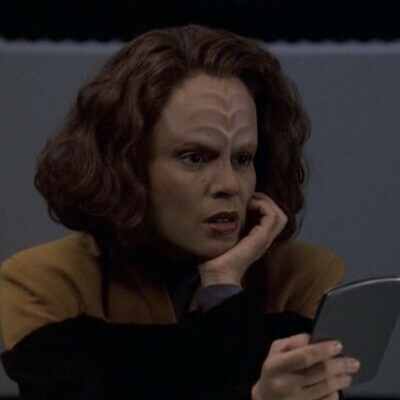
I also gave my notebook a new name. It's called Voyager now. ๐Ÿค—โœจ๐Ÿ––

Everything is prepared for the installation tomorrow.

@KaCi Nice. I name my computers after fictional starships, so I definitely approve! Though of course voyager could refer to the NASA space probes, but it tracks.

Mint is a good first choice, but you can try other distros later if you like. Once you've got the itch, you might want to try them all!

@KaCi @BjornW @zompetto @LeelaTorres @20000lbs_of_Cheese @dirkdierickx @mosgaard
Sounds like a good plan. The most important thing is that you feel comfortable anyway. You could already do some work before your friend comes by backing up everything and making sure that you know the bitlocker key of your Windows license (which can be helpful for when something goes wrong)
I'm a big fan of ZorinOS for the out-of-box experience.

@KaCi @tizlit @BjornW @zompetto @LeelaTorres @20000lbs_of_Cheese @dirkdierickx @mosgaard

I *was* a software designer, for many years. But as I age, and MS nibbles away at my brain, I'm less competent than I used to be. But I *am* considering trying to install a dual-boot Windoze/Linux-for-hifi-audio. I shall watch your progress with interest...

You're gonna love Linux: it's so much more understandable, configurable, secure and efficient than Windoze.
I've been using Linux Lite on older laptops. Everything (except the fingerprint reader) works out of the box, it's fast and pretty, and updates (OS and apps) are easy and frequent.
Have fun! And if you have an issue, post it - there are lots of Linux geeks here willing to help. :-)

@KaCi @tizlit @BjornW @zompetto @LeelaTorres @20000lbs_of_Cheese @dirkdierickx @mosgaard

I'd strongly suggest Mint as its installer is very easy to use, though I haven't used Zorin recently, or seriously, I HAVE used most Linux distros at some point, and mint it's one of the best for beginners as it has an interface which is very comfortable and familiar feeling for Windows users.

Before you actually install, I'd suggest you get comfortable with mint by booting from usb - this is actually how the usb installer works anyway, and you can do most things this way to test out how it feels. It will run slower, but it's fast enough to use for real work, e.g. web browsing, word processing, even digital art. You can use it to test that all your hardware works as expected - especially WiFi, graphics, sound, camera etc. The only hardware thing I have found that doesn't usually work is fingerprint readers.

80gb is more than enough to start with. Dual boot is a reasonable way to start, but bear in mind that windows is apt to break booting other operating systems sometimes during updates, because it might mess with the boot loader or boot configuration, so make sure to find out how to fix that - there is a utility on the mint usb for fixing just this problem.

@KaCi this sound like such a good solution, especially since you have the sys-admin friend, helping you getting a good start.

Know that both Mint and Zorin is being recommended as good beginner-distros, so both would be a good pick in each their own way. So take your time checking out the websites and documentation for both, and choose what ever resonates with you the most.

@tizlit @BjornW @zompetto @LeelaTorres @20000lbs_of_Cheese @dirkdierickx

@KaCi Both Zorin and Mint are excellent choices for a very gentle introduction into the Linux world.

Zorin is made specifically to look almost like Windows, to make the switch as easy as possible for very casual users of Windows with little experience with computers. With a start menu instead of a dock, etc.

Mint is also very gentle โ€ฆ as gentle as it currently gets, but it probably looks a bit more like macOS than Windows.

If you're willing to let go of your "Windows ways of working" and embrace Linux, and especially since you think of yourself as a fast learner, I would recommend Mint.

@cybervegan
@Ralph_de_Rijke

This fingerprint reader problem you mentioned is bothering me a bit, because that's definitely a function I need.

Does anyone know a solution for that or can you recommend sources where I can search for a solution myself?

#linux

@KaCi @cybervegan It will depend on the make and model of laptop as well as the Linux distribution you choose. It may work straight away; it may not. If not, you might be able to get it working anyway, with help from the Linux community specializing in that distribution. Good luck! And have fun!

@KaCi @Ralph_de_Rijke It depends on the fingerprint reader - there ARE some that are supposed to work, so you may be lucky. There's an application in the Mint Administration menu called "Fingerprints" and it will tell you if it detects your fingerprint reader, and allow you to set it up (enrol fingerprints) if it can see it.

All the fingerprint readers seem to be made by just a handful of manufacturers, who don't seem to be particularly interested in helping make them work for Linux, leaving Linux developers with only the option of reverse-engineering them. That doesn't mean they'll never be supported, but it does slow support down.

Edit: definitely something to test from USB boot, before actual installation.

@cybervegan
Thank you for the explanation. I hope that I will be lucky with mine.

"Edit: definitely something to test from USB boot, before actual installation."

Why? What is the advantage compared to the dual boot?

@KaCi You can test it before you install so you will know in advance whether or not it will work. The Mint install is a "live CD" which means the install USB boots into an environment very much like how the installed system will look and work - the installer is literally just one of the applications you can run. This way, for peace of mind, you can run and test nearly everything before you commit to installing.
@cybervegan
Thank you for the explanation again. ๐Ÿ˜Š
I decided to be brave and commit to the unknown and solve the problems when they actually occur with the help of the community. The dual boot gives me enough peace of mind, because if I understood it correctly I can always just boot windows until the problem is solved right?
@KaCi Yes, dual boot means you have a way to choose which operating system will run when you start your computer up. If you're in Linux and need to do something in Windows, you just have to restart, and choose Windows as the boot option (you will probably have to choose using your computer's BIOS boot menu, often F12 on an Acer laptop).
@KaCi @cybervegan @Ralph_de_Rijke
Finger print reader on my Lenovo yoga just works with Linux mint 22. Your luck may vary with different hardware.
@KaCi @cybervegan @Ralph_de_Rijke for me it worked on both ZorinOS and Fedora, both on a HP laptop
@KaCi I'm not a programmer, either, and I've used several flavors of Linux with relative ease. It doesn't have to be all or nothing. You can dual boot, that is, keep Windows and choose one or the other at boot. Lots of videos will show you how. Linux Mint is very easy and natural to use coming from Windows.
@temporal_spider @KaCi
I second that Mint is easy and the advice with dual boot.
You can also simple run any usual Linux distribution from USB stick to get a feeling about it before you decide to install it.
@KaCi
Always feel free to throw extra tags on your questions, lots of nerds happy to help, just be wary of those who overcomplicate things or sling mud at projects they don't even use :V
@KaCi Dear Katta, nice to read you and about your circumstances! Also AuDHD here ๐Ÿค— I switched to Linux about a year ago and I'm very happy about it ever since. If you need help with switching or simply have questions (no matter how small or stupid they may appear to you), feel free to text me privately and just ask. All the best!
@tizlit
Thank you neurokin. ๐Ÿค—
I already have so many questions and currently try to prioritize them.
@KaCi support for linux is plenty, not just here on mastodon. Almost every distro has their own forums, you have other sites like reddit and more, there could also be a LUG in your region (https://share.google/i2ySE3YJ9EwsNIZ8o), hope this helps you, linux has a strong community.
Linux User Groups

@dirkdierickx
Thank you. ๐Ÿ˜Š

@KaCi you might be interested to know that you can use a usb-stick to try Linux on your computer without having to install it. This helps to ensure your computer works with Linux. Ubuntu Linux is one of the more well-known flavours of Linux and can be tested this way. If it doesn't work or if you don't like it no problem, just reboot and you'll be able to use your Windows installation again. Have a look at this tutorial:

https://documentation.ubuntu.com/desktop/en/latest/tutorial/try-ubuntu-desktop/

Try Ubuntu Desktop

Topics: Introduction In this tutorial, youโ€™ll try Ubuntu Desktop 24.04 LTS on your computer without making any permanent changes. Ubuntu Desktop will run from a USB drive and your data will be safe...

Ubuntu Desktop
@KaCi I would be happy to (try to) answer any Linux questions.
A recommendation I can make is to start with a live Linux environment, boot from an USB stick and don't change your installed OS as a start.
It's a very good way to get an introduction to the system without the commitment of installing it :)

@KaCi this is really brave of you, and I think it could be a very meaningful transition.

Mastodon has been a great help for me while switching. Just the other day I asked a question using the linux hashtag and got all the answers I could wish for.

My advice would be to take as small steps as possible. Like how many of the tasks you do today, can you do in a browser? All the tasks you can do in a browser, you can move with you, and take your time finding native Linux solutions one at a time.

@KaCi where are you in the process of switching from windows to Linux? Did you already try some live systems or experiment with virtual machines? This could help make the switch a smooth ride instead of a big bang.