
Some updates to my PCalc scientific calculator!

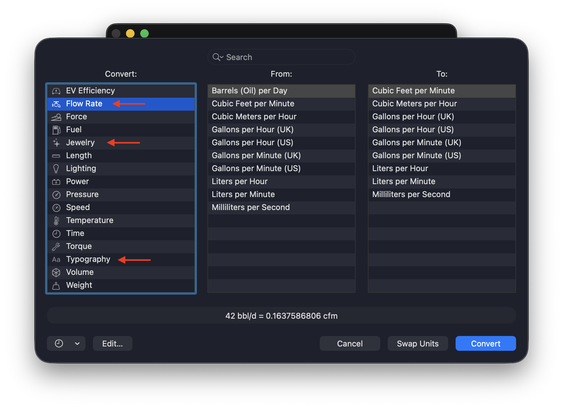
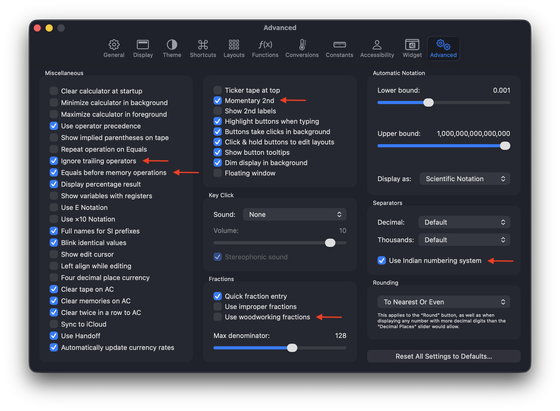
Consider this the "new features that should have shipped last year" release. Includes some frequently requested things like woodworking fractions, support for the Indian numbering system for separators, and three new conversion categories, "Flow Rate", "Jewelry", and "Typography".

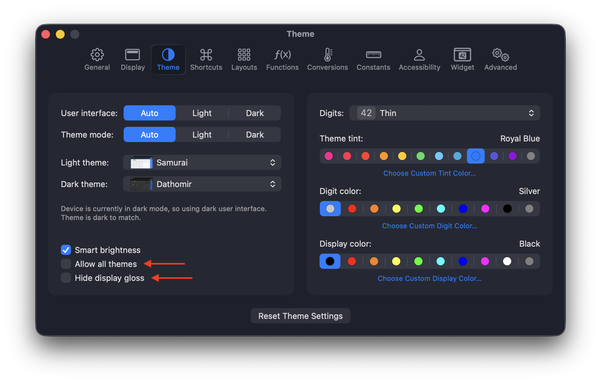
I've also tried to unify a lot of features that were only on iOS, or only on the Mac.

Mac:
https://pcalc.com/store/pcalcmac

Everything else:
https://pcalc.com/store/pcalc

Enjoy!
@jamesthomson Every time you do a release like this I'm always amazed that, after all these years, you're still finding new numbers to add.
@stuart You're not the only one!
@jamesthomson Remember when company stock prices were in fractions? Ick.
@jamesthomson What does “woodworking fractions” do? I turned it but can’t see any difference in fraction entry or display
@pian0 It aligns everything to power of 2 bases.

@jamesthomson @pian0 hmmm
I was hoping it would read out in fractions so you could enter 10 5/8 + 10 1/4 = 20 7/8. How is this different from the fractions you already had? Maybe we need an example…

While I was in the conversions I found the EV efficiency one ... that 33.7kWh = 1 gal thing seems weird! I mean they don't cost the same (at least not yet) I'd have to say $/mi is a MUCH better comparison.

@dxzdb @pian0 You can, just switch on the fraction mode. What it does is make all the denominators a power of two.

And, I don’t entirely get that either, but it was requested and it’s used in comparisons.

@jamesthomson @pian0 Oh - fractions are a display mode! That is great! Now I get the woodworking fractions. Thanks!

Fancy approximate symbol! is that a custom ≈?

@dxzdb @pian0 It's just the standard one in the font you have picked!
@jamesthomson @pian0 👍somehow it looked different in the big font.
@jamesthomson Woodworking fractions, how nice!
@MrRooni It was a common request!
@jamesthomson Do you have any guides on how to perform the woodworking calculations/set up a calculator for it?
@jjlsetter Just switch on that setting, set the calculator to fractions mode, and you can enter fractions by pressing ‘.' a second time, so 2.1.2 will be taken as 2 1/2.

@jamesthomson @jsnell

Sheepish confession: I never realized the numerous power functions of PCalc, like conversions until this post hinted they exist .

Downloading the epub manual now.

It even knows I like to open epubs in ‘Books’ app

@jamesthomson oo woodworking fractions, nice 🎉
@ritchey_de I will try, it is not easy with the current implementation of the code.
@jamesthomson
I did not want to appear pushy.
This is clearly in the category Nice to have.

@jamesthomson
While it is nice I can now convert carats to pennyweights, it is still a two-step process to convert stones to mommes.
To annoy my English friends 😉

Thanks!

@jamesthomson jewellery conversions. Oh boy.
@jamesthomson What, I can't convert Barrels/Day to Bushels/Week yet??
@alan Alas, maybe next time! :)
@jamesthomson I think the correct answer is "Is that African Bushels or European Bushels?" at which point I say "Uh, I don't know!' and explode.