@CrashNBurns
 nixCraft 🐧
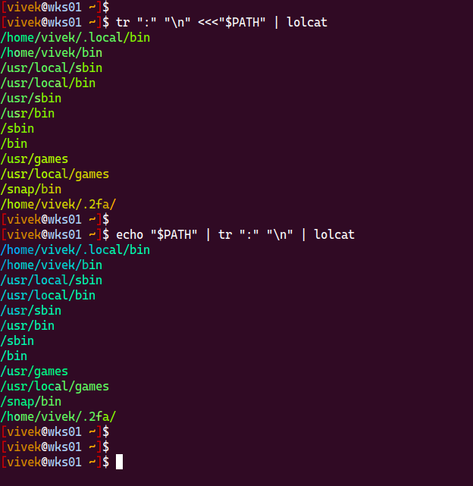
Run the following to see your PATH settings in easy to read format on screen:
```
tr ":" "\n" <<<"$PATH"
tr ":" "\n" <<<"$PATH" | lolcat
```
This is a little more portable
```
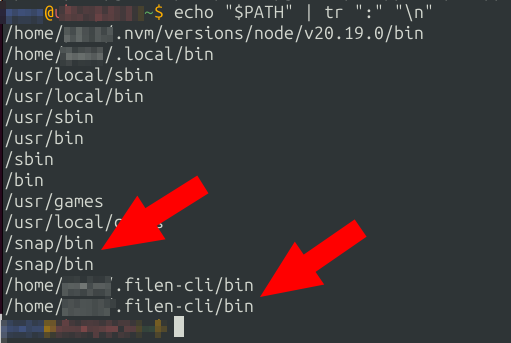
echo "$PATH" | tr ":" "\n"
echo "$PATH" | tr ":" "\n" | lolcat
```
Run the following to see your PATH settings in easy to read format on screen:
```
tr ":" "\n" <<<"$PATH"
tr ":" "\n" <<<"$PATH" | lolcat
```
This is a little more portable
```
echo "$PATH" | tr ":" "\n"
echo "$PATH" | tr ":" "\n" | lolcat
```
@nixCraft Nice tr command, thanks!
But you might want to remove the extra 'o' from 'lolocat'. (Debian, at least, doesn't have a lolocat; I haven't tried installing lolcat because I don't know what it does and it has a bunch of ruby dependencies.)
@nixCraft Hi.
I love tr but I love pure Bash even more:
IFS=':' read -r -a path_parts <<< "$PATH"; printf '%s\n' "${path_parts[@]}"
By the way, get ready for every opinionated sysadmin to post here, we are wired that way :-D
Thanks for sharing.
 Viss
Viss Akkana Peck
 hnapel
 quadrivial, tall and graying
 kodegeek
 JdeBP
JdeBP Haelwenn /элвэн/
 Paco Garcia