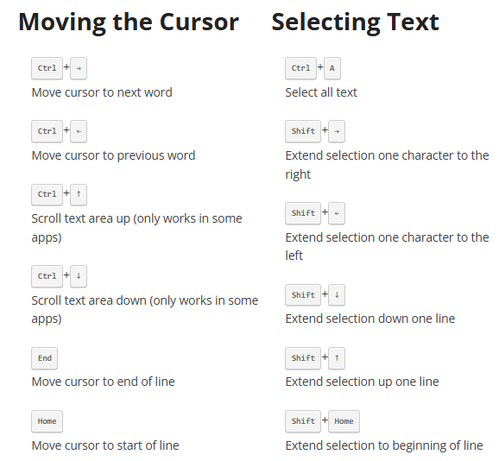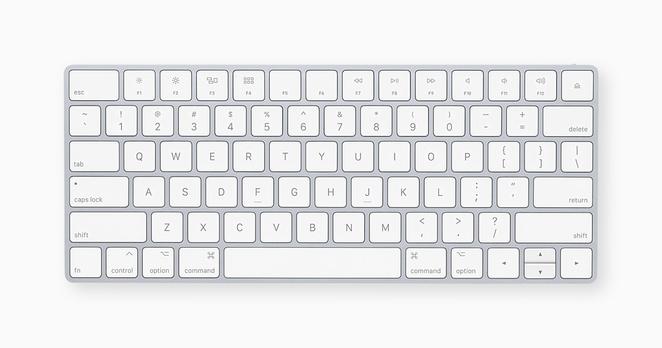
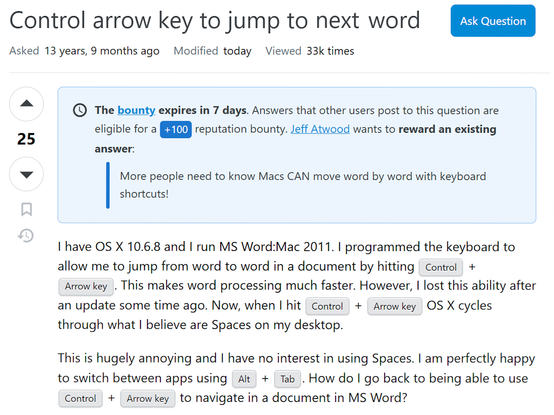
Added a well deserved reward bounty to a Mac question -- I had no idea Macs DO NOT allow you to move word by word with keyboard shortcuts out of the box! https://apple.stackexchange.com/questions/52147/control-arrow-key-to-jump-to-the-next-word
@codinghorror but… option-arrow works?
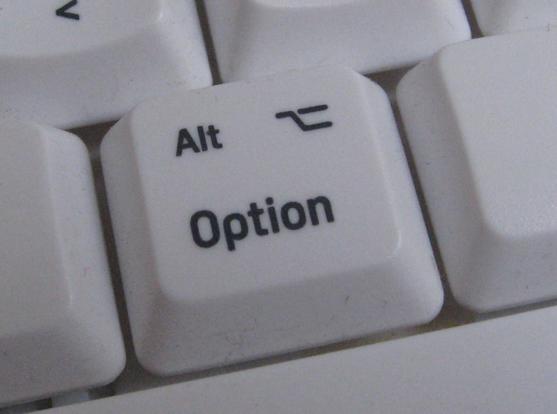
@listrophy what the fuck is "OPTION"? Do you mean CTRL, ALT, or SHIFT?
@codinghorror @listrophy depends on your mapping. Alt, usually.
@codinghorror basically ALT. On a Mac keyboard, it’s sometimes the silhouette of an italicized, capital T

@codinghorror @listrophy here's what Apple call the modifier keys. No "alt" among them :)

(But Globe is a stupid name, that one can get in the sea.)
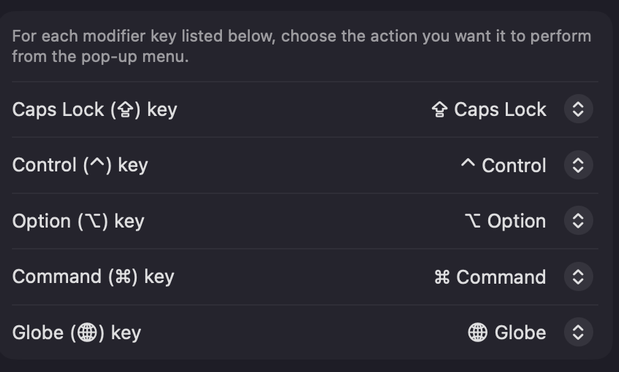
@codinghorror @listrophy Not covering yourself in glory here, Jeff. Macs have had option keys since day one.
@u47 @codinghorror was this reply really worth the electrons?
@listrophy @codinghorror Jeff’s sure wasn’t.
@u47 @listrophy electrons are overrated
@codinghorror Maybe I configured it at some point and forgot but I’m pretty sure pressing option + the left or right arrow key to jump between words works out of the box.
@codinghorror I think default at least on modern OSes, option arrow moves word to word, control arrow does spaces, command arrow goes to start/end of line, shift arrow selects from where you are.
Mac keyboard shortcuts - Apple Support

By pressing certain key combinations, you can do things that normally need a mouse, trackpad, or other input device.

Apple Support
@paul "modern"? Windows has always been CTRL+arrow for word, e.g. https://blog.codinghorror.com/very-basic-textbox-keyboard-shortcuts/
(Very) Basic Textbox Keyboard Shortcuts

Everyone knows how to use the arrow keys to navigate within textboxes. But not many people know there are a slew of handy keyboard shortcuts for editing text in textboxes. And these keyboard shortcuts work everywhere, even in the most basic input areas – including vanilla HTML forms, such as the

Coding Horror
@codinghorror I meant modern Mac OSes, probably for a long long time, but I just don't remember if it was the same 10-15 years ago (but probably).
@paul @codinghorror Yeah, I think I have been using it for 20+ years.

@kanongil @paul @codinghorror The Mac standard has been, since 1986-1987:

- Arrow keys move the insertion point;
- Home/End/Page Up/Page Down move the vertical scroll bar;
- Option “scales up,” so left/right moves by word, up/down by page;
- Command “scales up” more, so left/right move to beginning/end of line, up/down move to beginning/end of document; and,
- Shift adjusts selection.

CodeWarrior added subword InterCap traversal via control-arrows.

@kanongil @paul @codinghorror And all but the subword intercap traversal has been part of the standard NSText keyboard equivalents since Mac OS X 10.0. (I wrote the Radar that got this implemented in AppKit when it didn’t work right in one of the developer prerelease versions.)
@codinghorror option-(left|right) arrow has worked as long as I can remember
@codinghorror you’re trolling, right?
@tomhartnett dunno, we couldn't figure it out, I don't touch OS X unless I have to
@codinghorror I’m a relatively recent macOS user after 40 years of PC. Macs are beautiful, but the roughest of rough edges are the wildly inconsistent and (imo) illogical keyboard handling. I’m sure it is all “fixable”, I just bristle that I have to. :)
@codinghorror I'm a recent convert to using vim for just about everything, and things like this are why. (Sorry for bringing up vim, I know we are an annoying bunch. But it really is great once you learn it.)