 Jeff Atwood
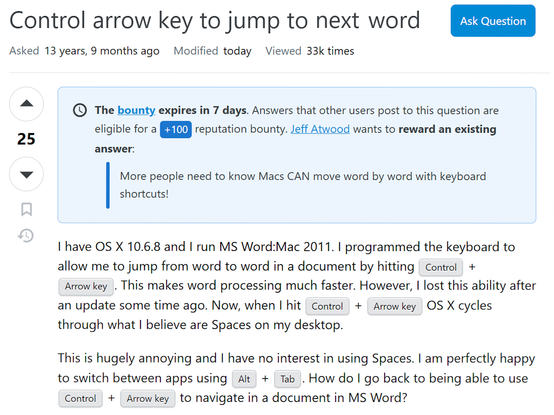
Added a well deserved reward bounty to a Mac question -- I had no idea Macs DO NOT allow you to move word by word with keyboard shortcuts out of the box! https://apple.stackexchange.com/questions/52147/control-arrow-key-to-jump-to-the-next-word
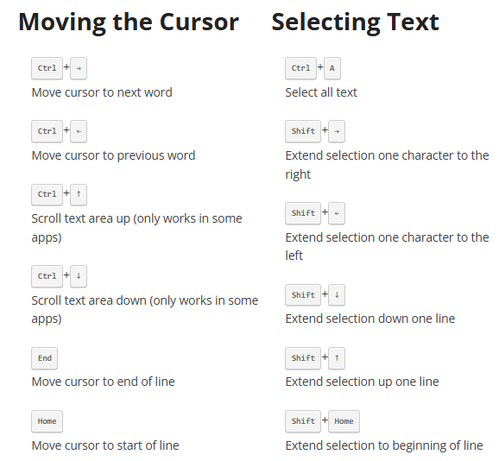
Everyone knows how to use the arrow keys to navigate within textboxes. But not many people know there are a slew of handy keyboard shortcuts for editing text in textboxes. And these keyboard shortcuts work everywhere, even in the most basic input areas – including vanilla HTML forms, such as the
@kanongil @paul @codinghorror The Mac standard has been, since 1986-1987:
- Arrow keys move the insertion point;
- Home/End/Page Up/Page Down move the vertical scroll bar;
- Option “scales up,” so left/right moves by word, up/down by page;
- Command “scales up” more, so left/right move to beginning/end of line, up/down move to beginning/end of document; and,
- Shift adjusts selection.
CodeWarrior added subword InterCap traversal via control-arrows.
 Paul Haddad
 Gil Pedersen
 Chris Hanson