Introducing Octavo, my Mac app for turning PDFs into booklets, cleaning up bad scans, printing zines, labels, and more.

If you follow me, you may have seen my #BuildInPublic journey developing it over the last few months! It's now launched, and is available on the Mac App Store for $25 (via in app purchase so you can try before you buy).

https://apps.apple.com/us/app/octavo/id6757485225?mt=12

For more info, the website has more screenshots and a copy of the user's guide: https://octavo.pro


#mac #pdf #software

@amyworrall Heck yeah, this is awesome and I already have a project this'll be great for.

I do appreciate that it's not a subscription too, even though I know that's a big draw for us indies. Instabought!

@ikenndac awesome! Let me know if you have any feature requests!

I didn't think I'd have much luck with a subscription for something this niche -- with a one-off, I might get people buying it just for a single project and saying to themselves "it'll probably be useful later”.

But choosing a business model is hard, I dunno if I've made the right call :)

@amyworrall Will do!

Heck if I know about business models. I added a subscription option to my app a while ago, marketed as a lower-cost entrypoint to try the app out (our one-off is $99 with periodic paid major feature updates). A decent number of people take it, but the non-subscription is decently popular.

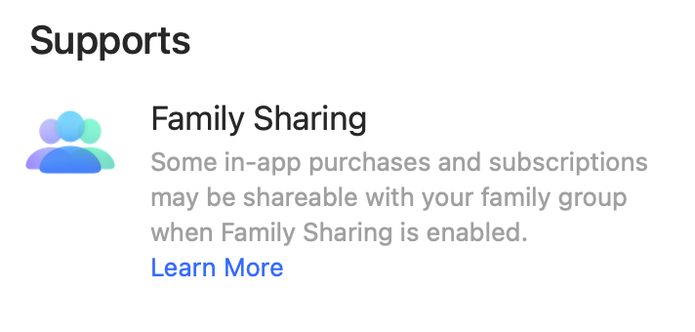
@amyworrall This looks like a great useful app! I was wondering if the IAP supported family sharing? Congratulations on the release!
@somelinguist it should do, assuming I set it up right!
@amyworrall Thanks, I was just checking, because it doesn’t mention it in the support section on the app page as some other apps do. But the App Store often works mysteriously. :)
@amyworrall I just checked again, and now it shows up in the listing. Thanks!
@amyworrall so very cool. I used to be a huge nerd about this stuff, and definitely burned through lots of wasted paper when I screwed up my settings. Good luck with it!
@amyworrall this looks great! A question, with apologies if I missed it: does it do margin creep compensation (shifting page margins as the booklet gets thicker so outer pages don’t have their inner margins get smaller and smaller as they wrap around more and more inner pages)?
@mfessler (I’ve heard that called "creep" btw). It doesn't do that yet -- it's one of the features that didn't make the cut for version 1.0. I've got plans to add it at some point though!
@amyworrall yup, you’re right, I got my terms mixed up. Just edited the original post. Cool - thanks, will keep this in mind for next project
@amyworrall @jcdvore This is something I'm very interested in trying #bookbinding
@mlanger @amyworrall @jcdvore Just go for it. It makes me happy for years now and never boring.,

@kokien @amyworrall @jcdvore I've already done quite a bit of bookbinding, but I haven't converted any PDFs into books yet. I have to admit that I'm worried the printouts will come out wrong and I will have wasted a lot of paper. But I definitely should try this app.

I have a daily planner that I print out and bind every month. I've also made numerous notebooks. And when things finally quiet down for me this spring, I'll be making leather notebook covers to sell in a gallery with books I bind.

@mlanger @amyworrall @jcdvore I am new here and I misinterpeted your post. I like the idea of printing a journal monthly and binding it. For printing pdf s I go to a copy shop and they are very helpfull.
@kokien @amyworrall @jcdvore Well, you replied to my reply regarding an app that converts PDFs into signatures for binding. That's what I'm interested in trying. I've already been bookbinding for a while now.
@amyworrall This will probably change my life, thank you!
@amyworrall Congratulations! I love the 9:41 time in the screenshot, nice touch. How long did it take you to build it?
@anosidium Got the initial version done in an afternoon, but added more things to it sporadically over time. The tap handling for recalcitrant UI elements was the hardest bit. Lots of pouring over the accessibility inspector to figure out just what the test infra's view of the app was.
@amyworrall as someone who has fond teenage memories of QuarkXPress, I'm pretty excited about this!
@amyworrall oh, I guess I need to finally upgrade my OS lmao
@amyworrall it looks beautiful, congratulations and may it have a long and happy life!
@amyworrall congratulations on release, Amy!