 Renan LE CARO
 nixCraft 🐧
While most of us use the `clear` command to clear a Linux, macOS, or Unix terminal screen, you can actually do this much faster by pressing `Ctrl + L` keyboard shortcut keys. Try it!
 Cuboci 🏳️🌈


@nixCraft How do you know it's most of us?
 Xanatos
@nixCraft I love that shortcut, sometimes I accidentally press super + L, locking my machine ...
@Xanatos haha. same here.
 Tuchowski
 doragasu
 Madalin Ignisca 🇪🇺🇪🇦
@nixCraft there are moments when u must use "reset" command, especially after connecting to serial consoles.
 Odd
Odd@madalinignisca @nixCraft It used to be years between I needed ”reset”, but after the latest update to docker compose, I need it all the time on my RPIs, if I forget to include the ”—ansi never” option.
 Victoria🏳️⚧️
@nixCraft in many terminals it actually have different functions. Clear removes all commands backlog in current session, while ctrl+L just hides them (i.e. you can scroll up to see it)
 lemgandi
 JdeBP
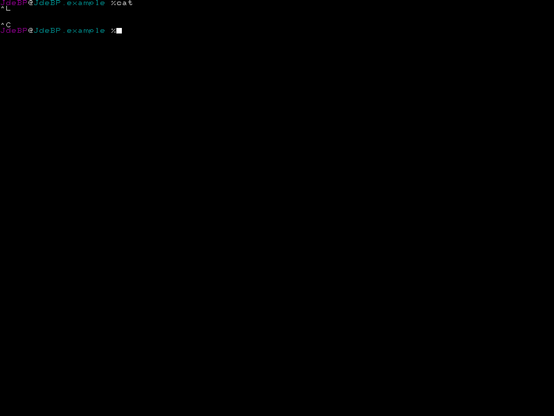
JdeBPSurprisingly, to those of us who grew up with home computers, that's not truly the case.

 CalasTyph0n
@nixCraft goddamn!!
 cmdrSprocket
@nixCraft when in doubt type "stty sane"+enter beforehand
 redbr1ck
 Linus Gasser
@nixCraft Interesting - on my Mac I'm used to `CMD + K` for some reasons. It's easier on my fingers, as the `ctrl` key is mostly out of reach for happy reach without having to move my whole hand.
 JD "Rant Paul" Paul
@rantingnerd @nixCraft true, in fact I use that to run commands which produce thousands of lines of errors, and jump to the top, where it usually starts!
 Dendrobatus Azureus
I was fortunate enough to learn the Control L shortcut way in the beginning of the alpha versions of Linux, when distributions were not even a figment of the imagination.
It has saved me hundreds of thousands of keystrokes
#sh #csh #ksh #zsh #ash #bash #programming #OpenSource #technology #Linux
Tried it. It didn't clear the screen.
 Krzysztof Nizioł
@nixCraft I’m not sure if macOS users use `Ctrl+L`. It seems like they might be more likely to use `Cmd+K`, since the `Ctrl` key is far, far away from left hand thumb 🙃
Image credits: https://iboysoft.com
 Andy H
 Eric Beavers
@nixCraft For once, I'm way ahead of you on this one. :D
 munna
munna