 Børge
BørgeDon't mind me, I've just used a new (to me) Gnome app for a few minutes
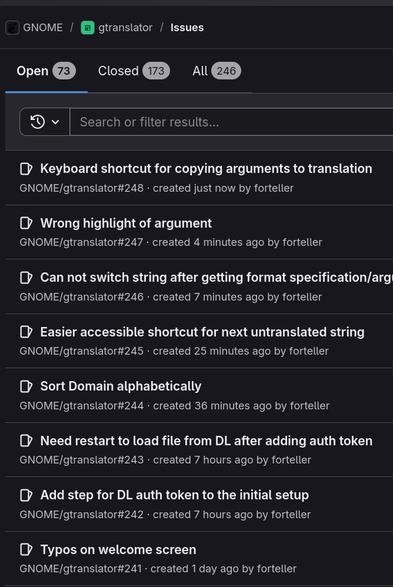
Don't mind me, I've just used a new (to me) Gnome app for a few minutes
@forteller GTranslator gets worse every time I upgrade Debian. The one in Debian 13 doesn't let me change the size of the input boxes any more, so I can't see more than a few lines of what I am translating.
I've switched back to using a text editor...
@nafmo Great to hear that you also help out with translation!
But I think probably what happened here was just unlucky timing, where Translation Editor changed something at the same time as you upgraded Debian. Because I'm not on Debian, and I can't resize it either.
So probably it's gtranslator that needs to fix this. I found an issue about it: https://gitlab.gnome.org/GNOME/gtranslator/-/issues/213 Go give it a thumbs up :)
Thanks. I usually report the bugs to Debian, as its their builds I'm using, and then let them forward the bugs upstream as appropriate.
Yes, I do some translations, these days its mostly Git and Dpkg.
 Peter Krefting