 mcc
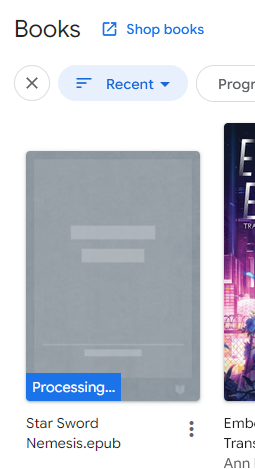
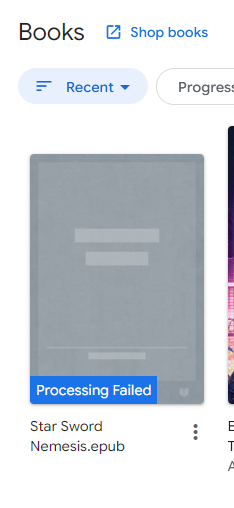
mccI'm at the laundromat. I have a 20mb epub in my Dropbox. I try to open it in the Dropbox app. It goes, I can't open this, but here's a button to upload it to Google Play Books. That's convenient, I think; I tap it. It spends something like twenty minutes downloading the epub to the phone over a cell connection, then another twenty minutes uploading it to Google Play Books. Eventually it finishes. I open Google Play Books. The book is not there. Nor is it in Files. There is no error message.
*Later, trying again from the computer*
Google what the fuck does "Processing" mean. What does it mean to process a book. I just want you to sync it to my phone and open it. I mean it's already on my phone but you won't open it on my phone unless you first sync it from my phone to your server back to my phone so I'm trying to be accommodating.
If I click on the book all it does is open a new tab containing this help page https://support.google.com/googleplay/answer/185545?visit_id=638955591931852971-3016000300&rd=2
Alternately I am now looking for recommendations for a good basic epub reader for Android. All I want is for it to have text search, have a good upper range of font sizes, and not display "noise" such as page numbers or the current time while I am reading. I have never needed anything besides Google Play Books before this.
Current status
- Tried: ReadEra: This does not seem to anticipate how narrow my phone is. Despite fine control over font size and line spacing, There are only two settings for margins, "none at all" and "inconveniently large".
- Tried: koreader: I had to disable multiple phone security features to run the f-droid version of this app. Once I open, I discovered I hated it more than words can describe. I hope it didn't hack my shit
- https://librera.mobi : "Contains ads". What does this mean?
Librera ALSO requires me to give it full access to all files in order to install it, which is pretty aggro for an app that wants me to pay five dollars. Maybe not this one either.
Alright. Everything's okay because my wife fixed it. If you were having trouble with the initial release of Starsword Nemesis on your e-reader, check the update just uploaded to itch.
 Aria
Aria Chris Espinosa
@mcc I’ve heard she’s taken
 gkrnours
@mcc my parent are married like 3 times. A civil marriage at the town hall, a religious one at the church then a traditional one when they visited step-dad's family in new caledonia.
I also have a cousin planning her marriage next year, the plan is to have the minimun amount of people at the town hall, doing nothing more than the paperwork then they do a big ceremony with friends instead of a priest. I guess that's similar to how things play out in the bad guys 2
 Wade McGillis
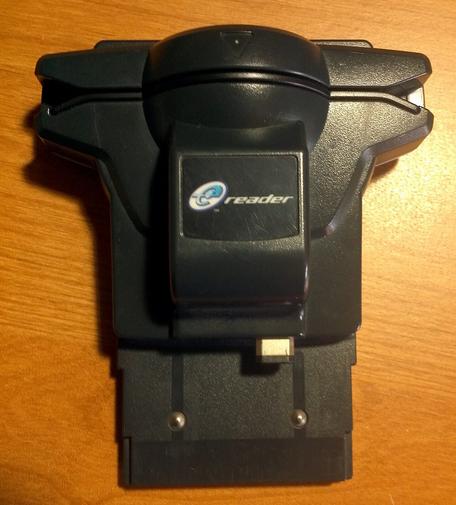
@mcc custom game? https://en.wikipedia.org/wiki/Nintendo_e-Reader
 r0k
r0k sparrows (doll arc) :flaglesbian::neoamazonia::vriskasip:
@mcc there’s a version of librera you can get off f-droid free with no ads. its what we use for ebooks
 Célistine || TheRealProcyon
@mcc librera has a non-Google Play version on Fdroid that doesn't require payment at all.
 c-x-b
c-x-b 

 VentingNonsense
 Zimmie
 bob
bob
 Rylie Stargazer 🏳️⚧️
@mcc I've used Lithium for this, no idea if it's play store or fdroid
 Phillip
@mcc I use Librera sometimes, and... I don't think I'd recommend it. It has a bunch of annoying ux hiccups, and fails your "no noise such as a clock" condition.
But for your specific question re ads: it shows a brief interstitial ad whenever you _close_ a book and return to the main menu. There's no ads in the menu or in the reader view or even when you _open_ a book (or at least, I've never seen any) just when closing.
 shork
shork exmotoh
I am pleased with Lithium. I do not know if it has the font range you want, but it has a clean but configurable UI and text search.
https://play.google.com/store/apps/details?id=com.faultexception.reader
https://play.google.com/store/apps/details?id=com.faultexception.reader
 KarakSindru (He/Him)
@mcc I ended up with PocketBook after a similar run around with Google books a few months ago
 Paul Silver
@mcc ReadEra is basic and can turn off all indicators, I just checked and turned off the last one and on mine (so thanks for prompting me to look!) It also goes very big in font sizes and has text search
@paulsilver hmm… downloaded this one… unfortunately it appears it only has two options for page margins, "none" and "comically huge"…
@mcc Ah, sorry, if I'd seen that I would have mentioned it. All the epubs I've read in ReadEra have had decently small/standard margins so I hadn't tripped over the limitation.
I'm glad you got the original problem sorted
@paulsilver my phone screen is an unusual shape, maybe on a bigger phone the margins look better
@mcc Looks like KOReader is available for Android. I haven’t personally tried it on Android, but it works well on physical Kindle devices.
Edited to add: It has a status bar by default with stuff like chapter progress and battery percentage, but you can turn it off to be left with only text.
 Glyph
Glyph@mcc Oh. It's "remove ads" software. Open source though so if you don't want to pay for it, you can build your own copy: https://github.com/foobnix/LibreraReader

@glyph I think the intersection of "running an ad engine, which does goodness knows what" and "requires full access to all files to run" might be over my risk budget… maybe I'll look at self compiling later :/
@mcc I was just looking for open source ones with reasonable presentation. I would not heavily endorse it particularly if you have lots of other options. Sadly the one I actually used to use has been dead for many years now. (I still fondly remember it using the volume buttons for pagination and I am *still* kind of mad that no iOS e-reader does this yet.)
@glyph So far I don't appear to have even a single option. I am also noticing an unusual trend where open source ebook readers don't seem to support the modern android file security model
@mcc ah I assumed that this is just how open source apps roll these days. 80% of open source mac apps I use at this point begin their README with a screed about how apple is just greedily trying to get their $99 which is why they aren't codesigned and have instructions for disabling signature verification. I just found an open source *window manager* that asks for super-root access to do arbitrary modifications of the system partition yesterday
@glyph well, I will go to any lengths to avoid giving an operating system vendor money for signing keys, but I don't think an ereader needs root access
 Gabe
Gabe Marius Gedminas
@glyph The volume buttons on one of my handheld devices literally wore out and stopped working after a year or two of excessive reading, so I think it may not be a great idea to use them for page turning.
 jandi
jandi@mcc @glyph You don't have to compile, the F-Droid version (aka Librera FD) comes without google stuff: https://f-droid.org/en/packages/com.foobnix.pro.pdf.reader/
It's really a fantastic app.

 viq
viq blogginglen
@mcc have you tried ProseReader? Works a charm for me.
https://f-droid.org/packages/timur.prose
Need F-Driod though...
https://f-droid.org/packages/timur.prose
Need F-Driod though...

 jleedev
 ShawnT 🔧🐀
@mcc I use FBDroid when I need to. The "paper" texture background is kinda dumb, but later versions allow you to set it to solid color. I'm not a fan of the bookshelf view for the library. And, for me, it doesn't sync with Calibre, so I can't sync my reading progress, highlights, or tasks. I'm really selling this, eh?
 I AM BANKSY ☕ / 🗑🔥