 Shuneam
 Electronic Frontier Foundation
ICE is buying a location tracking tool that harvests data from hundreds of millions of phones a day. Protect your location data by updating a few settings on your phone 🧵 (1/4): https://www.404media.co/ice-to-buy-tool-that-tracks-locations-of-hundreds-of-millions-of-phones-every-day/

Turn off your phone’s “advertising ID” to make it harder for location data brokers to track you. (2/4)
Turn off location permissions for as many apps as you can. (3/4)
For more tips, check out EFF’s guide to protecting yourself from location data brokers: https://www.eff.org/deeplinks/2024/11/creators-police-location-tracking-tool-arent-vetting-buyers-heres-how-protect.

Creators of This Police Location Tracking Tool Aren't Vetting Buyers. Here's How To Protect Yourself
Now more than ever, attorneys general in states hostile to reproductive choice will be emboldened to use every tool at their disposal to incriminate those exerting their bodily autonomy. Locate X is a powerful tool they can use to do this. So here are some timely tips to help protect your location privacy.
 Justin Hitt
@eff Thanks for raising this important point. Most retail businesses with a parking lot can purchase a Flock camera. This is enough to have access to the entire tracking system.
 Lena Nitro
 David P
First image:
ANDROID
Every new app is a new potential tracker
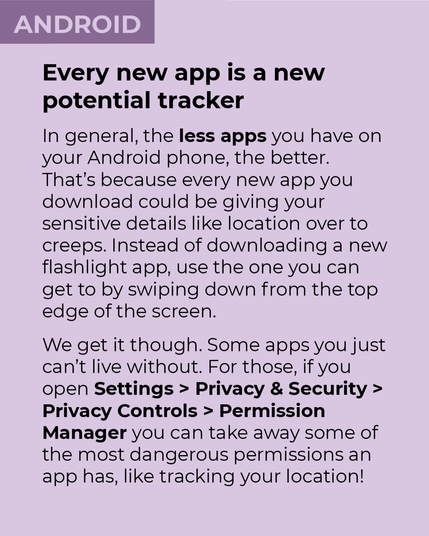
In general, the less apps you have on your Android phone, the better. That's because every new app you download could be giving your sensitive details like location over to creeps. Instead of downloading a new flashlight app, use the one you can get to by swiping down from the top edge of the screen.
We get it though. Some apps you just can't live without. For those, if you open Settings > Privacy & Security > Privacy Controls > Permission Manager you can take away some of the most dangerous permissions an app has, like tracking your location!
Second image:
IPHONE
Every new app is a new potential tracker
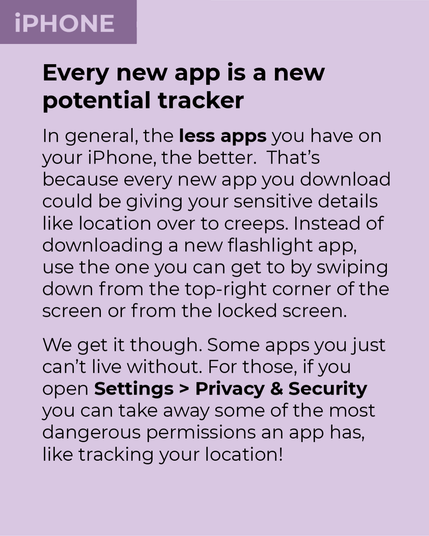
In general, the less apps you have on your iPhone, the better. That's because every new app you download could be giving your sensitive details like location over to creeps. Instead of downloading a new flashlight app, use the one you can get to by swiping down from the top-right corner of the screen or from the locked screen.
We get it though. Some apps you just can't live without. For those, if you open Settings > Privacy & Security you can take away some of the most dangerous permissions an app has, like tracking your location!
First image:
ANDROID
Don’t give apps your tracking ID!
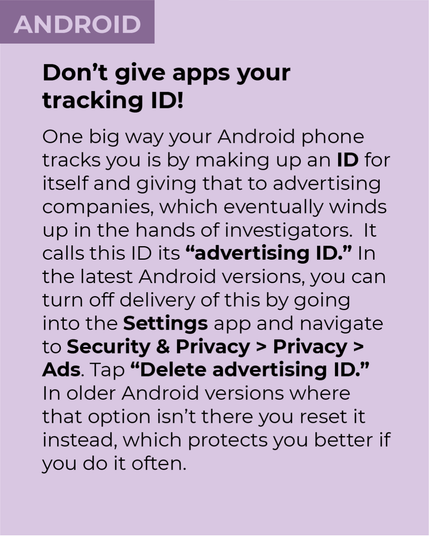
One big way your Android phone tracks you is by making up an ID for itself and giving that to advertising companies, which eventually winds up in the hands of investigators. It calls this ID its “advertising ID.” In the latest Android versions, you can turn off delivery of this by going into the Settings app and navigate to Security & Privacy > Privacy > Ads. Tap “Delete advertising ID.” In older Android versions where that option isn’t there you reset it instead, which protects you better if you do it often.
Second image:
IPHONE
Don’t give apps your tracking ID!
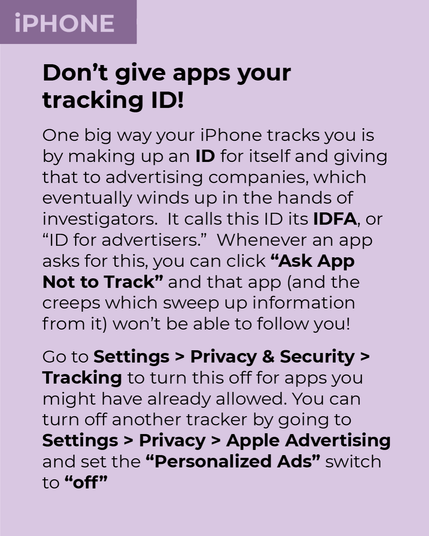
One big way your iPhone tracks you is by making up an ID for itself and giving that to advertising companies, which eventually winds up in the hands of investigators. It calls this ID its IDFA, or “ID for advertisers.” Whenever an app asks for this, you can click “Ask App Not to Track” and that app (and the creeps which sweep up information from it) won't be able to follow you!
Go to Settings > Privacy & Security > Tracking to turn this off for apps you might have already allowed. You can turn off another tracker by going to Settings > Privacy > Apple Advertising and set the “Personalized Ads” switch to “off”
 Ko Simon toku ingoa

 (((JaneinNJ)))
@eff @davidaugust Did this ages ago but it’s a good reminder for folks who haven’t.
 Simon EI3JDB
@eff my phone runs #GrapheneOS which doesn't have this "feature"
 Damon L. Wakes
 tranquil_cassowary
@DamonWakes @EI3JDB @eff
They can communicate with Google Play via IPC if present in the same profile, but this happens based on mutual consent.
They can communicate with Google Play via IPC if present in the same profile, but this happens based on mutual consent.
 Steu
Steu@eff Is there an app to provide fake ID?
If the database become full of fake data is useless.....
If the database become full of fake data is useless.....
 Steve Holden
 Orca 🌻 | 🎀 | 🪁 | 🏴🏳️⚧️
 Alfred J. Kwak (audiokontor) ☕
 mastodonphan HAS MOVED
 �
�@eff i am not sure if this also works but shelter (using the workprofile as samdbox on android) has the ability to freeze all apps in there with just one click.
ao a frozen app cannot send location data, can it?
btw, timw without recharge went from 1 per day to once per 3 days
 Steve's Place
@eff Is there another source? I don't want to give them my data to view the damn post.
 Toska & Loviruruv
Looks like they want more than data, "this post is for paid members only."