
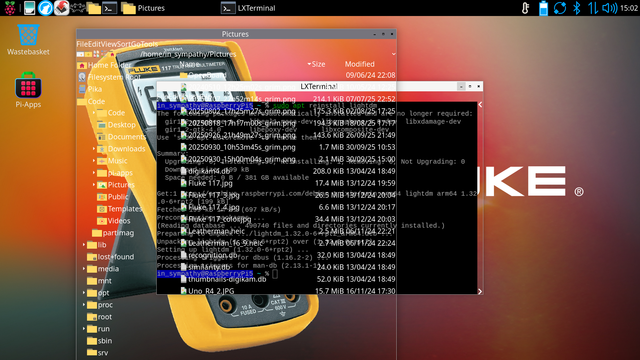
Today #RaspberryPi published a really wild update - DO NOT UPDATE if you've updated to Trixie before official release because here's what it's gonna do to your desktop and have a look at this official forum thread:

https://forums.raspberrypi.com/viewtopic.php?p=2340266#p2340266

#debiantrixie #raspbian #debian #linux #bug #bugreport #update
Trixie — the new version of Raspberry Pi OS - Raspberry Pi

New Raspberry Pi OS Trixie has an updated desktop theme, a new Control Centre application, easier customisation possibilities, and more.

Raspberry Pi
Well #samba, #pihole and #homebridge survived and work on this new #debiantrixie release of #raspberrypi os. But no matter how hard I tried I was unable to get #airprint or #qbittorrentnox to work as they did on #DebianBookworm 😔

So with the help of #chatgpt I managed to fix the issue with #Airprint and #DebianTrixie. The problem is not #Avahi - it's #CUPS frontend.

When you set up a printer over http://localhost:631 and check "Share this printer" - it won't actually reflect in /etc/cups/printers.conf

So check that file and make sure you see "Shared Yes" there.

If it still won't work - here are more steps I took to fix it:
https://forums.raspberrypi.com/viewtopic.php?p=2348308#p2348308

#linux #raspberrypi #debian

AirPrint in Trixie - Raspberry Pi Forums

@in_sympathy I'm doing a test install of #Trixie myself on a spare NVMe. No big changes to speak of. One mild bug noted: The network-manager tray icon became sluggishly responsive (over VNC connection) when I attached my own known-to-be-good wifi USB dongle (Mediatek chipset, works perfectly in bookworm). No errors in dmesg/kernel log to account for this. The rest of the #RaspberryPi desktop is very responsive.
#OpenSource #Linux