 jjesse
I've really been trying hard to use Kubuntu for several weeks, but there is always something little that screws up and I waste time googling it.
It's juts a death by papercuts over and over.
I've really been trying hard to use Kubuntu for several weeks, but there is always something little that screws up and I waste time googling it.
It's juts a death by papercuts over and over.
Here's an example of a dumb one. When I do "git push ..." Ksshpass window opens up and asks for a password first, but what it is really asking for is my username which it hides behinds *. Took way too long to figure that out.
Do you mean ksshaskpass? I don't understand how could possibly ask for a username, since with a SSH Git remote the user is "git" ([email protected]...)
You are not using SSH, you are using HTTP as Git remotes. Evidently ksshaskpass never added HTTP support.
My guess is that Git invokes an external program when configured to do so and assumes that program support both clear and obfuscated inputs. Instead ksshaskpass assumes Git will only ask for a password. Something like that.
Maybe you could try to specify the username in Git config:
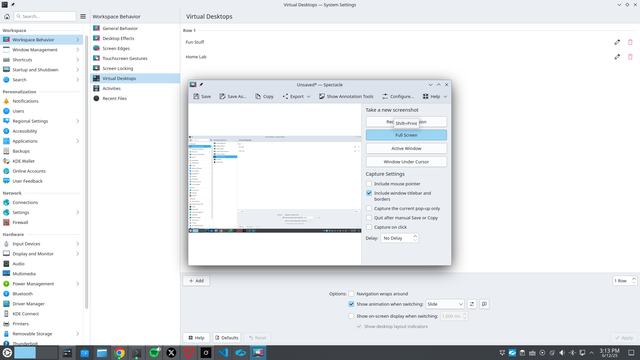
The equivalent would be switching virtual desktops, each one with different tiled windows. You can use Krohnkite or another tiling script for Kwin to tile them automatically. I switch desktop with Meta+arrows.
@alxlg I didn't know about virtual desktops like that. Since I can right click a app and assign it to an activity I assumed it was a virtual desktop, guess it isn't?
Also I shouldnt have to have some script for snap to the window side to actually work correctly. It just does out of the box in Windows and the grouping of apps is really nice.
Googling the difference between an activity and a virtual desktop is just another papercut slowly killing me
sorry for the complaining today. But another thing on #kde #kubuntu is "activities" they just don't seem to work well. In Windows 11 I can set thngs to a virtual desktop and they just stay that way, even after a reboot. And yet somehow I can alt+tab from one activity to another. Or a link in Mastadon will open up on Chrome in the other Activity.
All #papercuts
 Alex L 🕊 🇵🇸