 R. L. Dane
Ladies and gentlenerds, it is with profound pleasure that I introduce to you,
Mira Delenn Furlan Dane
I don't know how but she already loves me.
It's truly amazing.
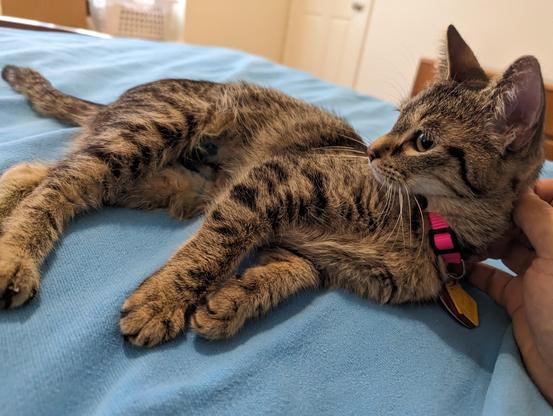
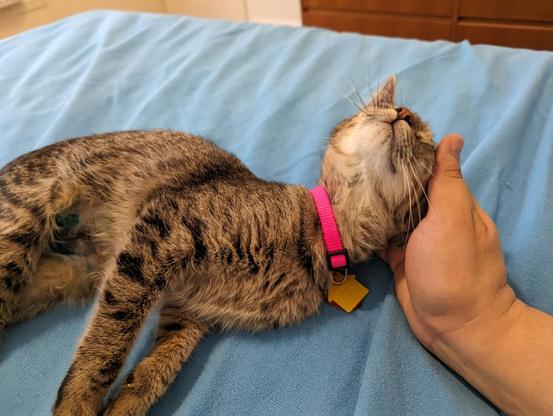
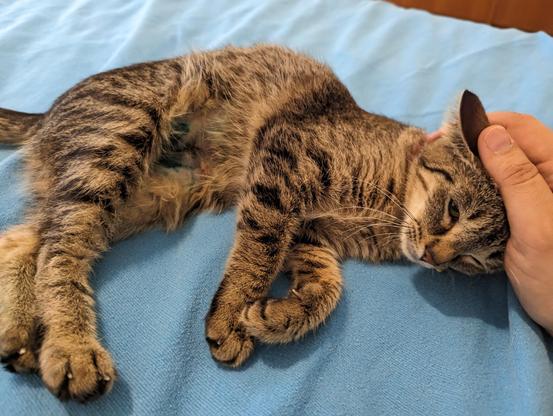
Ladies and gentlenerds, it is with profound pleasure that I introduce to you,
Mira Delenn Furlan Dane
I don't know how but she already loves me.
It's truly amazing.
I feel guilty for taking up >14 MB on that last toot, but the downscaler on my phone didn't seem to have a batch mode. :(
But then again, I think Ad?min is def' gonna be ok with this one ;)
That was the size downloaded (looking at /tmp/tutfile1111111yaddayadda.jpg)
Random aside, why the heck are people still enforcing three-letter extensions? That's so dumb. :P
I'm not a fan of providing retronyms for abbreviations necessitated by crappy operating systems and/or crappy conventions.
It should always be .jpeg, in my book.
And if we’re talking the Unix world the file extensions are basically ignored anyway. It’s only on Windows that it actually matters.
@amin @mirabilos @rl_dane Only on the commandline - in graphical shells, the Unix world uses them for the icons.
It's RISCOS that ignores them pretty much entirely (I think?)...
I need to play with RiscOS.
I need to get a proper three-button (no wheel) mouse, first.
…a mouse with no scroll wheel? Why?
Because #RiscOS uses the second mouse button as the right click.
It's infuriating to try to click the mouse wheel that much.
But then, instead of having a frustrating button arrangement, I'd have a frustrating pointing device.
Sorry, I know that's sacreligious. 😁
You sit down at a desktop. At the desktop is a keyboard, a USB mouse, and a USB-connected trackpoint by itself.
All other things being the same, which one do you reach for?
For me, it's the mouse, hands down.
I agree. I find myself using dolphin less and less, but I do find it useful when there are many files present and I want a quick overview, or when I want more clues as to file type (icons!) (although I understand that tools like exa give you some of this)
ls --color gives some clues to filetype too. ;)
Yeah yeah yeah, I'm sure the flags are different on BSDs. ;)
#FreeBSD has ls --color (I think it might be the only --gnu-style flag in any stock BSD utility, lol), but not most of the other BSDs.
There's an lscolor in most ports, and of course, GNU coreutils if you want all that.
Honestly, alias ls=ls -F kinda does the job. ;)
@rl_dane @amin @mirabilos @ddlyh
Personally I just do ls -alh but that's just my preference...
@ddlyh @kkarhan @amin @mirabilos
--color=auto is the best bet. I think it detects whether or not you have a tty and outputs plain text if not (for piping)
@kkarhan @ddlyh @amin @mirabilos
Most Linux distros alias ls='ls--color=auto'for you by default. For many years.
Color ls is not a given in other Unixes.
@xenotar @kkarhan @ddlyh @amin @mirabilos
Wrong colors for your terminal background, or do you just not like colors in your terminal?
@xenotar @rl_dane @ddlyh @amin @mirabilos
I think you still should be taken into account - if only for #accessibility...
I do want to actually account for that in @OS1337 ...
https://infosec.space/@kkarhan/113314177161389536
@[email protected] @[email protected] @[email protected] @[email protected] makes sense... For example, #toybox's #ls implementation doesn't do #colours...
@xenotar @kkarhan @ddlyh @amin @mirabilos
Honestly, ls -F is good enough most of the time.
I even have some really nice aliases for exa to make the output look like a flippin' graphical file manager, and never used it again after setting it up. 😅
 Amin Hollon 🏳
 DHeadshot's Alt
 mirabilos
 Kevin Karhan

 Xenotar
 orizuru