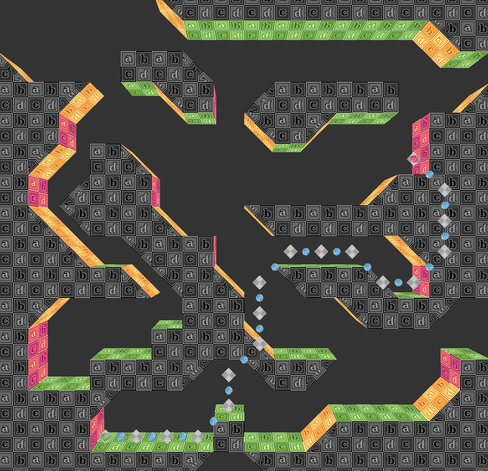
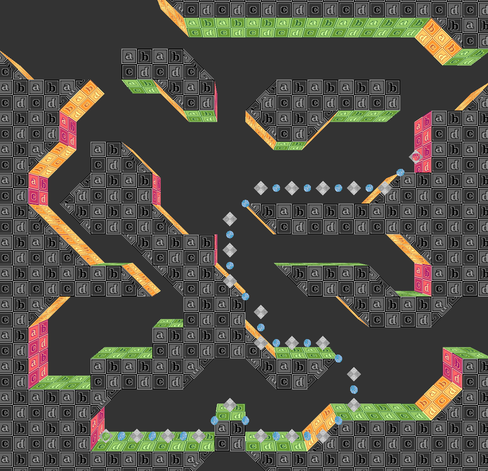
Got my first draft of a workable 3D tilemap done, which gets parsed into a basic tile-based AStar pathfinding system. Might turn it into a little game project, methinks.
There's no rules for what paths are valid yet, other than not moving into solid tiles, but I've got plans. Eventually, the nodes will follow platformer rules, and support units with different sizes and movement capabilities. (Note: arrows are hand-drawn, for clarity)
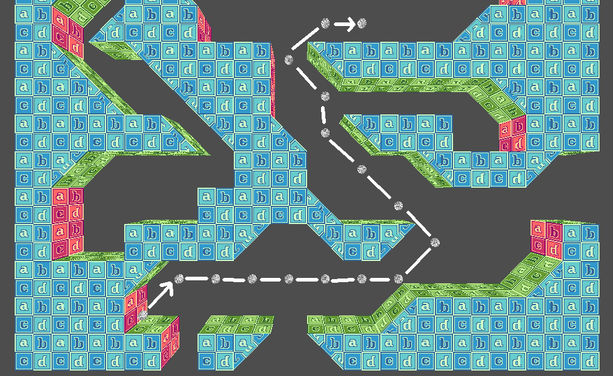
A working proof of concept, for a conditional platformer pathfinding system for Godot 4!
It uses standard AStar navigation, but the nodes are structured in a special way to create conditional movement rules and logic, using a series of lockable nodes that lead into each tile.
P.S. Bonus page from my notebook, where I was scribbling out pathfinding rules and flow diagrams for system.
More Info:
Each tile is made up of 9 navigation nodes, using a custom AStar 2D node graph. The central node represents whether or not the tile itself is pathable. The 8 nodes around it are one-way "inlet" nodes, which are locked or unlocked based on whether the character has the movement abilities necessary to cross into the tile from that direction (climbing, jumping, etc).
To navigate the graph, nodes are enabled or disabled per the character's movement abilities, then they try to navigate from the tile they're in, to the valid inlet nodes leading to a neighboring tile.
Made a little visualizer tool, for my custom AStar pathfinding system.
The pathable central nodes are represented by blue (or purple) planes. The blue dots around them are the unlocked inlets for each tile. In the second image, inactive nodes (and locked inlets) are also shown, in red.
Purple nodes represent "unstable" tiles such as those in mid-air used for jumping. Agents can't end their path in unstable tiles, though if they're capable of jumping, they can pathfind *through* them... but only into a neighboring "stable" tile, like one on top of the ground.
This is how the nav-grid handles pathing logic for things like climbing and jumping; you can path up to one tile away from a stable location, but need a valid destination or the right movement capabilities, or the path is locked before pathfinding is calculated.
How the Conditional Pathfinding project's going:
I was your mother, Pathfinding System. I brought you into this world, nurtured you, loved you.
Why you gotta do me like this...
NVM my dumb ass forgot to prevent tiles from flagging themselves as ledge-grabbable, if the tile you're moving into is solid.
TL;DR, characters could hop into and out of otherwise solid terrain, so long as they had hands, and they were free for climbing.
Working now!
More Godot 4 prototype progress!
For one, basic game agents exist now. This one is currently picking a random nearby space to wander to every few seconds, and tries to get as close as possible to it.
Red orbs mark invalid destinations, where the agent can't quite reach a tile, or if it's not a stable place to stop (like when standing on ground, or hanging on a ledge). Valid places to stop are marked with a blue orb.
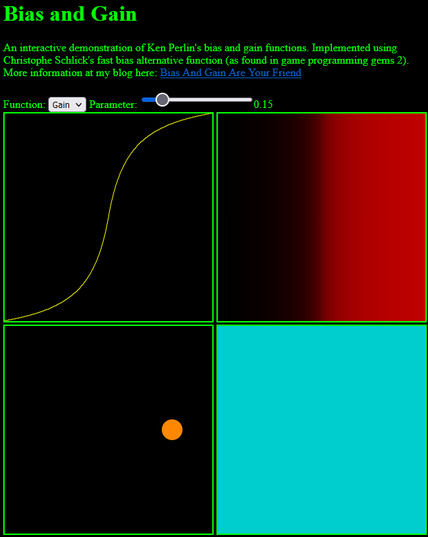
There are no proper animations yet, but I found some brilliant tweening and noise equations compiled by http://www.demofox.org/, which I'll be making more use of. I particularly like their quick Bias and Gain for configurable easing, as well as Cubic and Quadratic Beziers! There's some great resources for building intuition for these things there too.
Bonus camera update:
Over the weekend, I put together a camera system, which can be set to free scrolling, or locked to always keep a focus character in view. It uses an ellipse matched to the window size to constrain the pan distance from the focus point, and works in 3D at any zoom level.
How does it adjust for 3D zoom and perspective, you ask? I don't know!
I tried to work out an equation that accounted for FOV, distance, etc., but after a lot of trial and error I just brute forced the answer. Apparently dividing the camera distance by screen height * 0.0108625 keeps camera movement 1-to-1 with mouse movement in 3D, at precisely FOV75?
Funny enough, it's probably faster on the CPU than whatever trig I'd have needed to do to calculate this, so I'm counting it as a victory for dumbasses everywhere.
Also, shout out to the camera techniques recently shared by @jupiter at https://gist.github.com/thygrrr/8288cabeb5cd25031ce6132c4a886311, which are an excellent framework to build off of! <3
Been playing around with some clean, pixelly 2D/3D looks for this project. What do we think?
Also, once it's further along, I've been thinking about maybe trying to crowd-fund regular development on itch io or something, and building it out into a proper little platformer/city-builder game. Is that something anyone would be tentatively into? I'd love to put more time into this.
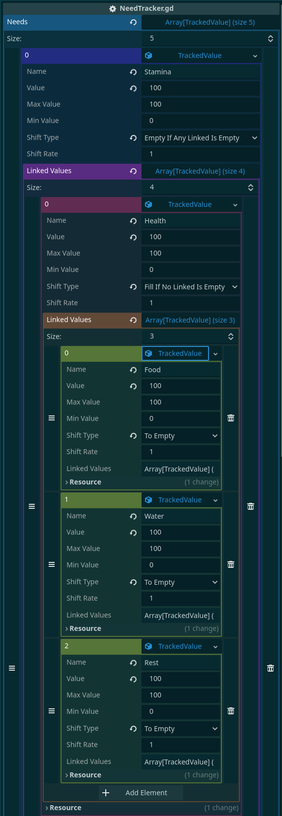
Dusting off this undergound city sim project, with some work on a Sims-adjacent character need tracking system.
General physical wellness is tracked as "Stamina", with low Health, Food, Water, and Rest levels depleting it. If Stamina hits 0, they pass out until rescued. That sort of thing, with similar for emotional wellness and fulfillment.
It's just the backend done, and this probably doesn't mean anything to anyone, but I like how colorful nested Resources and Arrays are in Godot. Makes it very readable!
Made a basic UI, for representing the physical and mental needs of a character!
Needs influence what a character chooses to do, and may trigger other effects when very high or low. Each need is represented by a bar, and has arrows to show how quickly they 're currently draining or filling. Actions and ambient conditions can influence this; for now, I just made it so Stamina drains 3 times faster whenever a character is moving.
Still prototyping things out, so none of this is final, but the System seems to be working as expected!
A bit of an experiment in stylized lighting.
It uses a normal map, palette map, and an indexed palette of 4 colors that display based on light level. It works on both 3D surfaces and sprites, and accepts point lights and adjustable ambient lighting.
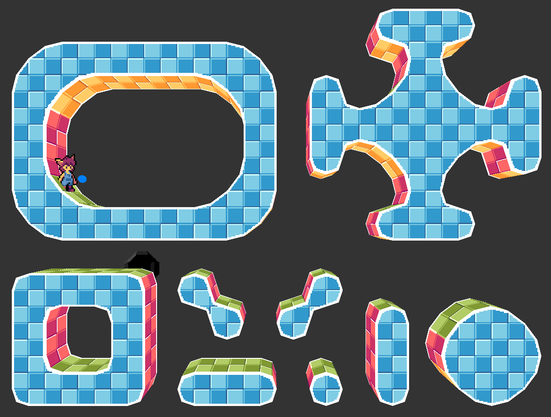
Been trying to make more organic tile-based environments, without needing hundreds of unique tiles for shapes and boundaries.
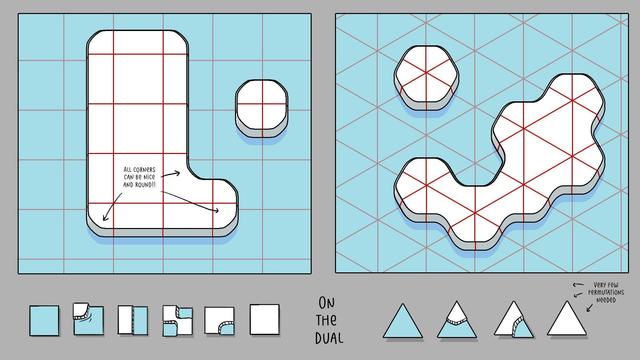
Finished prototyping a procedural mesh system, inspired by Oskar Stålberg's Dual-Grid tiling technique, adapted for 3D in Godot.
It starts with a map of 3D tiles that can be painted in editor, that needs only 5 base tile shapes per terrain type.
Each chunk of the base map is then parsed into a single combined mesh, using a new set of terrain tiles at a half-tile offset. Instead of representing each tile, they represent the *intersection* of 4 tiles, which hugely reduces number of unique tiles (went from about 1,000, to 70).
Since it's a 3D mesh, I can also change the textures of each corner of the dual tiles, to draw borders between different terrain types, without needing a ton of textures either.
The prototype looks a bit Dreamcast-ish in a way I like, but I'm really looking forward to trying it with proper textures!
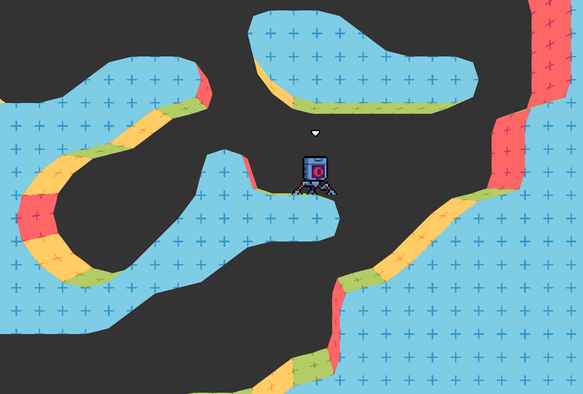
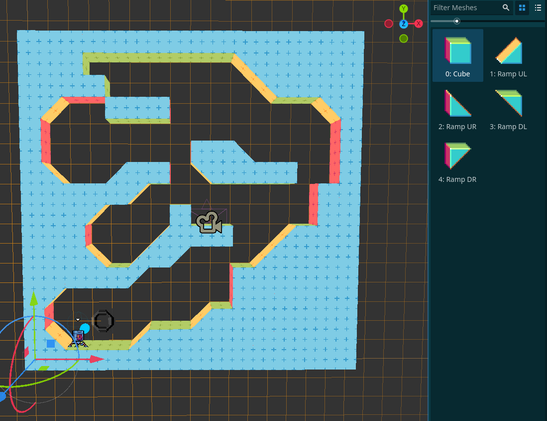
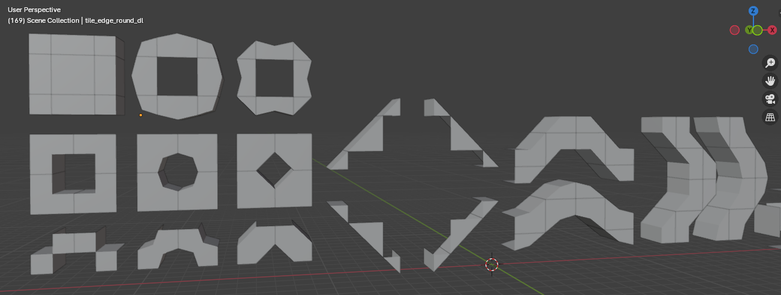
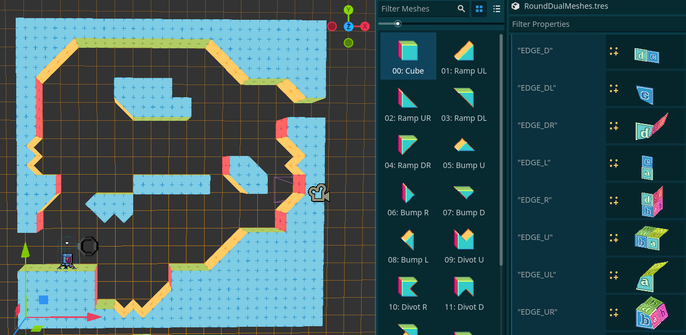
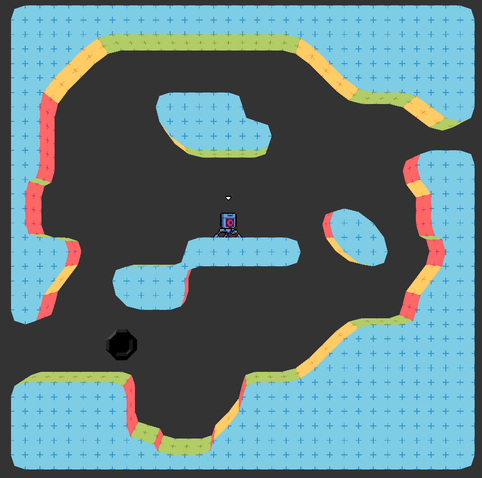
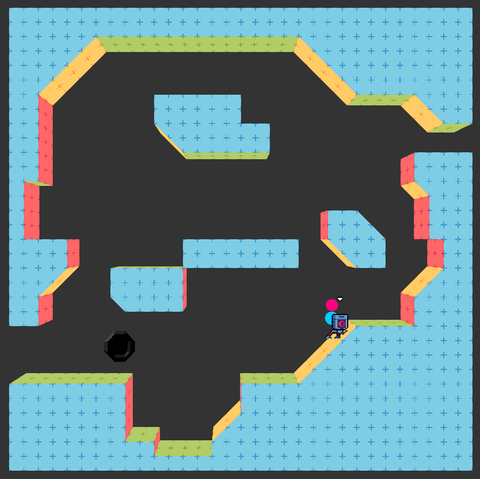
Made a little update to my dual-grid map parser, to support additional half-tile shapes along with ramps, and add full support for smooth and sharp-faceted tiles.
Had to make strict rules for them, to keep the number of combinations down; players can either place cubes or generic half tiles, and whether it becomes a half-bump, ramp, or half-divot is based on what's adjacent to it. But it should give a bit more shape variety to environments, and allow for both smoothly winding or craggy cave formations, and more angular artificial terrain.
Hope that keeping the palette of shapes simple and tile-based will help players quickly read and reshape the environment, without too much fussing too!
This kicked my butt, but I managed to work out a terrain texturing system I'm pretty happy with!
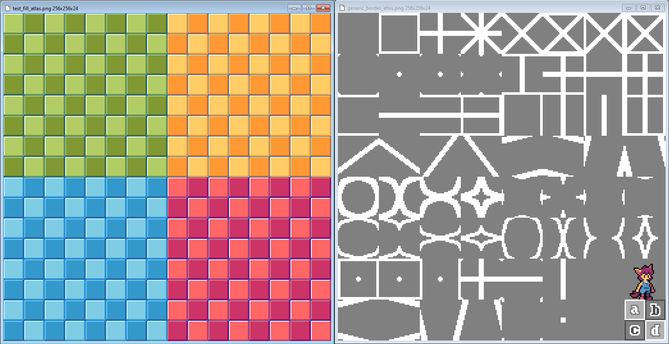
The shader samples from 2 sprite atlases for terrain fill textures and border textures, and layers them on the geometry using different UVs and UV2s, to pick which part of the sheet to render.
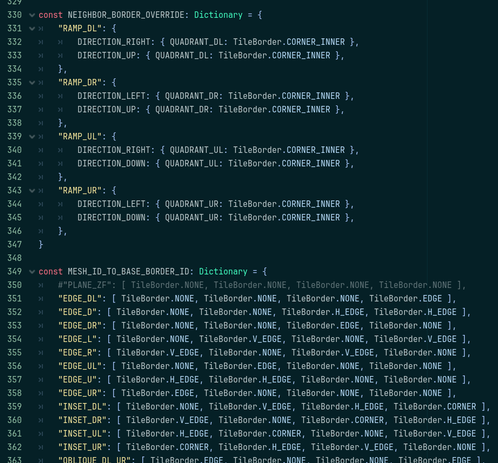
I'm usually more of an Array person, but I've been making extensive use (misuse?) of Dictionary data types for the first time; mostly to make lookup tables for mesh data, directionality, what borders have priority over which other borders or what new sprites they should combine into, etc.
Ended up being a fair bit of work up-front, but now it's trivial to add new sprite sheets for new terrain types. Quite pleased with it!
@BreoganHackett I'll get there, I'll get there, haha.
Still trying to work out where I want to fall on the Sonic The Hedgehog vs. Secret of Mana spectrum when it comes to color count and abstract vs. representational pixel art. And I keep being tempted to go full low-poly 3D + Pixel Art on the characters even.
So many possibilities...