I’ve been rebuilding a #RaspberryPi installation that supports my classic Mac habit 😄

I used to use the awesome #MacIPGW image which includes a ton of pre-configured software like #netatalk. But it hasn’t been updated in a while so I used it as excuse to start from scratch.

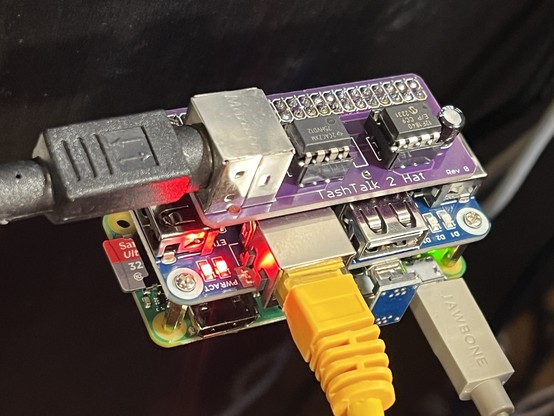
I used this Pi Zero W as my starting point. HDMI video stopped working on it for unknown reasons. I added an Ethernet/USB hub hat and a #TashTalk 2 hat for #LocalTalk devices.
#RetroComputing #VintageApple #VintageMac

One reason for rebuilding netatalk is I wanted to run TashRouter on the same machine. It’s doesn’t work right on the MacIPGW image because of the “split horizon” patch.

I can now freely use AppleTalk devices on EtherTalk, LocalTalk (PhoneNet!), and LToUDP (Mini VMac). This enables, for instance, printing to an ImageWriter II from my modern Mac running System 7.5 in Mini VMac! (There were lots of bugs to resolve to get the ImageWriter II working!)

#RetroComputing #VintageApple #VintageMac

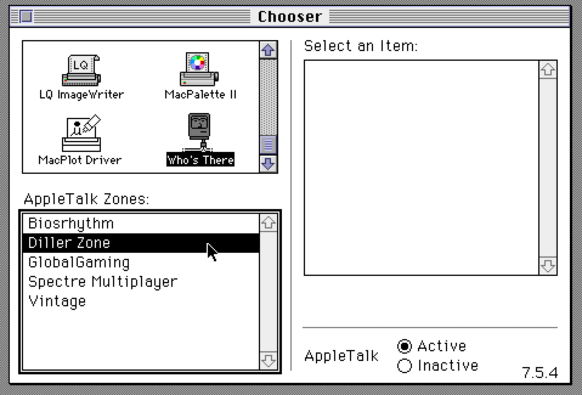
One piece that's missing is AURP aka #GlobalTalk support. I'd like to avoid running a VM and have something more lightweight.

Luckily @DrJosh9000 has created jrouter which comes very close to accomplishing this! Remote zones are showing up but are all empty and not sure if my zone is visible outside. I need to play with some settings some more I think. But soooo close!

https://gitea.drjosh.dev/josh/jrouter

#RetroComputing #VintageMac #VintageApple

jrouter

**WIP** Home-grown alternative implementation of Apple Internet Router 3.0

Forgejo: Git with a cup of tea

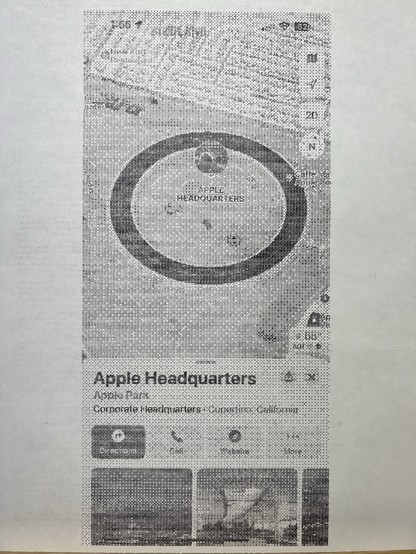
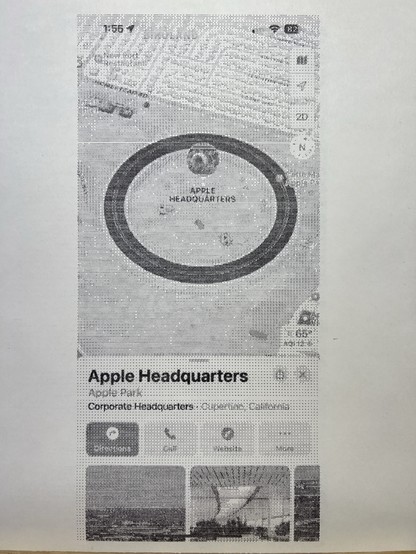
With netatalk, a TashTalk hat, TashRouter, and CUPS on the Raspberry Pi, we can do clever things like share a #ImageWriter II printer over #LocalTalk with an iPhone using AirPrint!

This screenshot was printed from my phone to the ImageWriter II.

Interestingly, this was just fixed in the latest netatalk 2.3.2!

#LiveLaughLocalTalk #RetroComputing #VintageApple #VintageMac

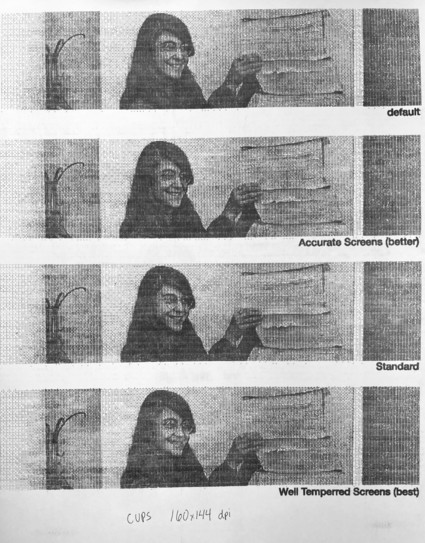
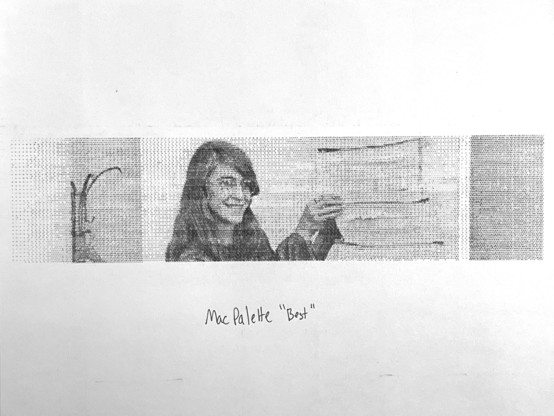
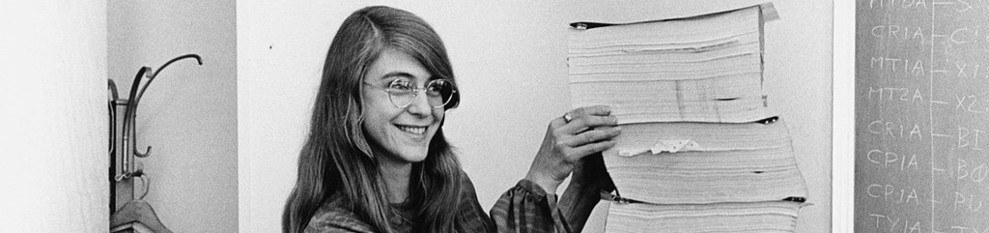
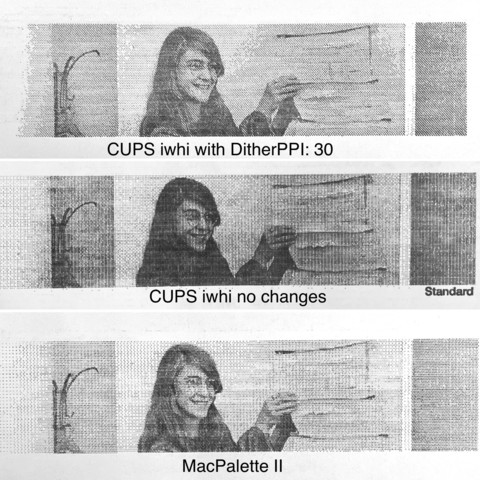
In the interest of science, I did an ImageWriter II comparison print of CUPS vs the MacPalette driver for Classic. I think MacPalette wins here. There appears to be better color range and the text is a little sharper.

#RetroComputing #VintageApple #VintageMac #LiveLaughLocalTalk #ImageWriterII

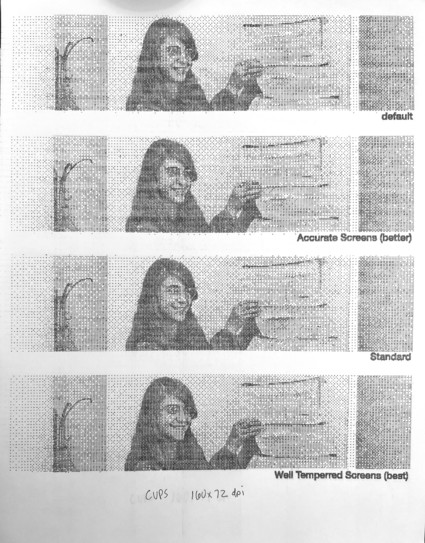
I lifted some halftone settings and stuffed them into the ImageWriter II foomatic PPD and did some test strip prints.

At both resolutions, the result seems to be the same? So maybe that’s not the setting I need. Maybe it can’t be changed? MacPalette II still wins here!

#RetroComputing #VintageApple #VintageMac #ImageWriterII

Ok #AppleScript folks: how do you make MacOS 9.2 automatically print a PDF that appears in a specific folder?

#VintageApple #VintageMac #RetroComputing

So I have a new MacOS 9.2.2 #AppleScript Folder Action attached to a network share via netatalk. It works only if these conditions are met:

1. The folder is open already in the Finder. If it’s closed, it never triggers.
2. The new item is added to the folder from the current machine. Items added remotely to the network share do not “refresh” therefore never trigger the action.

Is this expected?

#RetroComputing #VintageApple #VintageMac

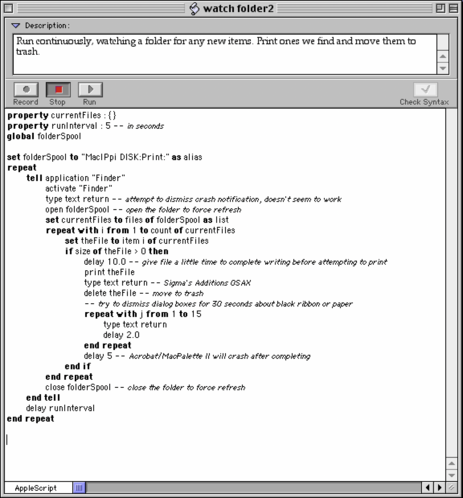
Ok, I've abandoned Folder Actions as it just doesn't seem to work. I've now gone with an always-running #AppleScript to scan the folder.

And.. it works! Almost? It seems that MacPalette II crashes (and takes Acrobat Reader with it) after it completes a print and there's a finder dialog that's proving difficult to dismiss in AppleScript.

#RetroComputing #VintageApple #VintageMac

The way it works is this:

1. A print is initiated from a device to the CUPS-PDF driver on my #netatalk Raspberry Pi.
2. The resulting PDF is placed in the AFP share of netatalk/afpd.
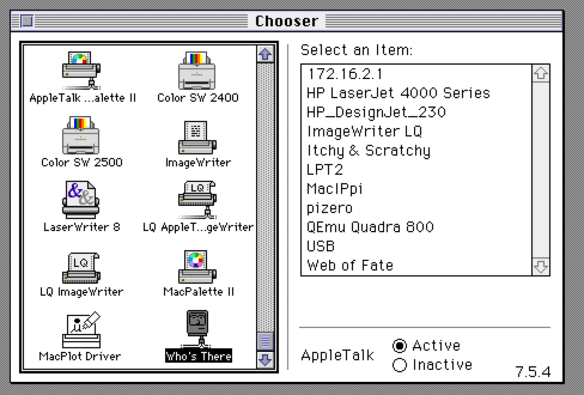
3. An emulated PPC Mac 9.2.2 running the #AppleScript below is watching for new files in that folder and will print them using Acrobat Reader to the #ImageWriterII via #LocalTalk using the MacPalette II driver.

It works, but crashes with dialog that I can't auto-dismiss.

#RetroComputing #VintageApple #VintageMac

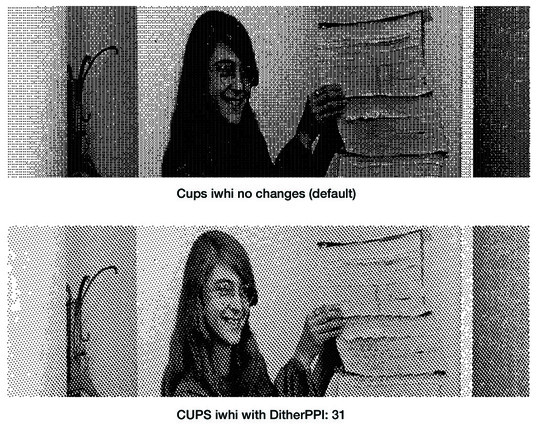
Ok, so this centipede printer workflow isn’t really reliable so I dove into CUPS to try and see if there’s a way to alter the dithering.

I tried adding different settings to the PPD file but nothing produced any changes.

Until I added “DitherPPI” (a GS option) and it produced a result that was pretty good! I tried various values (30, 80, 120, 180) but they all looked identical. In any case, this is good enough for me!

#ImageWriterii #RetroComputing #VintageApple #VintageMac #netatalk

As promised, I wrote a blog post about creating my own classic Mac support server using a Raspberry Pi Zero, a TashTalk 2 hat, netatalk, and a few other tools. It's very much like MacIPRpi with everything current.

https://biosrhythm.com/?p=2791

Boosts appreciated!

#RetroComputing #VintageApple #VintageMac #netatalk #MacIPRpi #MacipGW

» Building a Classic Mac Support Server

I was able to tweak the output of the ImageWriter II prints from CUPS to be slightly better. I've updated the blog post.

https://biosrhythm.com/?p=2791

#RetroComputing #VintageApple #VintageMac #ImageWriterII

» Building a Classic Mac Support Server

This animation shows the simulated output of CUPS ImageWriter II DitherPPI setting approximately from 2 to 31. After that, it changes to a more posterized dither and is the same for any larger value. You can see the dithering dots start very large and shrink down with each new value.

#RetroComputing #VintageApple #VintageMac #ImageWriterII

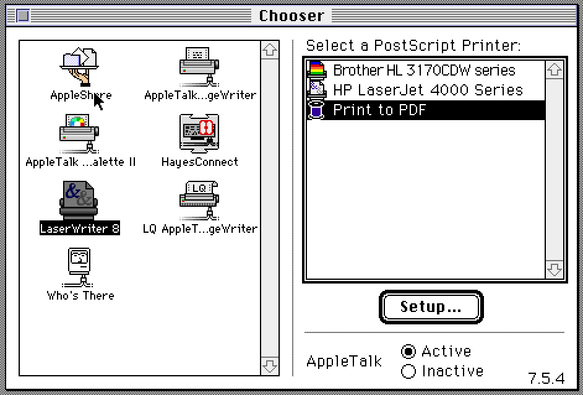
I've updated my Classic Mac Support blog post with info on how to create a Print to PDF printer that's shared over AppleTalk with netatalk!

https://biosrhythm.com/?p=2791

#RetroComputing #VintageMac #VintageApple #netatalk #MacIPRpi #MacipGW #LaserWriter

» Building a Classic Mac Support Server

@paulrickards hey, a lo g time amiga user with a basic macos problem... At least a couple of times I've tried to bootstrap a 68k macos 7 instalation and always ended in a loop of needing to unpack stuffit files and stuffit exe itself was also packed and .... In the end could not figure it out.... So maybe could you help me find out a good sequence to start installing things???

@winden Maybe start with a preinstalled hard drive image with all the tools already on it?

https://archive.org/details/mac_MacOS_7.0.1_compilation

MacOS System 7.0.1 Compilation : Apple Computer : Free Download, Borrow, and Streaming : Internet Archive

This pair of compilation hard drives contains a full copy of MacOS 7.0.1, along with a range of games, applications, utilities and toys to demonstrate the...

Internet Archive
@paulrickards Ibhad never considered searching for that... Thanks!!!!