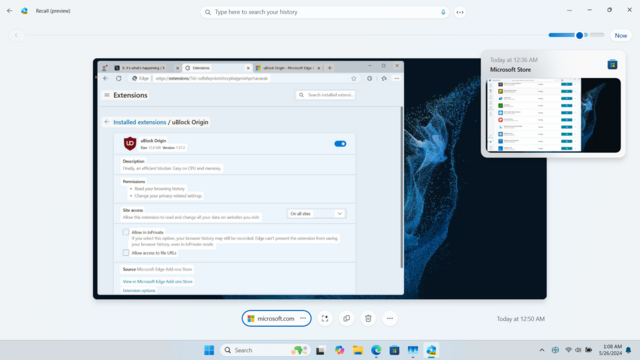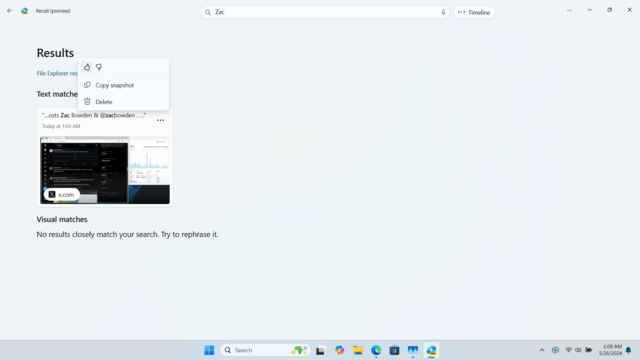
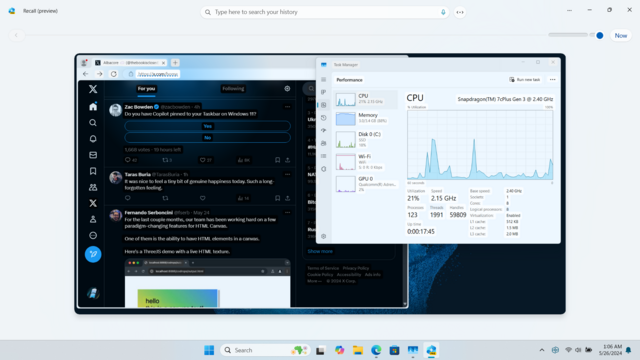
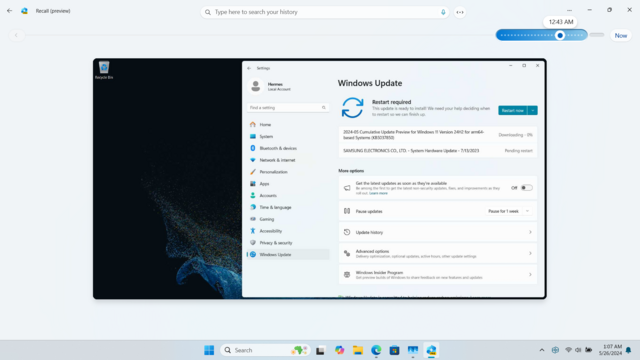
I was able to get Recall working on this bad boy 😎
Snapdragon 7c+ Gen3, 3.4 GB of RAM, no NPU in sight

Will cook up a tutorial soon, it's surprisingly good even on something this low spec 😊 If you have any questions I'll do my best to answer them ✍️
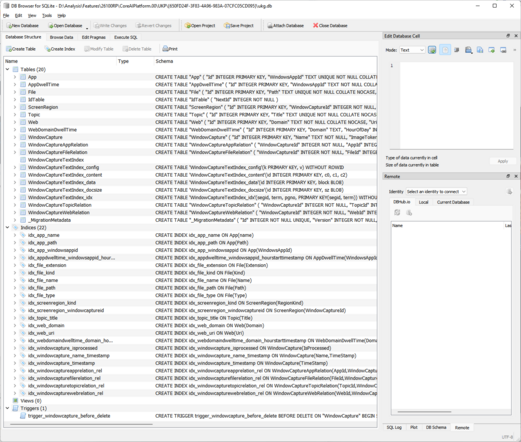
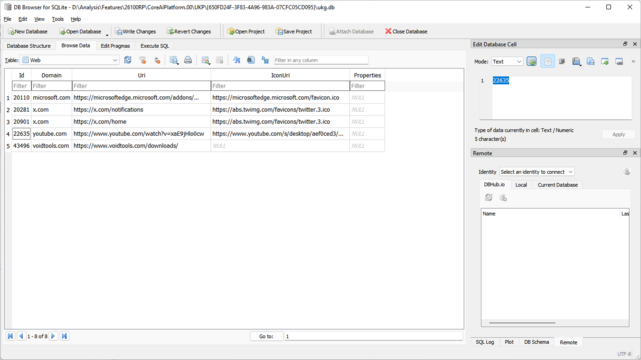
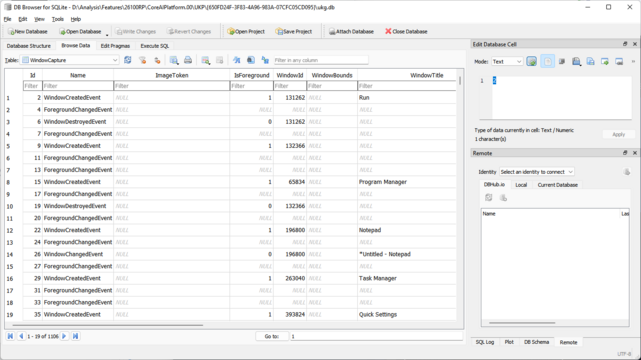
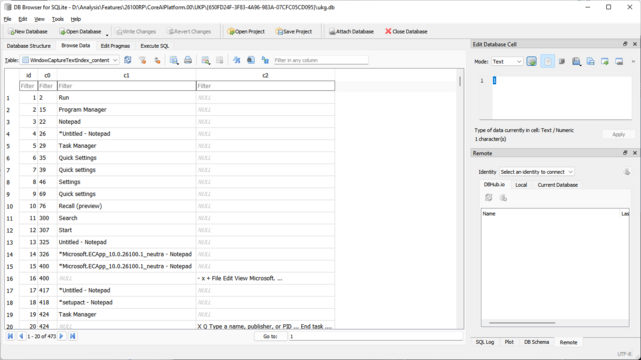
Can confirm that Recall data is indeed stored in a SQLite3 database. The folder it's in is fully accessible only by SYSTEM and the Administrators group. Attempting to access it as a normal user yields the usual "You don't currently have permission" error. Here's how the database is laid out for those curious, figured you might appreciate a few screenshots.
@detective Considering most Windows user accounts are Administrators if they didn't manually create a second account for admin use, I wonder if that would still allow easy access.
@DrewNaylor File Explorer always runs unelevated, Administrators also have access to C:\Program Files\WindowsApps yet you simply can't open it in File Explorer without breaking ACLs no matter how you try.
@detective I was wondering about programs besides Explorer, but if it requires elevation, then malware would still need to use an exploit to gain it without UAC which is possible.
@DrewNaylor Yep it does require elevation to access
@DrewNaylor @detective Could a program (malware) insert fake data in this database to make the user somehow guilty or liable of something nasty/illegal/…?
@C_Duv Oh probably, I hadn't thought about that before.
@DrewNaylor So I guess there is no authenticity verification mechanism: just a plain text database.
@C_Duv That's possible, but I'm not sure. I heard that the encryption on Home is paper-thin which without any authenticity-checking would be relatively easy to exploit given enough time, and on Pro and Enterprise is uses BitLocker, but BitLocker doesn't mean much once the drive is decrypted when running it.
@DrewNaylor @detective can you run unsigned code on a Secured-core Win11 machine?
@jazaval I assume you should be able to, otherwise it would destroy third-party unsigned FOSS applications (Microsoft would probably be happy). That wouldn't help anything though, because a lot of signed stuff like kernel-level anticheat with games and Word can have exploits that don't require any other executables to run besides the signed code. Signing keys can also leak and I think that may have happened before, not sure. I don't know what a secured-core computer is, though.

@DrewNaylor you can’t run unsigned code on any Mac made in the last 4 years or so: https://forums.developer.apple.com/forums/thread/678816

Secured-core is Microsoft’s answer to Apple silicon’s Secure Enclave and software notarization process: https://www.microsoft.com/en-us/security/blog/2020/03/17/secured-core-pcs-a-brief-showcase-of-chip-to-cloud-security-against-kernel-attacks/

Microsoft calls it “chip-to-cloud”.

Filesystem privileges in an unsign… | Apple Developer Forums

@DrewNaylor you can self-sign with what’s known as an ad-hoc signature, but this signature only works on that machine
@jazaval That's really sad they're limiting what can be run like that.
@DrewNaylor you can run anything you want, you just need to be a developer (not paid or anything). it might make you cringe but it also makes it very difficult to write malware that targets more than one system. by only allowing apps that have been scanned and can be remotely revoked, widespread malware is nearly impossible. Win11 on ARM will go the same way, just watch.
@DrewNaylor I can’t imagine a scenario in which a non-developer needs to run unsigned code.

@detective

Hopefully this will allow this hideous feature to be quietly sabotaged if it can be completely deactivated and removed.

What happens if you set to be a blank database and alter the file permissions to prevent any user or process from accessing it? 🙂

@simonzerafa This thing is opt-in and you can easily disable it in Settings
https://mastodon.social/@detective/112513568290859457

@detective

Assuming it actually stays disabled and doesn't get automatically re-enabled every Patch Tuesday 🤨

Needs to be fully disabled by removing core executables and/or with suitable file or folder ACL's.

@simonzerafa This tinfoil hat attitude is killing me. Just add a group policy if you're so bothered by toggling in Settings and be done. MS isn't stupid and knows it may be an undesired feature for someone to enable in an org so of course GPOs exist too.

@detective

Wow. Apologies for breathing in and out I'm sure 🤨

It's not paranoid attitude nor is tin-foil required. History demonstrates that Microsoft cannot be trusted.

If they weren't stupid this feature wouldn't be even in the core product.

Either it wouldn't have been developed or it would be optional during installation for the three people in the world that need it.

@simonzerafa I don't know man, the instance name sort of sets up some expectations of having a reasonable understanding of things in this area and I'm getting the opposite vibes. What has Microsoft re-enabled so forcefully every Patch Tuesday to warrant that kind of "precaution?" I'm all for being cautious about black boxes (like what social media sites do with your data) but you can reverse engineer Windows to your heart's content so this kind of approach just feels overblown and unnecessary.

@detective

So now I'm some sort of idiot because my experces of using Windows since 1994 don't match yours? 😲

I think you need to step back and really think if this is how you want to present yourself.

Anyway let's end this conversation as it's clear your not really interested in looking at the extremely serious issues and ramifications that this "feature" will bring to Windows 11.

@detective

>webdomaindwelltime

Ah, gauging interest on a per-domain basis.

"Windows is like the faint smell of piss in the metro: it's everywhere, and there's nothing you can do about it."

@detective This isn't as secure as it's made to sound.

This is akin to putting scotch tape on a door marked, "Private Property! Do not enter! (please)"

@detective Hi! If you have a moment I have an odd question, I've searched around to no avail: what folder was the DB stored in on your system? I see snapshots are saved in C:\Users\[username]\AppData\Local\Temp but looking for where the Administrators-and-SYSTEM-only permanent copy is. I see D:\Analysis\... in your SQLite browser but I'm not sure if that's a copy or its location on your system 😅
@detective Won't this add even more writes to storage devices too, if it's constantly recording everything done on screen? Someone needs to send a bill to MS... 
Weren't they saying something about it being encrypted on disk?
@detective The white label backgrounds in Task Manager and Edge look horrible, what is going on with the UI design team inside Microsoft? First the horrible scrollbars and menu selection highlights, now this. It's like they looked at my theme engine and decided it's a good idea to give all labels a specific background color when the only reason I implemented that is just to have an option in case it made sense for a theme to have labels stand out more. That has to be a UXTheme bug.
@DrewNaylor Those are deliberately untinted parts of the Recall Memory to emphasize that it's selectable/OCR'd text that you can work with
@detective Oh, that makes sense. I was worried something went horribly wrong in Redmond (beyond them thinking adding spyware in the form of a screenlogger is a great idea).

@detective hUH

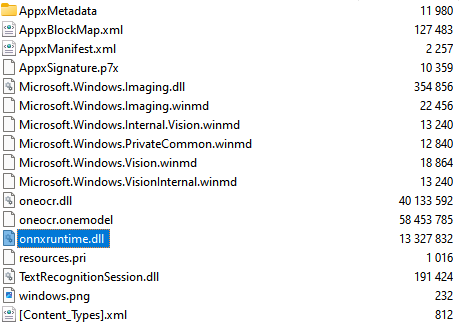
any idea what it uses for inferencing? just ONNX or whatever?

@halcy Looks like it, yes
@detective well, that's neat in multiple ways, one being that recall would I guess (edit: and I mean guess. I do not have access to any privileged information, this is me wildly speculating) in reality just run on basically anything, with hardware acceleration (assuming model doesn't have layers that are Annoying, but it runs on an NPU so it probably does not), and the other being that the NPUs on the copilot plus PCs are I guess going to be really easy to use for inferencing with whatever the hell models you want to play with
@detective Which use cases do you imagine for such a device? Any kind of professional activity related to editing non-sensitive documents? Personal – sometimes intimate – teenager conversations? Aren't you afraid that with social media, this would contribute to erode the sense of privacy of an entire generation of personal computers users?
@oceane At this moment this feature is disabled by default even if your hardware supports it. When it's active, there's a persistent icon in the tray that won't go away to remind you that it's capturing, with a distinct second state when capture is off. I don't think it's too difficult to press the Pause button when you're about to do something with sensitive data.
@detective Lol, I'd like to remind you that people don't even use passwords managers – they'll enable the feature by accident and forget about it
@detective And maybe it will save the day for an important task once in their lives so they'll insist to always keep it enabled. This looks like a plausible scenario to me
@detective Oh and people will say that “apparently it's a bad thing to do” without much context, building a sort of postmodern threat management fatigue (Ulrich Beck)

@detective So, all of this is just UI for OCR on periodic screenshots with search? 🤷‍♂️🤔

AI things that Microsoft is doing in this area is sooo quick & dirty...

@detective What kind of data is stored in the SQ Lite ? Full OCR text, including password fields and sensitive information ?

Surely, it automatically disabke in Private Browsing, but you mentionned that it is being ON even when browsing with TOR.

So this completely zeros any encryption you use since all your data will be stored without strong encryption. Right?

@detective Do you know how to get these working on an x86 CPU? Mine is an Intel i5-13400 with a GTX 1660Super