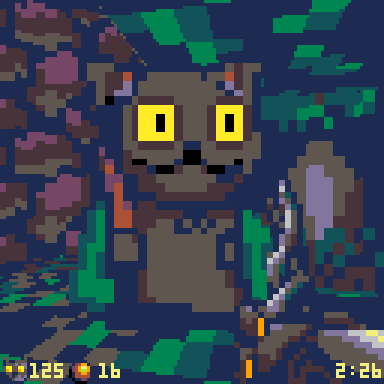
ok, #picotron 0.1 is up :) https://www.picotron.net

Thanks all for your support and castpixel & ocojo for the lovely wallpapers <3

I'll be back tmrw with a blog post & forum. You can already upload carts by id though via the submit link. Try:

> load #nights

@zep Amazing! So excited to have this out there, and congrats on the release.
@zep Sorry to already jump in with a bug report, but it looks like cmd/ctrl shortcuts (copy, paste, run) don't work on Mac. I've tried with ctrl and both left and right cmd. Sounds like some Windows folks say it works with right ctrl on their machines ... but I don't have that button.
@luchak @zep Yeah, I'm seeing this too, sadly.
So can't run or copy/paste anything (Win 11) 😟
@luchak @zep Txt @ninetales46 on Tw*tter for noticing that *Right* CTRL works! (will get me going for now...)
@Liquidream @zep Clearly I gotta find a different keyboard!
@zep Congrats for the release! It's been a while we were waiting for it, time to dig in!
@zep I mean, if I was allowed to. For some reason Windows Defender is pretty adamant on the exe being a virus and after whitelisting it, I simply can't launch it up, the furthest I got was the beginning of the boot animation. :<
@Ronflaix @zep I’m getting the same for the installer, it’s being detected as Trojan wacatac by windows defender. The .exe in the zip version is working fine though

@joenash @zep I got to launch it on an older computer running Windows 10 after deleting the Picotron appdata folder a few times and trying it until it laucnhed, i can't get what's happening, oh well

But none of the versions works on my main computer

@joenash @zep Ok now it works here too.

Zep, is there something wrong with the disk drive creation or the file serialization? Or something wit ht e AV taking over the files until you get to read them?

EDIT: broken again after toggling some options. If you need any help for debugging, I'd be happy to help this weekend or any time when I'll can

@zep Congratulations!
@zep Hmmm my Windows Defender REALLY doesn't like the setup.exe. Claims it found a Trojan:Win32/Wacatac.B!ml
@krystman @zep likewise here, you can probably try to submit the installer to MS so they can clear it for you πŸ˜…
@krystman @zep Same here.
@krystman @zep Seems ro apply to the installer and for the stand alone executable.
@jsendon1975 @krystman This seems to have been resolved in 0.1.0b (by chance rearrangement of bytes? ._. ) along with the other basic stability fixes.

@zep In all the excitement, I totally forgot to thank you @zep for getting #Picotron in our hands.
I've only been using it a few mins (+clearly it's alpha), but already, I can tell this is gonna be my new favourite cozy space!

P.S. - The right-click magnify "feature" is just... 😍

@zep I think I bricked picotron on my computer or something. I was playing around with the settings, changed it to windowed mode and dragged it to my second monitor, made it fullscreen there, changed the scaling options, then the screen turned blank and the program crashed. now I can't open picotron again. it either doesn't appear at all, or the screen turns black for a moment and then it closes. could also be an antivirus issue since I also had the installer issue like the others
@zep my second monitor is scaled by 125%, if that is relevant
@sako @zep I did disable Windows' autoscaling and every time I get a deadlock, I delete the Appdata folder, seems to circumvemt the issue for now. I hope it helps
@Ronflaix @zep it might be the appdata then. I probably messed up the settings and it's always trying to launch with those settings now maybe
@Ronflaix ok yeah deleting the folder in appdata fixed it lol. still a bug though, I gotta be careful with the settings for now
@zep i also tried uninstalling and reinstalling it, as well as restarting my PC and it still doesn't launch. the brief moment i used it when it worked the first time was fun though, I'm excited to dig into it!
@zep Woo! I'm very excited about the new resolutions and file sizes.
@zep Congratulations! πŸŽ‰
@zep I can't believe I pay Lexaloffle an average of $1/year for all I get in return. Congrats on the launch!
@zep Awesome! Congrats on the launch. Super excited to play around with it!
@zep Congratulations! πŸ₯³
Sadly, I'm also one of the people whom Windows Defender is overzealously defending from the Picotron installer. It's acting as if it's a potential Skynet situation here πŸ˜…

@zep Tried the ZIP version but that one unfortunately crashes on startup.

Hard to tell anything without symbols even inside a debugger, though it's a "0xC0000005: Access violation writing location 0x123F3F6F.", so looks like a read/write of freed memory or some other stray pointer.

Off to the Mac, then! πŸ˜‡

@zep

Hit the Ctrl+R issue on the Mac, no right control key on the laptop, but got around it by going to Customise modifier keys in Settings and swapping my Cmd and Ctrl temporarily πŸ˜…

@zep Looks like the lctrl scancode in /system/lib/events.lua is 57, but when I look at tables of scancodes that match your other elements in the table. it should be (i think) 244. I tried editing this file directly, but I can't figure out why it's not keeping state after startup.
@zep I've been experimenting with the theme customization and stuff, it's fun! But every time Picotron crashes, I can't boot it up again unless I delete its appdata folder in Windows. I would love to know how I can fix the boot issue after crashes without restarting from scratch and losing all the data every time

@zep

First tiny cartridge up! ⏳

load #sandotron :)

@zep congrats on the launch! Can't wait to get stuck in
@zep amazing! massive congratulations! it's already so, so good
@zep Just took it for a quick spin and I'm already in love!
@zep it looks so awesome πŸ™‚. I hope I find a little bit time on the weekend to play with it. Is it possible to access the ui component to create desktop applications, I mean stuff like ScrollView, TextInput, ... ? Thanks
@zep I tried a hello world example but hitting ctrl-r seems not work on macOS, I have also tried command-r.
@zep congrats on the release :) It looks fantastic!
@zep Minor thing but after I bought it, I don't see a way to add it to my Lexaloffle account from Humble. The instructions say to click "Lexaloffle Account Activation" on the Humble page for your purchase, but I'm not seeing any such button.

@zep very lovely and unique machine 3 _o/

and the unix-like feel of how commands and the filesystem work is great, I can see picotron used to introduce children to operating systems <3

@merwok This is exactly my plan for it.
@zep Thank you for making all these cozy spaces, just got my copy and I'm so beyond happy with it 🀩✨
Congratulations on the release πŸŽ‰