 Hylke Bons 🥜
changed to a Sonic-style ball jump. makes it easier to add all kinds of mechanics. ⚪💨
it looks better too in my opinion. what do you think?
#GameBoy #GameDev #PixelArt #RetroGaming #Nintendo #ProjectWhiskers
changed to a Sonic-style ball jump. makes it easier to add all kinds of mechanics. ⚪💨
it looks better too in my opinion. what do you think?
#GameBoy #GameDev #PixelArt #RetroGaming #Nintendo #ProjectWhiskers
new map screen. gives a good sense of what the size of the world will be. 🗺️
the unvisited tile looks a bit like Tetris blocks. may change it later...
#GameBoy #GameDev #PixelArt #RetroGaming #Nintendo #ProjectWhiskers
the minimap now shows room exits. so you can see the path you've traced. only for visited rooms, so it doesn't give away any secret exits. :)
this was a lot of work... the room exit directions are generated into some spare bits of the world data at compile time.
it's still very slow, but haven't looked at optimisations yet. maybe I'll keep it this way and create a scroll unroll effect instead? 📜
#GameBoy #GameDev #PixelArt #RetroGaming #Nintendo #ProjectWhiskers
let’s get PHYSICAL.
#GameBoy #GameDev #PixelArt #RetroGaming #Nintendo #ProjectWhiskers
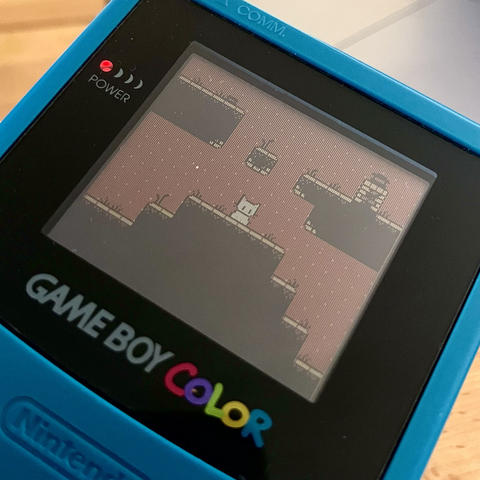
finally got some time again. added an inventory screen. 🧭 🗺️
I've no clue what most of the items should be. ideas welcome!
#GameBoy #GameDev #PixelArt #8bit #RetroGaming #Gaming #Nintendo #ProjectWhiskers
the #SuperGameboy can give the illusion that original games are full colour by clever use of its default palette.
it uses red mostly. but the darks in the background lean towards the purple, and the lights in the sprites lean towards the yellow.
really makes things pop! 🤩
#GameBoy #GameDev #PixelArt #8bit #RetroGaming #Gaming #Nintendo #ProjectWhiskers
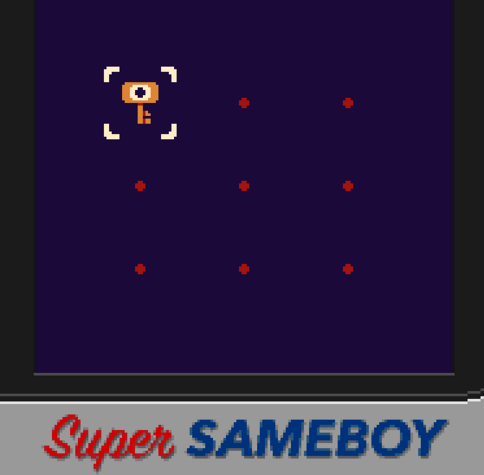
hyperfocus is one hell of a drug. too bad it's an uncontrolled substance.
you get a custom border for the elusive #GameBoyLight when you set emulation to Pocket and the monochrome palette to Teal. 💡
(totally missed this because you need to reboot the game for it to take effect and the palette is very low contrast so I never use it)
#GameBoy #GameDev #PixelArt #8bit #RetroGaming #Gaming #Nintendo #ProjectWhiskers

@Jeltron @hbons This is such a great tip, save states are so useful for testing.
A bunch of the accurate GB emulators are also starting to get rewind support in the debugger which helps (less for GBS though, I guess).
Sameboy does have save states.
For hotkeys it should be:
save: CTRL+0 through 9
restore: CTRL+SHIFT+0 through 9
Unsure of the Mac UI (I'm on linux), but you can see it set up here, maybe under "Emulation" :
https://github.com/LIJI32/SameBoy/blob/7e6f1f866e89430adaa6be839aecc4a2ccabd69c/Cocoa/MainMenu.xib#L217
@bbbbbr @hbons Thats really great to know! I just started using mGBA for testing games. It seems to have a ton of features. I can even turn off the window, sprite, and bg layers individually to reverse engineer how old games were made.
I feel like it's underrated as a DMG/GBC emulator. I rarely see it mentioned.
I do like the lcd filter in Sameboy better though...
 Jeltron
 bbbbbr